Ultramarines Primaris Lieutenant

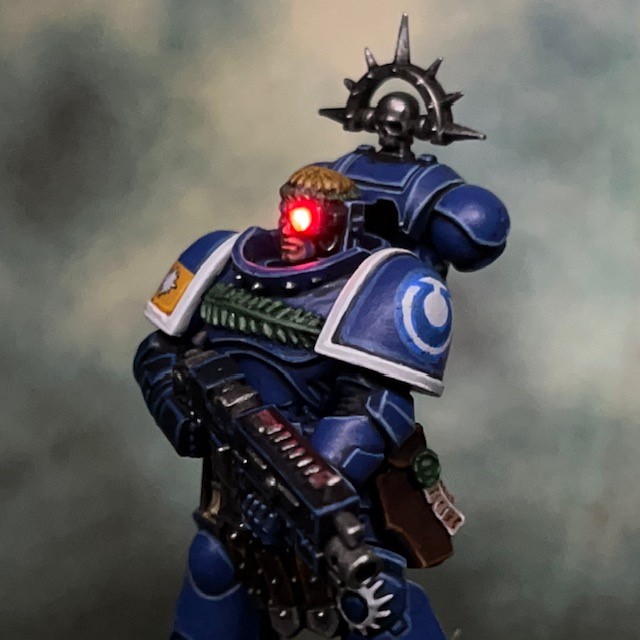
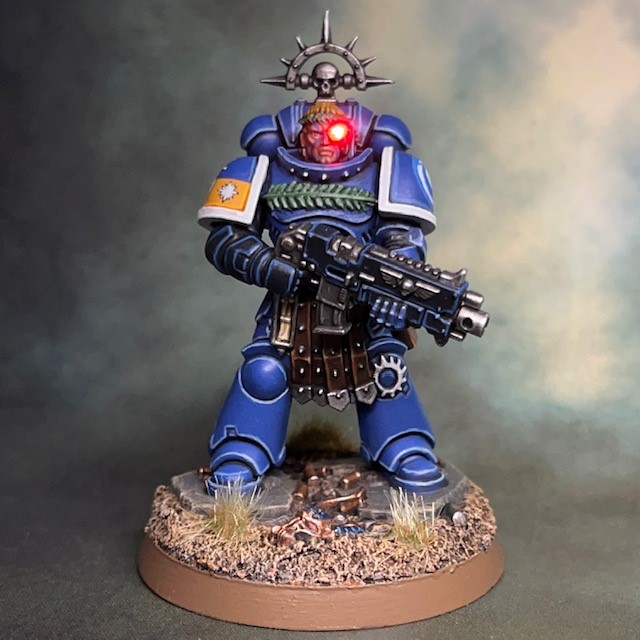
What if…the Ultramarine from the ‘Epic Space Marine’ box art had survived to cross the Rubicon Primaris? That’s the question that I asked myself for this year’s #MarchForMacragge side-project!

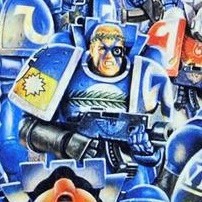
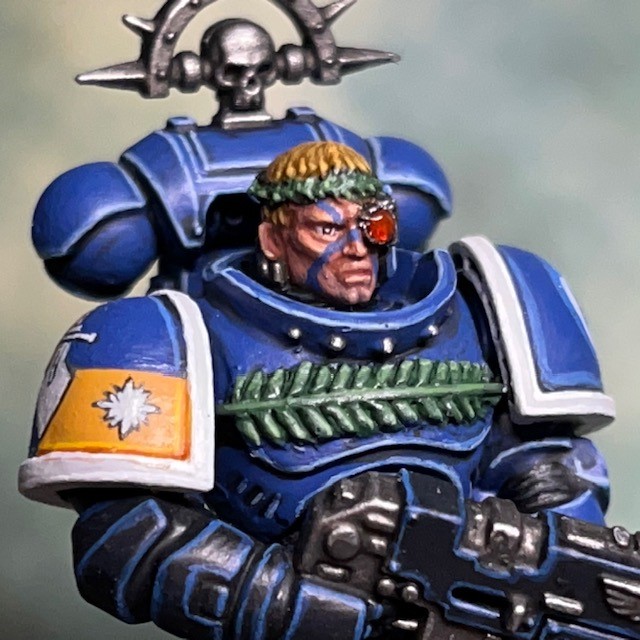
If you’re on the ‘hobby’ parts of social media then you may have seen the #MarchForMacragge hashtag being used a lot in the last few weeks. The premise is simple – paint something Ultramarine-related at some point during March and then share the results. Last year I painted an Ultramarine Veteran, and this year I tasked myself with recreating and updating the Ultramarine shown in the central image above. My goal was to bring the character up-to-date with Primaris proportions and Mk X armour, while retaining as many of the characterful details of the artwork as possible.

Building & Painting

For those not familiar with the artwork I’m referencing, here is the cover art for the ‘Space Marine’ box. This version of ‘Space Marine’ was the second edition of the 6mm ‘Epic’ game system, a successor to the original ‘Adeptus Titanicus’ game, and a precursor to today’s game of the same name. This art is one of the iconic pieces from GW in the early 90s, in my opinion, and we saw it reproduced and reused on book covers and promotional materials throughout the decade.

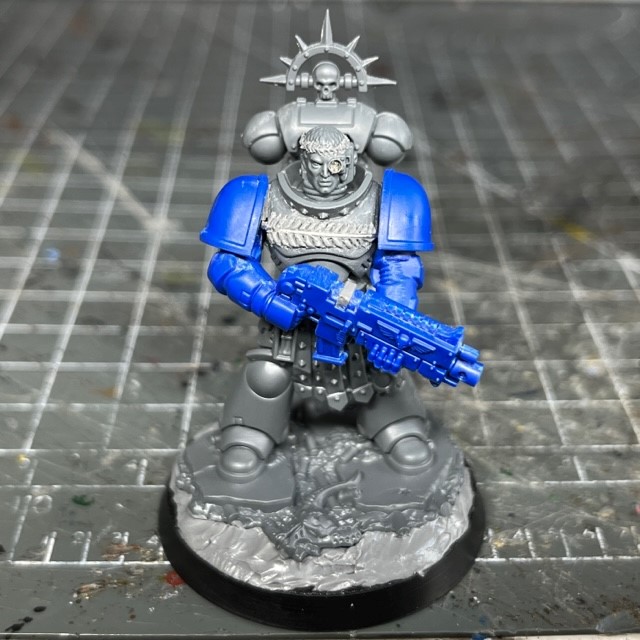
The Lieutenant is mostly based on the limited edition ‘Lieutenant Amulius’ model, only with the head replaced with a Blood Angels head and that arms from an ‘Easy to Build’ Primaris Intercessor to more closely match the pose in the artwork. The laurel wreaths on his head and chest were sculpted from modelling putty. This is what my gaming group jokingly refer to as a “wallet bleed” class conversion, i.e. something that requires the cutting-up and repurposing of rare or difficult to obtain miniatures.

The LED bionic eye was mostly achieved using the basic techniques described in my LED eye lens tutorial, with one key exception; instead of recasting the head in resin I used one of the GW plastic heads. I drilled a 1mm hole into the bionic eye of the plastic head, and then a larger hole up through the neck to meet the eye hole in the middle of the head. I then fed the wires of my 3V red ultra nano SMD chip LED in through the eye hole and out of the neck, then gently pulled the LED into the hole. I then ran the wires through the torso and legs – again, as described in my LED eye lens tutorial – to connect to the battery in the base. Then I applied a small blob of Water Splash Effect Gel, available from Green Stuff World, to fill in the hole of the bionic eye.
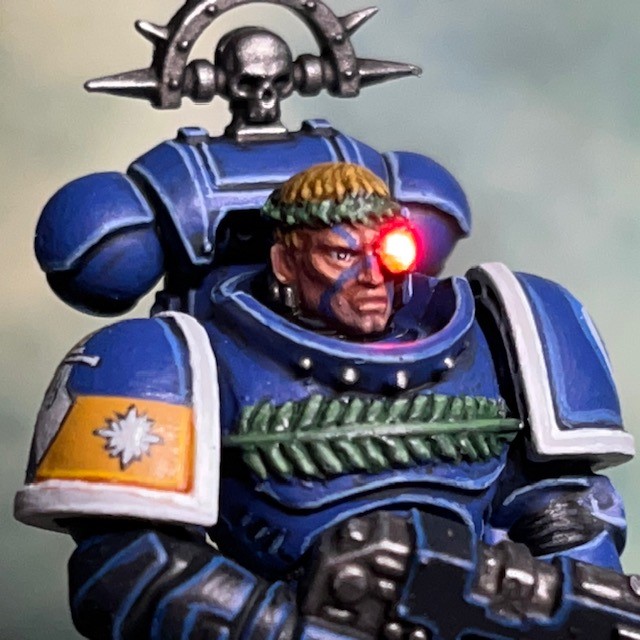
Once the gel was dry I applied three successive coats of Citadel ‘Technical’ Spiritstone Red to give the eye some colour when the LED is off and also to prevent the LED appearing too bright. Looking at the two pictures above, the LED is switched on in the left hand image and turned off in the right hand image.

When it came to the heraldry on his right shoulder pad, I thought I was going to have to make an educated guess as to what was on the rear half of the pad. That was until I realised that the full heraldry is repeated on the flag of the Land Raider! At first I assumed those were small stars in the top right blue square of the banner, but it was only when I noticed they weren’t on the Lieutenant’s shoulder pad that it occurred to me they were probably bullet holes in the banner.

The heraldry is painted on freehand, except for the Ultramarine symbol on the left, which is painted over a small transfer. One of the best tips I’ve ever received about freehand heraldry is from my good friend Apologist, and that was never to use pure black or pure white for heraldry and text in miniature painting. The reason for this is that the pure colours really stand out and draw the eye too much. Therefore the dark lines in the heraldry and 50:50 Abaddon Black / Mechanicus Standard Grey, and the white areas are Corax White.

Anyway, that’s all for today. I hope you’re enjoyed this little side project! Hopefully see you back here again soon. Don’t forget you can also follow my work on Twitter and Instagram.
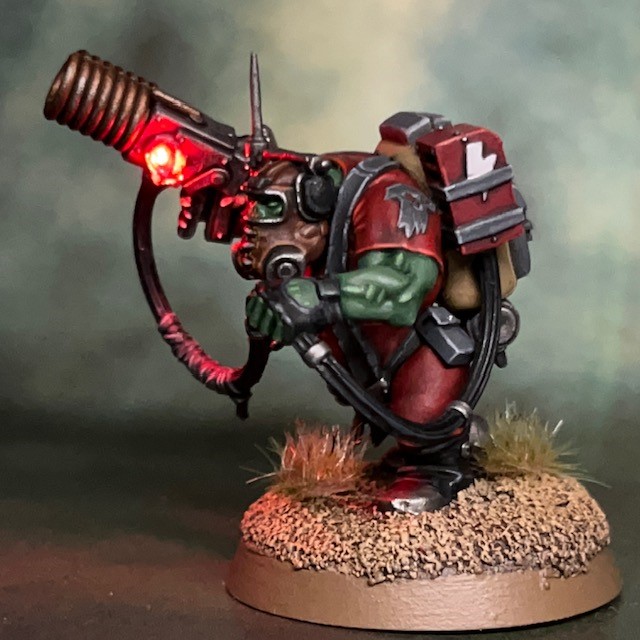
Kommando ‘Burna Boy’

Wot’s yellow an’ sayz “Help, I’m a ‘Umie and I’m on fire!”…? Err, hang on, I fink I told it wrong…

Slagskraga, Kommando Burna Boy

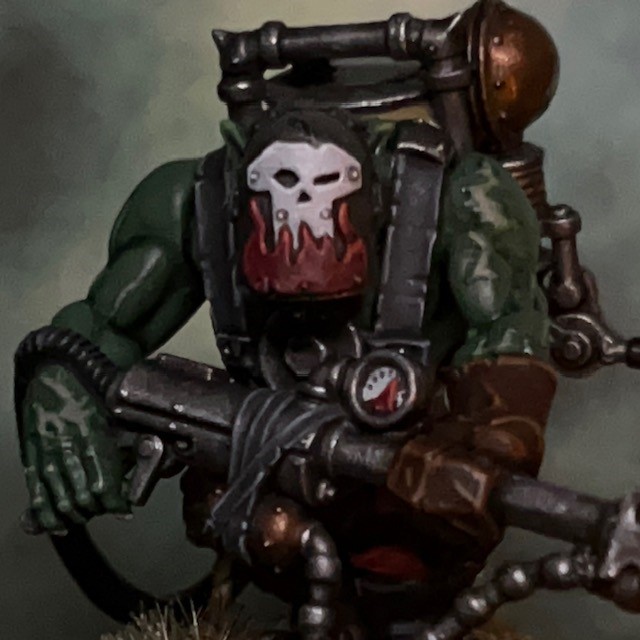
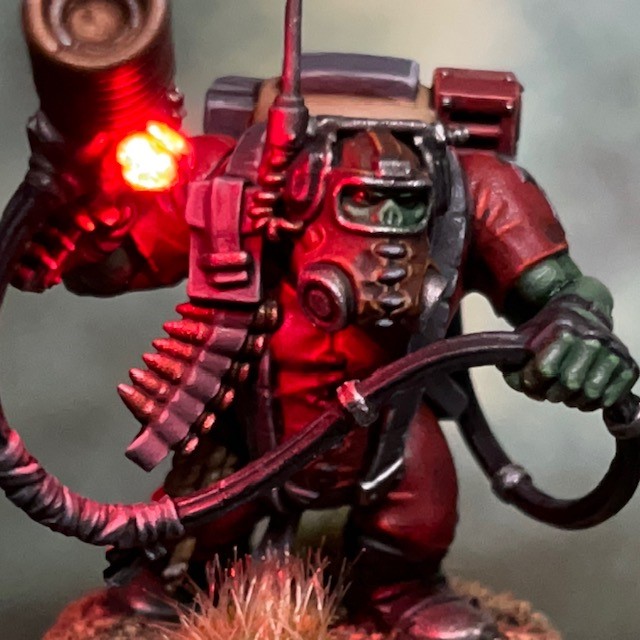
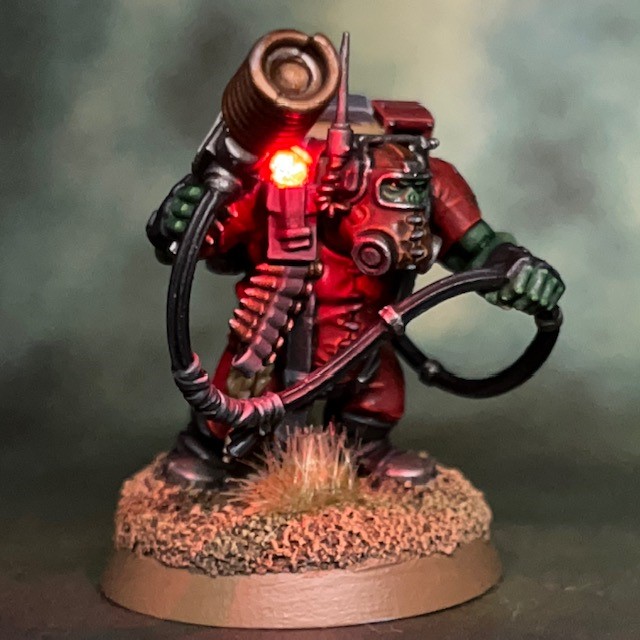
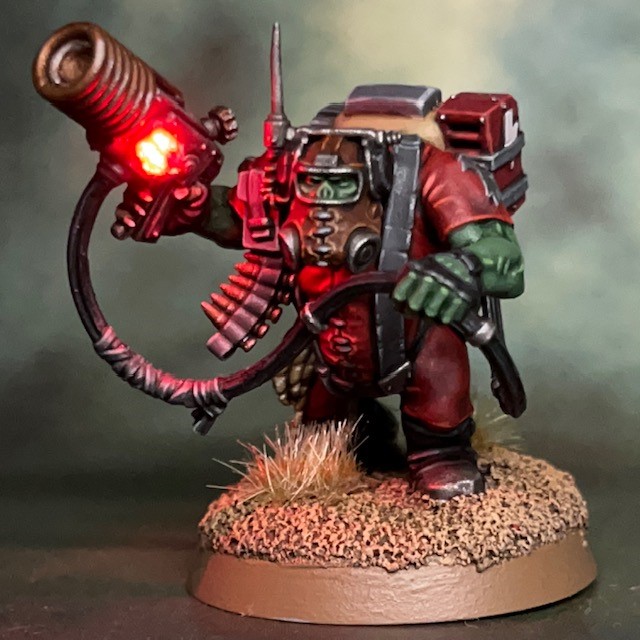
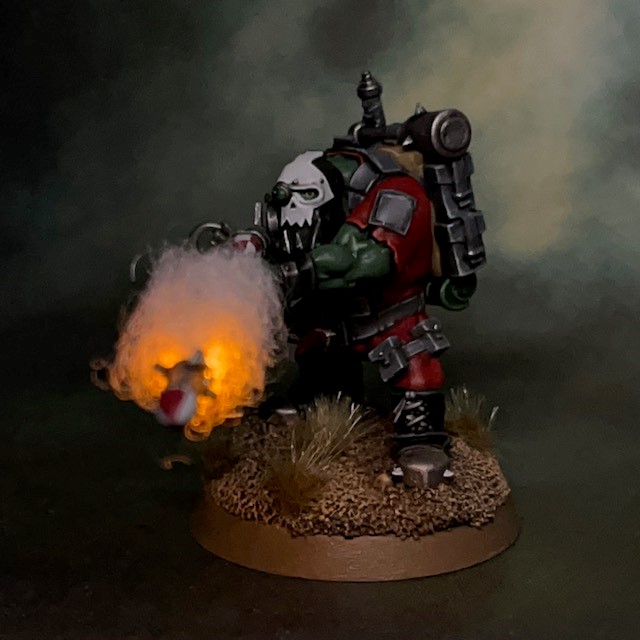
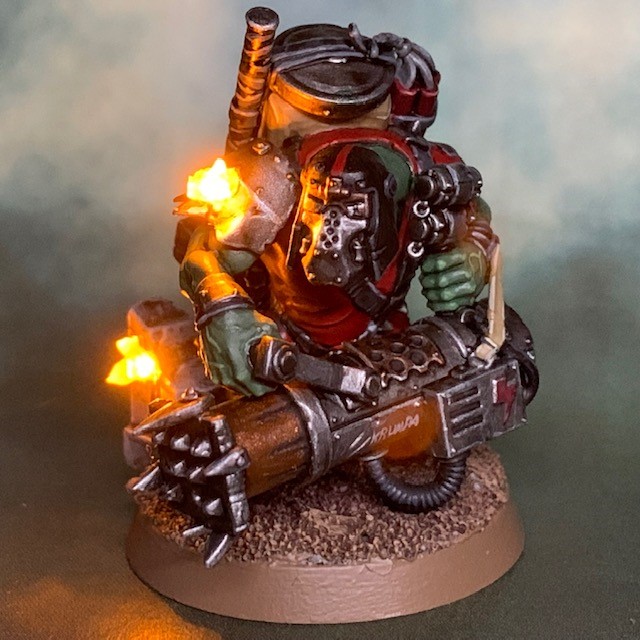
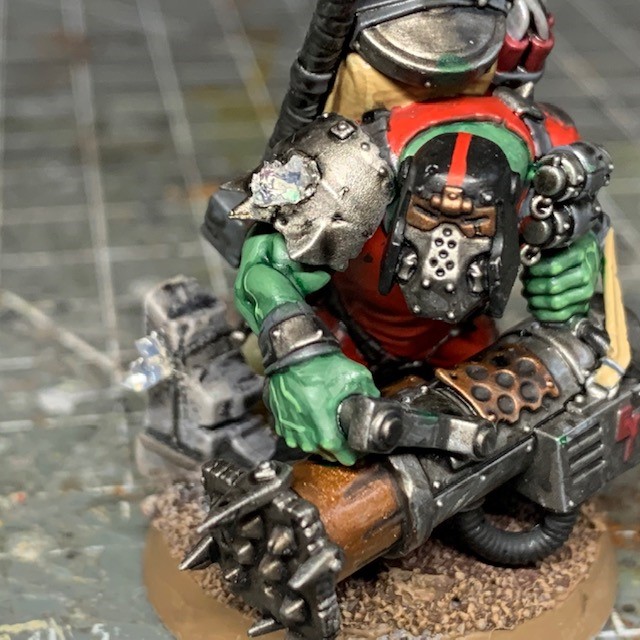
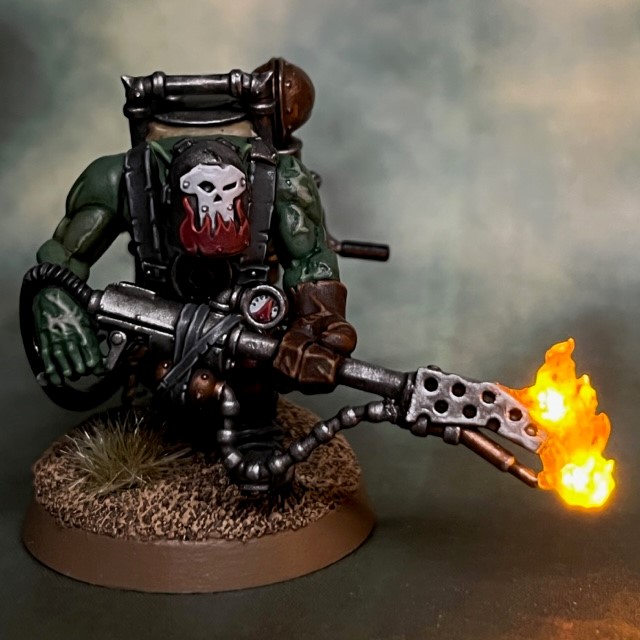
At last, the final Octarius Ork Kommando is complete, only around seven months after buying the box! I didn’t leave the Burna Boy until last for any conscious reason. I think it was just that I was more inspired by the other models and the effects I had planned, many of which were experimenting with new techniques, whereas I had a “safe” plan for the Burna Boy that fell back on tried-and-tested techniques.

Having finished the model, I do wish I’d got to it sooner. After spending a lot of time looking at it, I think it’s one of the most characterful models in the Kommando set. I particularly like the little details like the burn scars on its hands and arms, and the fuel pressure gauge on the burna.

Design, Building & Painting

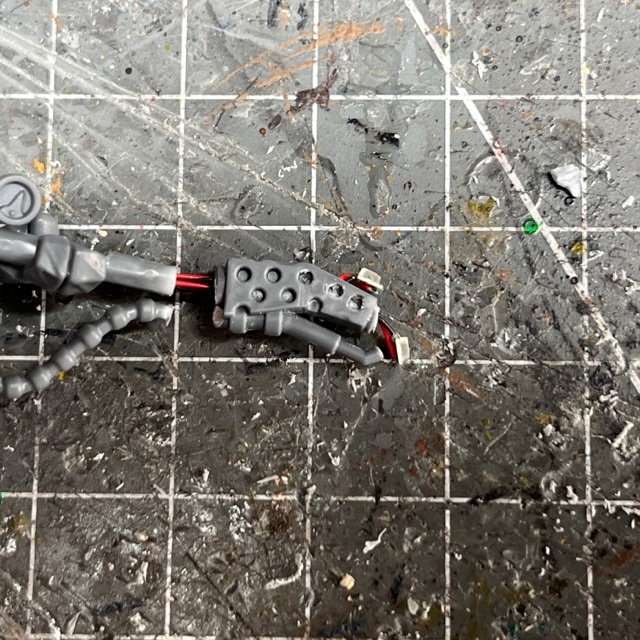
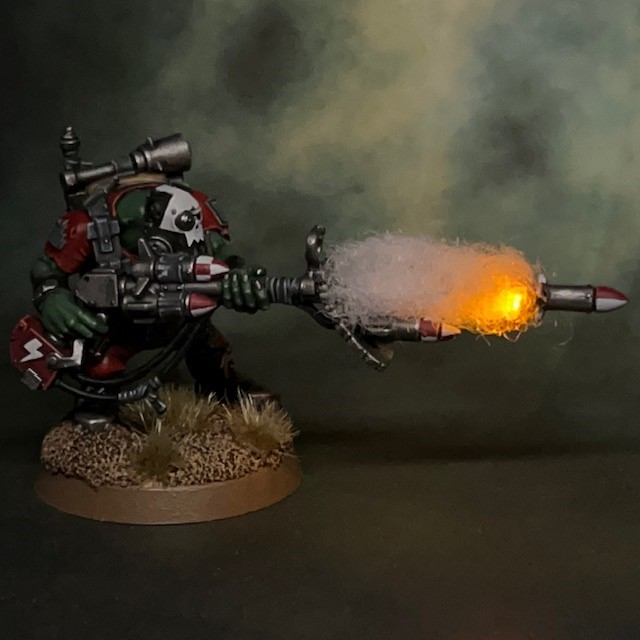
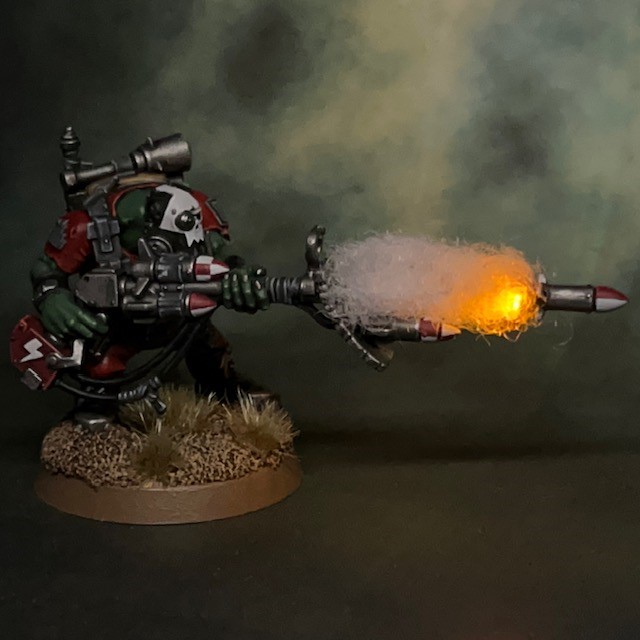
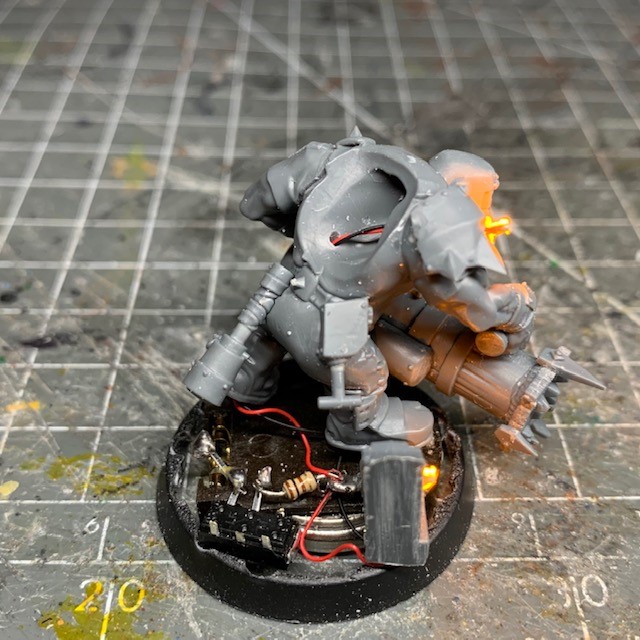
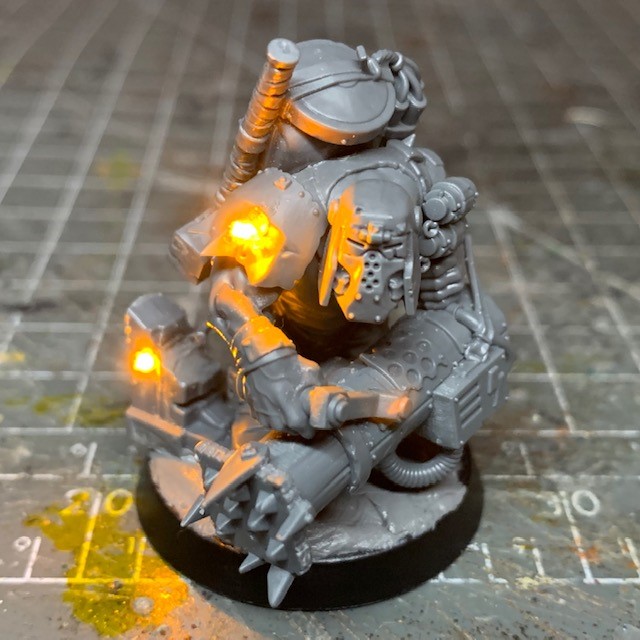
To create the LED effects on the Burna Boy I primarily I used the techniques described in my ‘Simple LED Muzzle Flare tutorial‘, which can be found on my LED Miniatures Tutorials page. The main difference is that I used two of the yellow 0805 SMD chip LEDs instead of one. Both were connected in parallel to the single coin cell battery in the base.

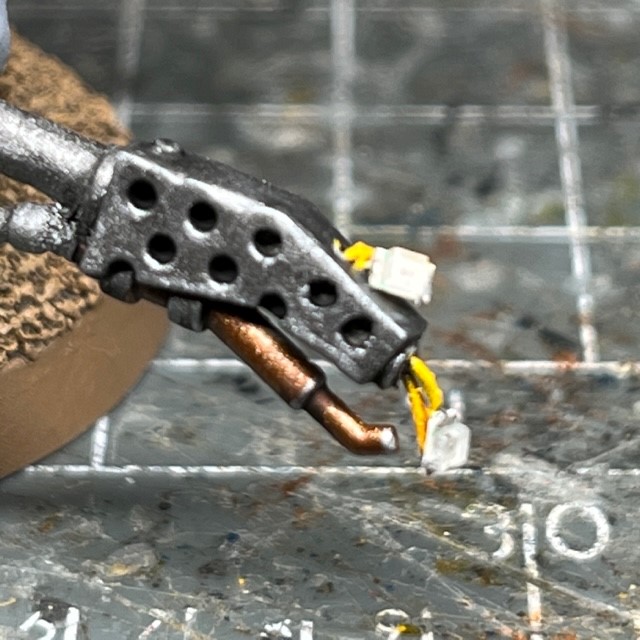
In the left-hand image above you can see how the LEDs were arranged on the nozzle of the burna. In hindsight I should have positioned the top LED slightly lower down. I was hoping their respective glows would ‘merge’ to create a larger overall light once I’d applied the flame effect. But in the end they were slightly too far apart. The right-hand image above shows the path of the LED wires in this particular model – through the burna, up the left arm, through the torso and down through the left leg.

As you can see in the left-hand image above, I painted the red and black connecting wires of the LED yellow to help them blend into the final flame effect. The right-hand images shows the flame effect after I applied paint. I began with a shade of Citadel Fuegan Orange over the entire flame. Once this had dried I applied a yellow glaze of Citadel Lamenters Yellow (alternatively, a 1:4 glaze of Yriel Yellow to Lahmian Medium will work). Next I applied a shade of Citadel Druchii Violet to the top third of the flame only. Finally I applied a red glaze of Citadel Bloodletter Red (alternatively, a 1:4 glaze of Evil Sun Scarlet to Lahmian Medium will work) just to the top third. This is more for the looks of the flame when the LEDs are switched off. When the LEDs are on the distinction is harder to see.

That’s all for today. It’s very satisfying to actually finish a project and have all the Kommandos done! Check back again soon for some group pictures of Kaptain Gron and his Kommando Boyz. Don’t forget you can also follow my work on Twitter and Instagram.

Kommando ‘Comms Boy’

Yooz might find dis order a bit…shokkin’!

Rotkop, Kommando Comms Boy

When I started assembling the Kommando Comms Boy, I thought this was going to be a model without any LEDs. <pause for audience laugh> However just as I finished gluing it together, I realised there was a giant light bulb on the side of his shokka pistol! I couldn’t let that go unmodified, so I dutifully took the miniature apart and began to plan how to replace the plastic light bulb with a functioning LED.

Design & Building

The LED process was fairly simple by my standards. I cut the bulb from the shokka pistol with a sharp craft knife, and then used a 1mm drill bit to drill out the “glass” parts of the bulb, leaving the “metal” guard around it. I then inserted a 3V red ultra nano SMD chip LED where the bulb was, running the wire down through the pistol, right arm, torso and leg to the battery in the base. Once the LED was in place I returned the “metal” guard to cover it – as shown in the image above – and filled in the gaps between the guard with Water Splash Effect Gel (available from Green Stuff World) to provide a transparent replacement for the “glass” in the bulb. Finally, once the gel was dry I applied a shade of Citadel Spiritstone Red. This ‘Technical’ paint is like a thick, glossy glaze, and helps the gel to look like red glass when the LED is switched off. 

If you’d like to have a go at this yourself but you’d like more details, I’m afraid I don’t have a full tutorial for this technique at the moment. But the existing tutorial that is closest is my ‘Simple LED Muzzle Flare‘ tutorial, only with the red ultra nano SMD chip LED mentioned above, instead of the yellow 0805 chip LED shown in the tutorial.

That’s all for this week. Thanks for reading, and hopefully see you again soon for the tenth and final Kommando in the Octarius Kill Team!

Ork Kommando ‘Rokkit Boy’

I’m burnin’ out me fuse out ‘ere, alone…

Dregshak, Kommando Rokkit Boy

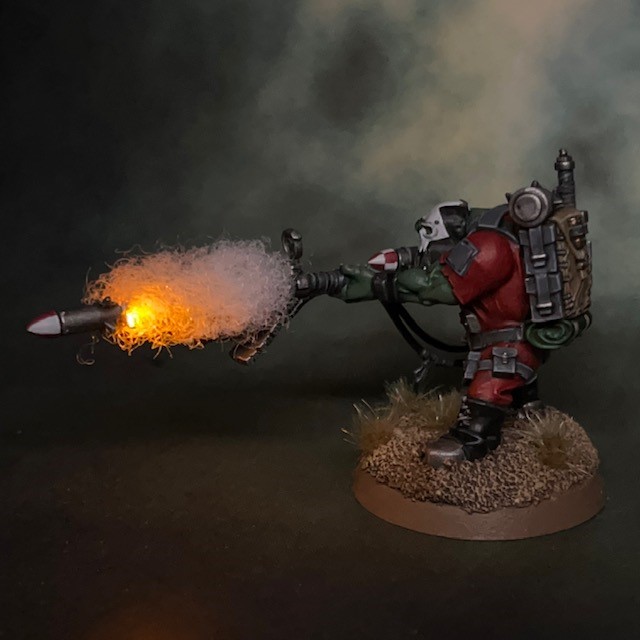
I’ve been wanting to put together an LED rocket launcher effect for quite some time now. I’ve been back and forward several times on which army or kill team project would get the honour, and I settle on the Ork Kommandos in the end. It seems quite fitting, as this Kill Team has been the test bed for quite a few different LED techniques and tutorials.

Design, Building & Painting

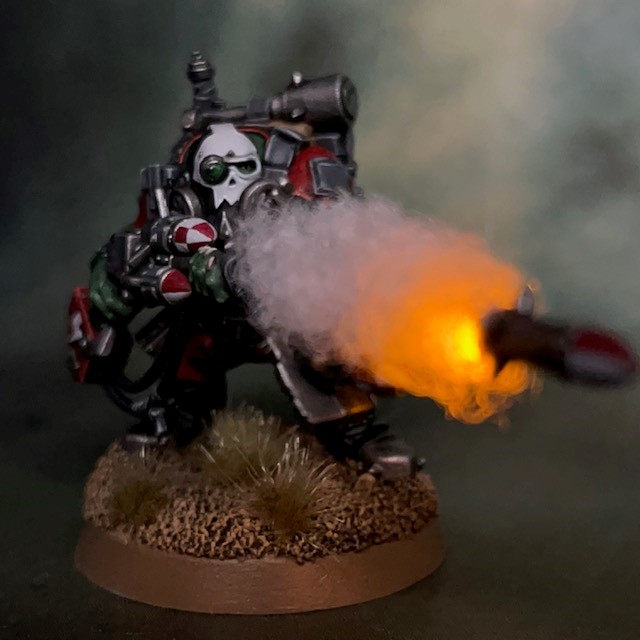
I won’t spend much time explaining how I achieved the LED rocket effect, as I have a brand new full ‘LED Rocket Launcher’ tutorial on my tutorial page here! Suffice to say, the LED was one of the usual Yellow 0805 Chip LEDs from Small Scale Lights and the smoke trail was made from a small amount of Soft Toy Stuffing.

The paint scheme sticks with the Blood Axe Kommando theme that can be seen in the rest of the team. I decide to decorate the rockets with a red and white chequered pattern that calls back to Titin’s rocket – the definitive rocket design in my opinion. The colour scheme for the mask was influenced by Call of Duty: Ghosts, which seemed fitting for the Kommandos.

That’s it for today! Eight Kommandos down, two to go! Check back again soon for more Orks…

Ork Kommando ‘Breacha’

Little squig, little squig, let me in…

“Krumpa” Zog, Ork Breacha

This Ork Kommando ‘Breacha’ is my latest effort from the ‘Kill Team: Ocatrius’ box set. Originally I thought this would be one of the few non-LED models in the unit. But then I realised it might be fun to have him bursting through a door with bullets ricocheting from his armour! I made a few mock-ups with the door, but as it turns out the breaching ram takes up most of the 32mm base, and the door just obscured too much of the model. In the end I decided to simply hint at the door with the ruined door frame on the base. One of the bullet impacts is on the door frame to help draw attention to it.

Painting & Assembling

The LED techniques used on this model were fairly simple. I followed the procedure in my Simple LED Muzzle Flare tutorial, except in this case the LEDs are on the rubble and shoulder armour rather than the end of the gun! I used two of the same 0805 chip LED as detailed in the tutorial, both connected in parallel on the same battery.

I tried to sculpt the “flares” (using the Water Splash Effect Gel from Green Stuff World) so they looked like the sparks from a bullet ricocheting off a solid surface. I then painted them with a light shade and glaze, as detailed in the tutorial. When painting the rest of the model, I used the ‘Blood Axe Kommando’ scheme seen here.

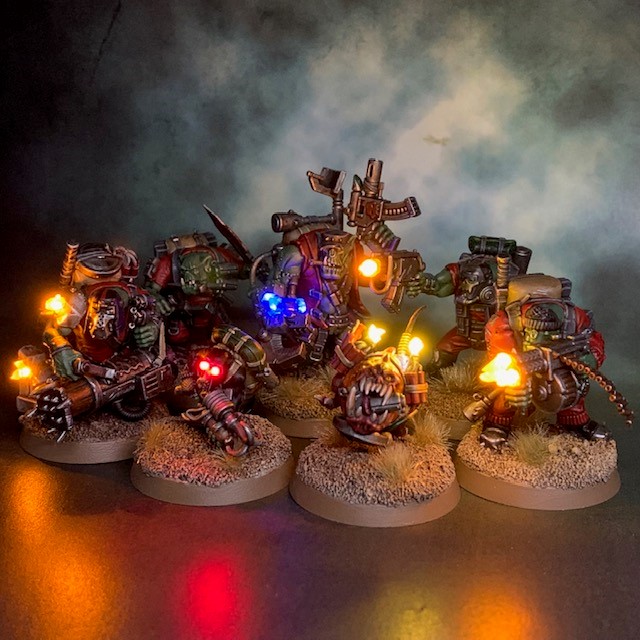
That’s it for this week. I’ll finish up with a group shot of the Kommandos so far. Hopefully see you back here again soon!