A dagger in the dark is worth a thousand swords at dawn.
Imperial Proverb
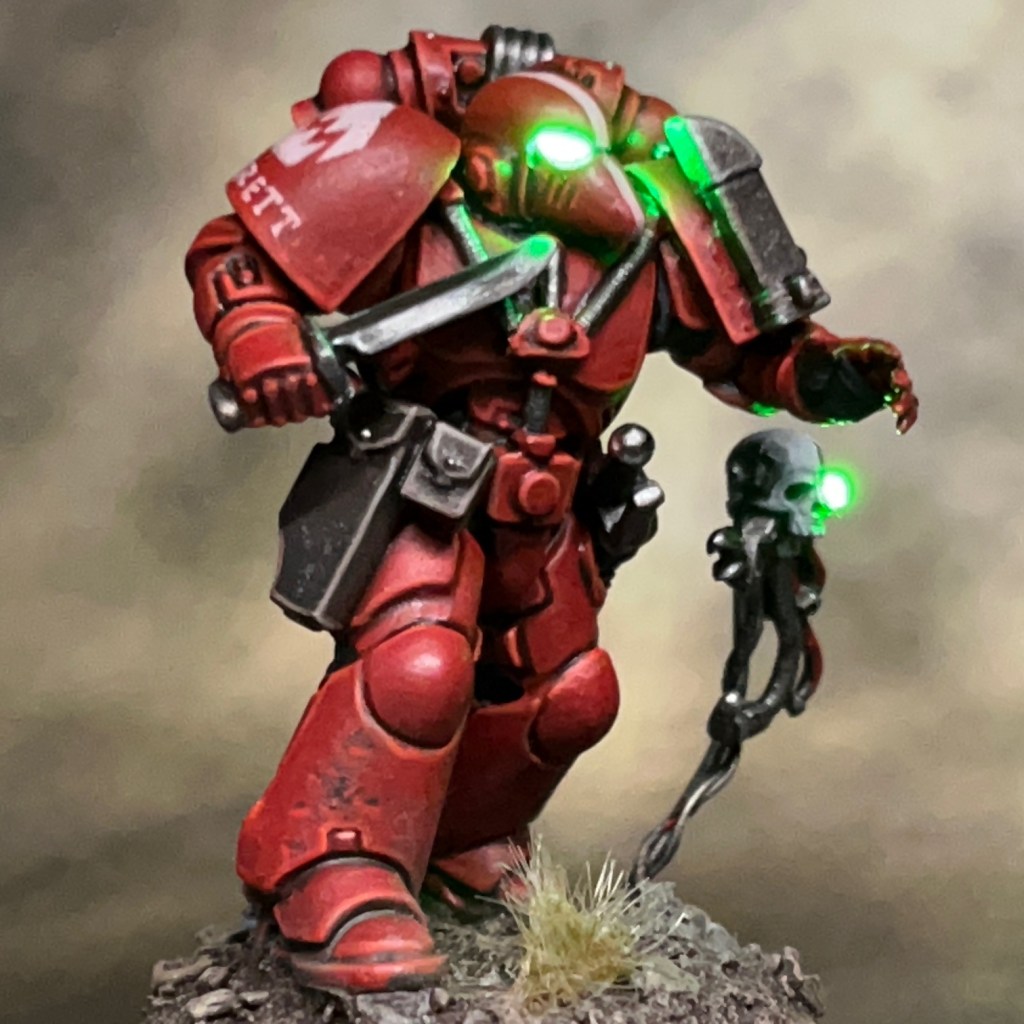
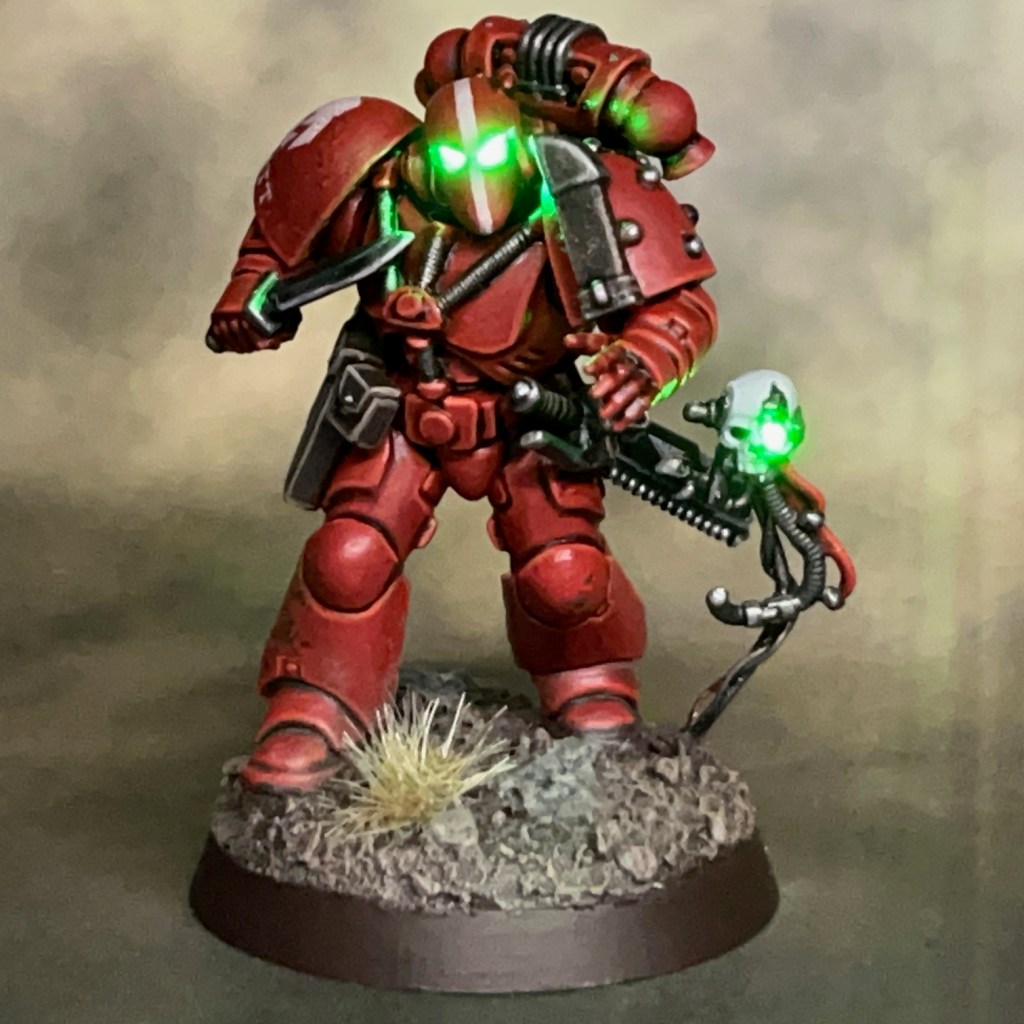
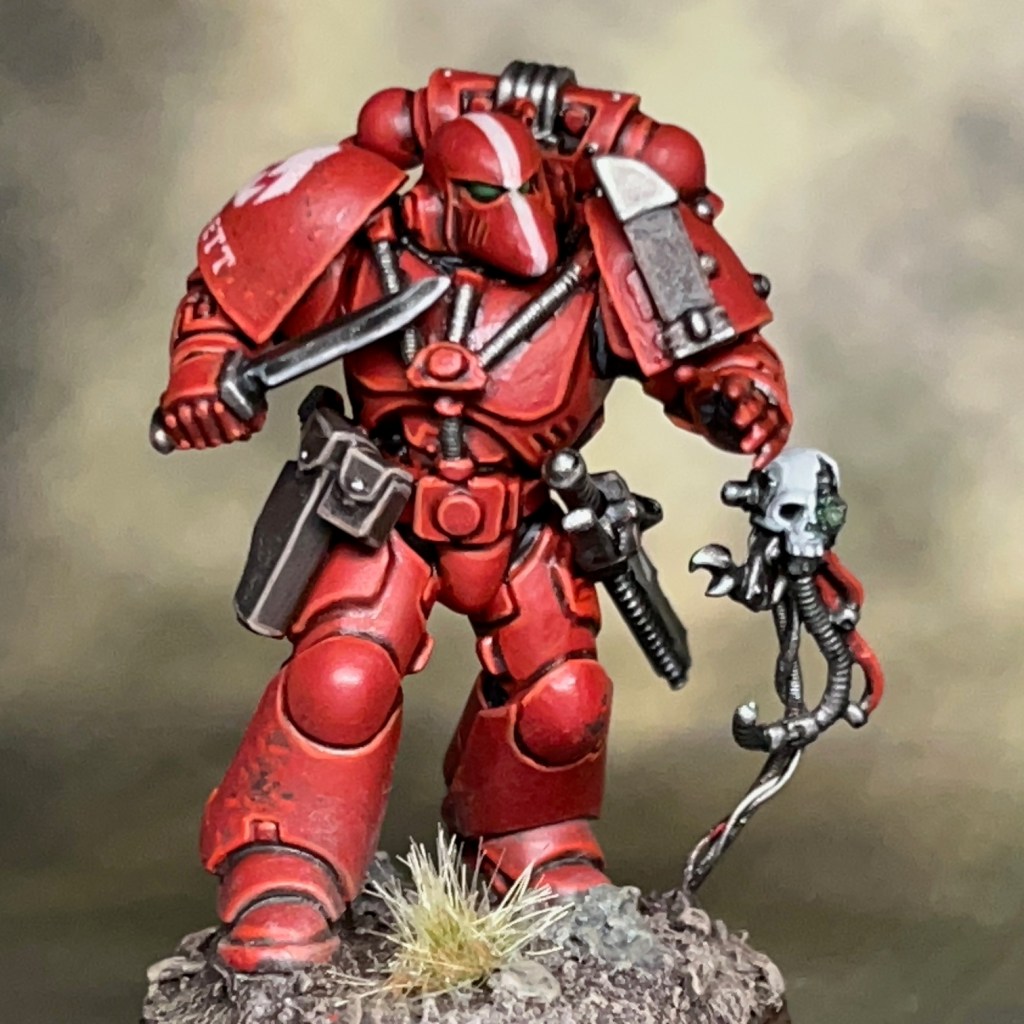
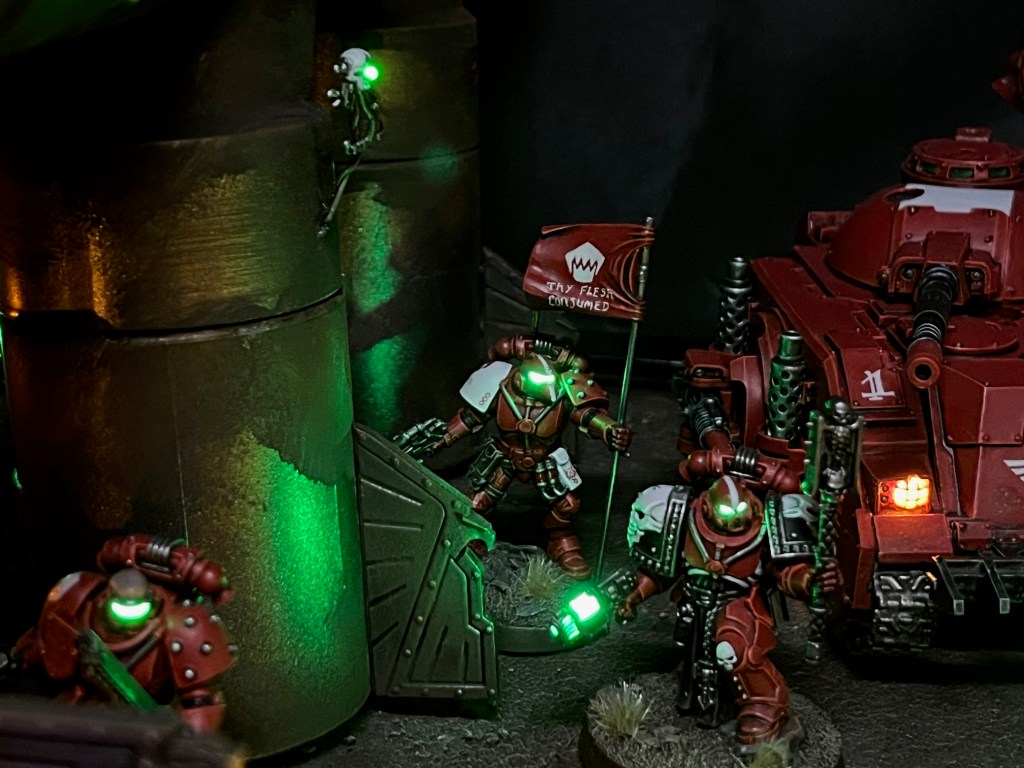
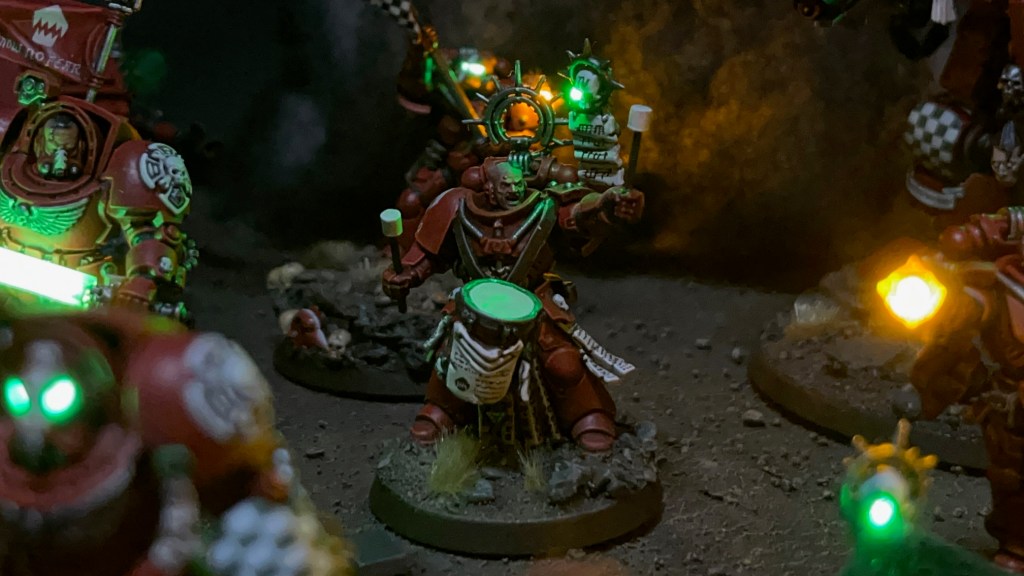
It’s more Armies on Parade aftermath from me this week. Last week I was finishing up a Silver Stars Vox Operator who missed the deadline. This week I’m converting Brother Garrett – last seen sneaking through a pipe in my 2024 Armies on Parade entry to gut an enemy sniper – into a properly based and game-ready member of my Assault Intercessors.
Modelling & Painting
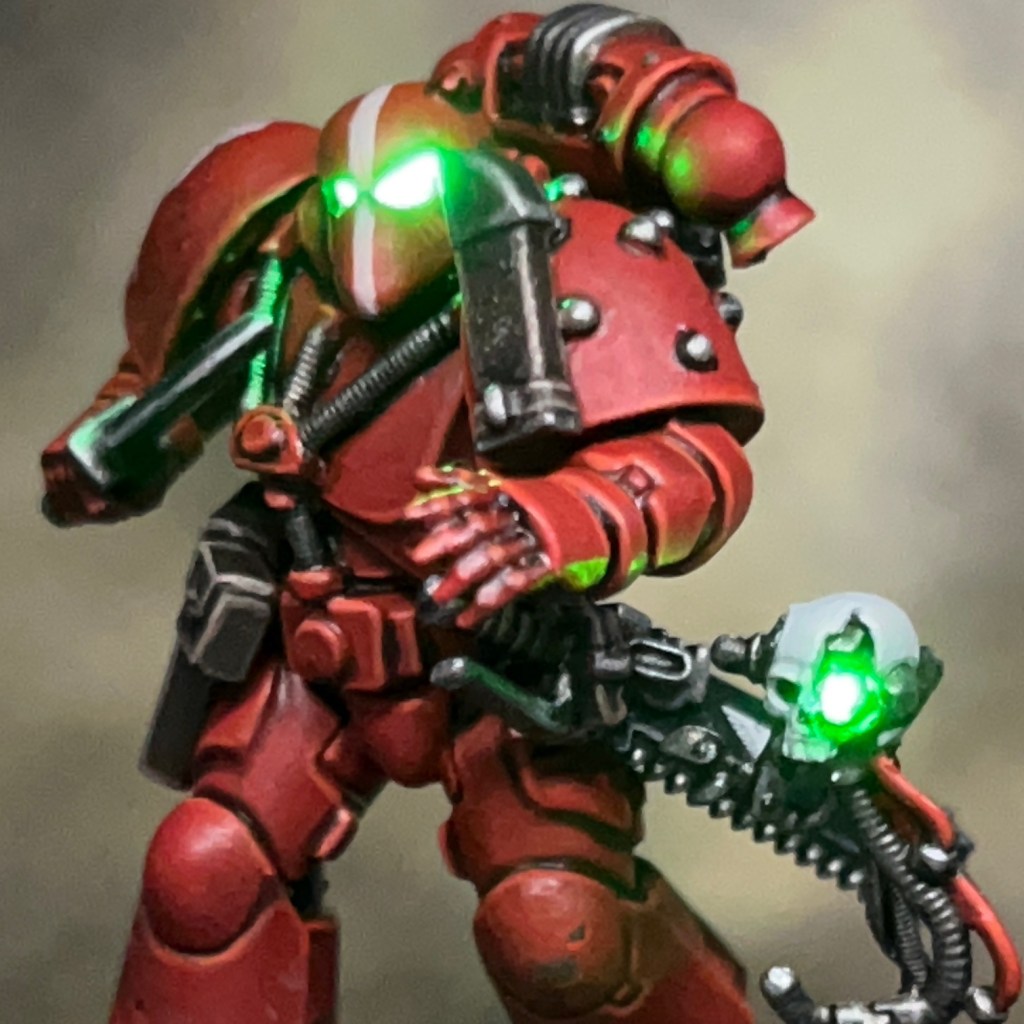
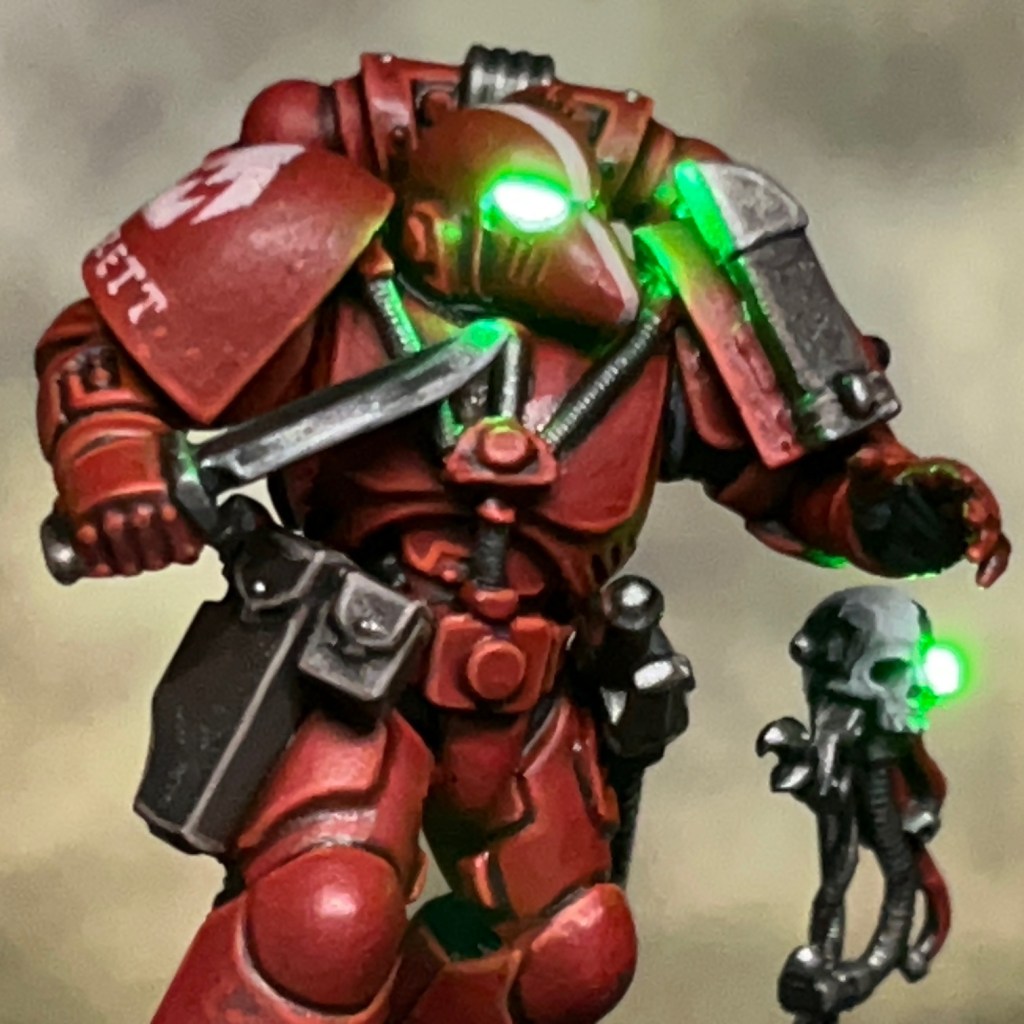
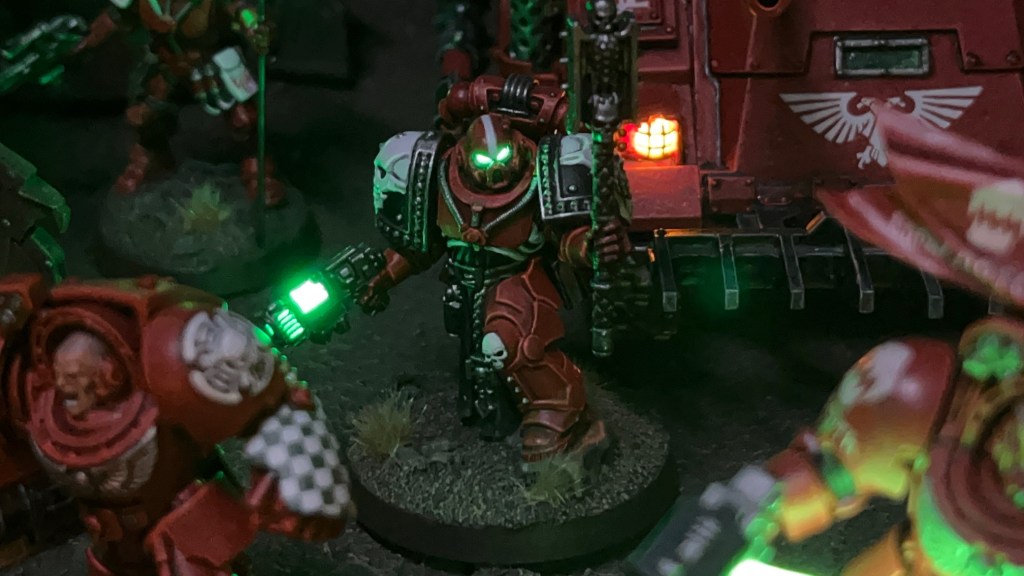
Although I’m lucky enough to have a dedicated hobby space, I don’t have space to permanently store all my various display boards. Even before ‘Ambush at Pipeline 13’ was finished, I knew that I would be taking it apart and reusing the components elsewhere. Brother Garrett was easy to repurpose, and fairly simple as my LED miniatures go. He uses the techniques set out in my LED Eye Lens tutorial. The helmet eye lens effects are built around a Tru Opto Green 1.8mm LED with a 10 ohm resistor.
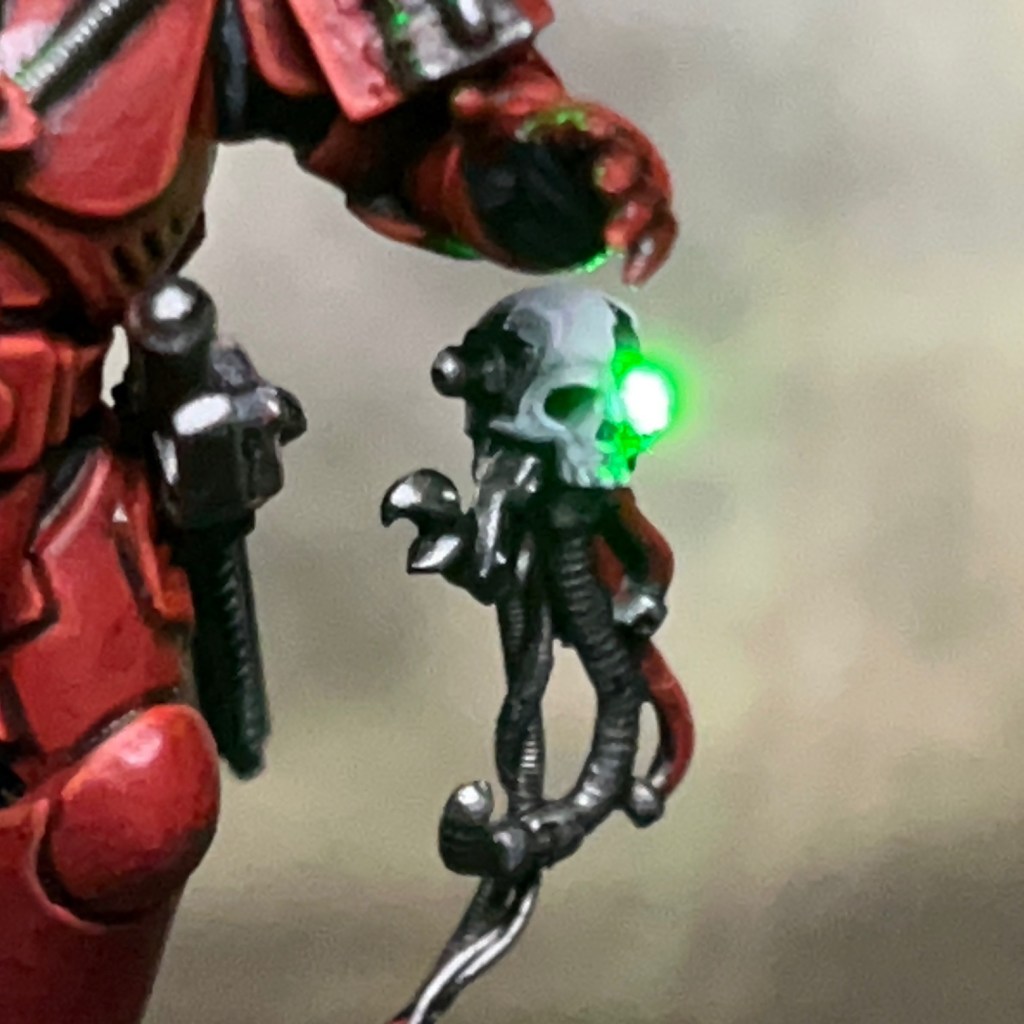
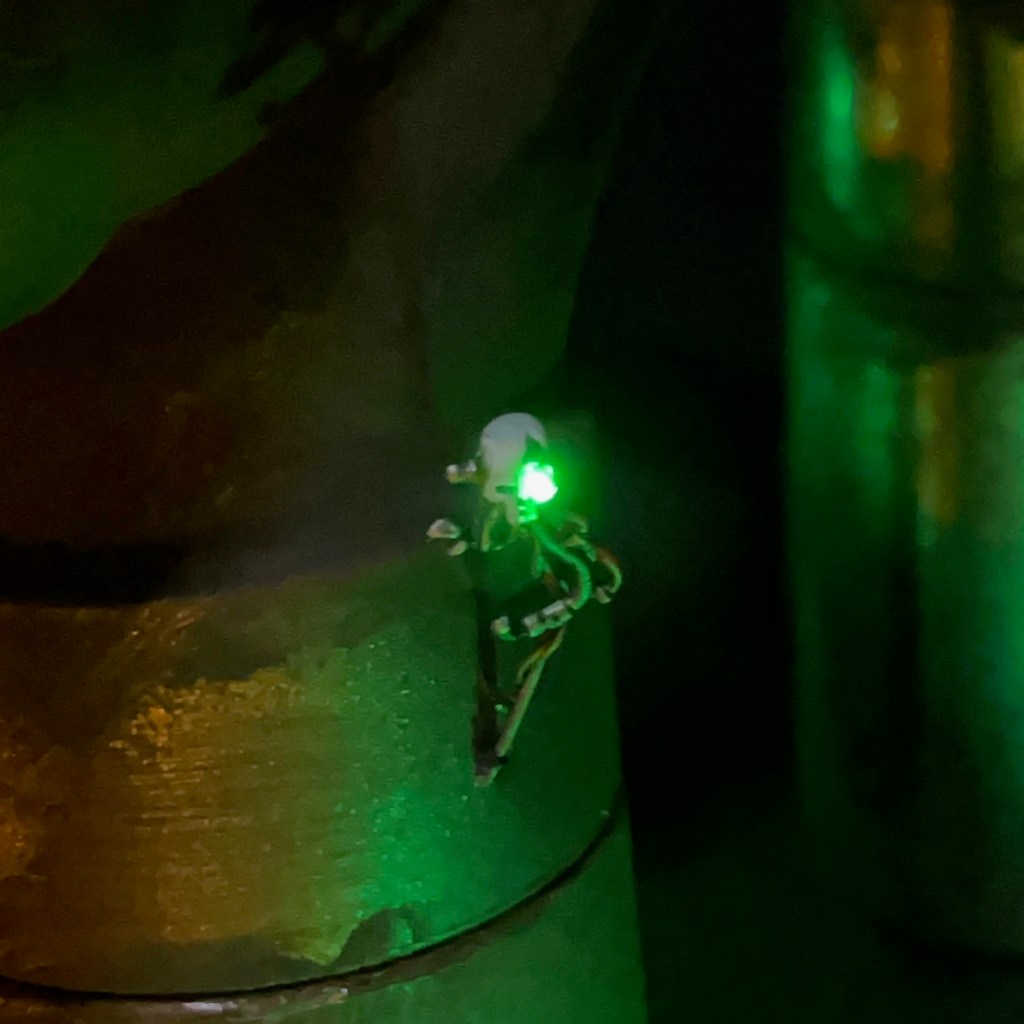
The servo skull was also originally spotted buzzing around Pipeline 13. It was built around a plastic servo skull and using the same techniques I used with Brother Nikko and Inquisitor Kant. I drilled out the eye and fed the wires of a 3V green 0603 nano SMD chip LED in through the eye hole and out of the bottom of the skull, then gently pushed the LED into the hole with fine tweezers. The wires then formed the “tail” of the servo skull. Then I applied a small blob of Water Splash Effect Gel, available from Green Stuff World, to fill in the hole over the LED. When adding the servo skull to Brother Garrett’s base, I simply wired it in parallel with Brother Garrett’s helmet LED. Both LEDs are controlled by a single switch in the base next to the battery.
The helmet eye lenses and the eye on the servo skull both received a glaze of Citadel Biel-Tan Green. This is to give the eyes some colour when the LED is off, as you can see in the image below (right).
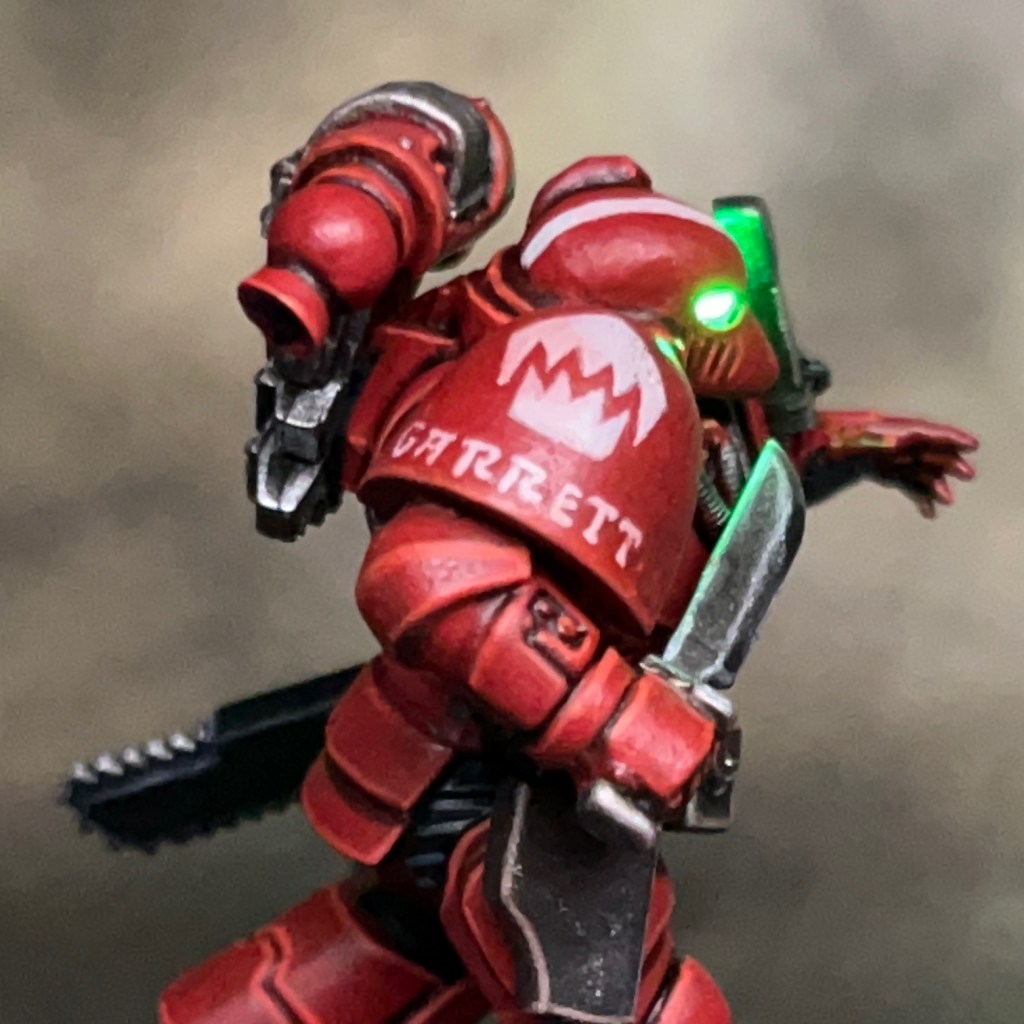
Brother Garrett’s pose made the most sense in his original context when he was ‘mid sneak‘, but hopefully even out of that context he still looks like he is preparing to deliver a stealthy kill. The knife sheath strapped to his shoulder is from the Primaris Intercessors kit. I had to cut off around a quarter of its length to prevent it overhanging the shoulder pad, and it’s still large enough to obscure his vision to the left. Ah well, ‘rule of cool’ always wins!
I don’t really have anything new to say on the paint scheme. I used my standard Flesh Eaters paint recipes detailed here. The only difference was using additional glazes of Nuln Oil and Gryph-Charger Grey applied to the blade of the combat knife to add reflection points to the true metallic metal, as you can see in the image above (left).
That’s all for today, I hope you’ve enjoyed this insight into my latest Flesh Eaters marine. There will be even more Armies on Parade aftermath next week, so stay tuned! As always, thanks very much for reading, and please remember you can also find me sharing my work on Instagram, Threads, Bluesky, Mastodon, and Twitter/X.
This week I’ve added to my small squad of Silver Stars with a new vox operator. The Silver Stars are the mysterious chapter leading the Partisan forces in the War of the False Primarch. Although I’m fighting on the side of the Orthodox forces in this campaign with my Flesh Eaters, I have been slowly putting together a small force of Silver Stars to add a bit of flavour to my army display boards. This marine was intended to join his brothers on my ‘Ambush at Pipeline 13’ Armies on Parade board, but I ran out of time to finish him before the deadline.
Modelling
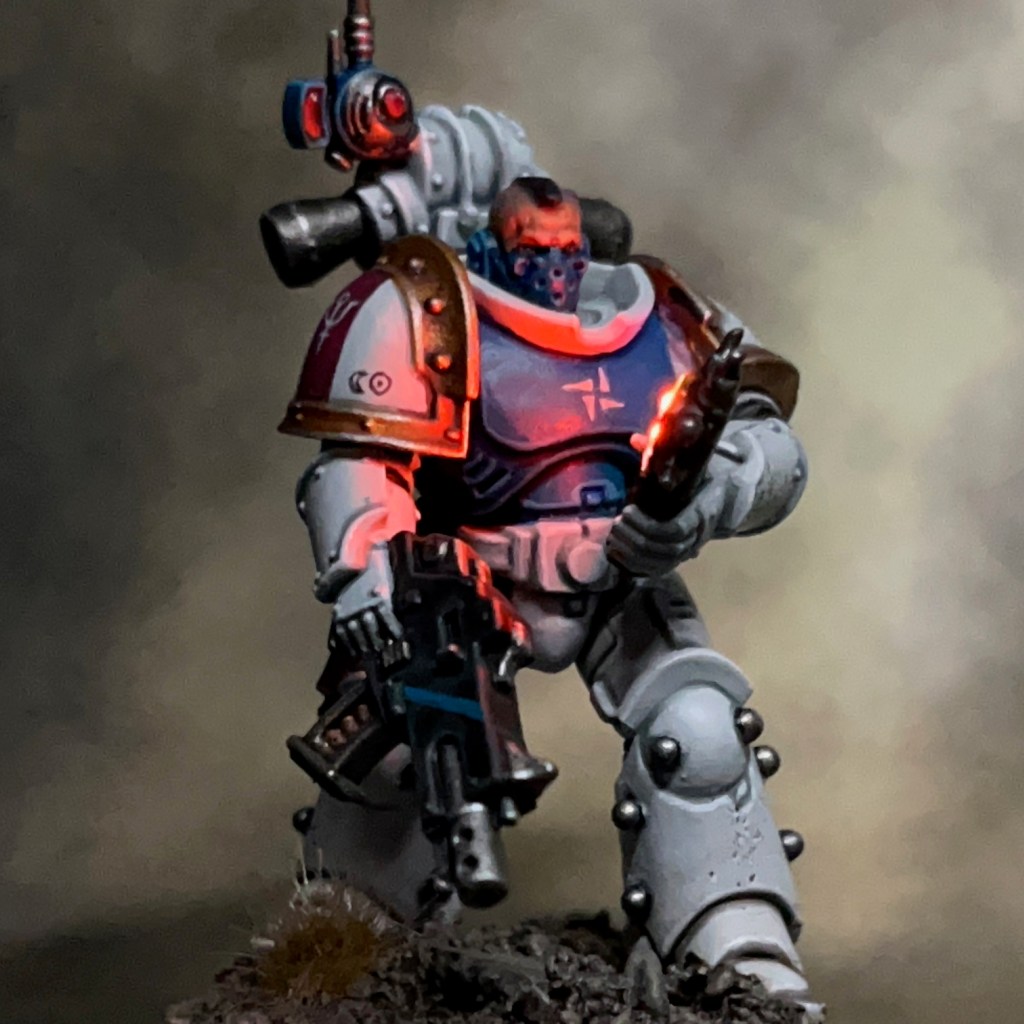
My aim with this model was to show a lit auspex screen. Readers who have been following my work for a while may remember a similar miniature in the past which was my Lamenter Comms Specialist.
When compared to my standard LED tutorials, this is closest to my Simple LED Muzzle Flare tutorial, only with an auspex screen instead of a muzzle flare. The LED wires run through the hand, arm, torso and left leg to join up with the resistors, switch and single CR2023 battery hidden in the base. The LEDs used are two Green Stuff World1mm ‘Warm White’ LEDs connected in parallel. Two adjacent LEDs are intended to give the impression of two separate ‘pings’ on the screen. After hollowing out the auspex and inserting the LEDs, I used the ever-reliable Acrylic Splash Gel to fill in the screen. Once this was dry I painted two coats of with Citadel Spirit Stone Red, as this is a slightly gloss glaze and helps the screen to look good when the LEDs are switched off. Finally I added some additional lines to the screen using Citadel Wild Rider Red.
As with the previous Silver Stars, this marine is built using a Primaris marine body and legs. The arms, pauldrons, backpack, bolter and holstered pistol are from the previous version of the plastic Legion MkIII Tactical Squad set. To give the legs a more “antiquated” look, I added Mixed Micro Glass Balls from Green Stuff World as armour studs. The head is from the Legion MkVI Tactical Squad sprue, as are the antenna and vox elements of the backpack. This all helps to make the provenance of the Silver Stars armour intentionally unclear.
Painting
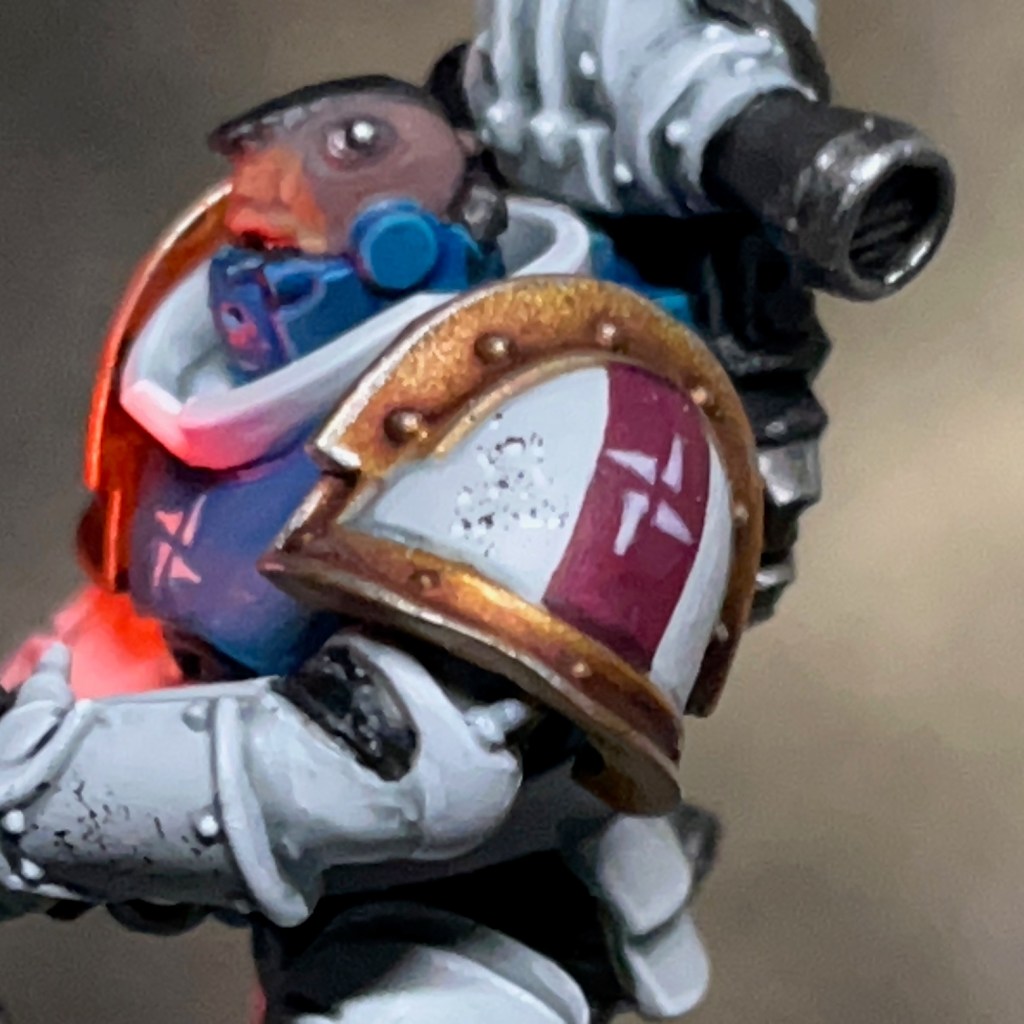
With the time pressure of Armies on Parade out of the way, it was nice to actually take my time over painting a Silver Stars marine! If you’re interested in the paint recipes I used, you can find a detailed list in this previous post. As I had more time, I refined my freehand process for the insignia. Details are below, all paints are Citadel unless specified otherwise.
White Insignia on Rose Band
Thinned Administratum Grey layer to produce rough outline of insignia
Corax White layer
3:1 Screamer Pink:Lahmian Medium thin glaze
White Insignia on Blue Field
Thinned Administratum Grey layer to produce rough outline of insignia
Corax White layer
3:1 Sotek Green:Lahmian Medium thin glaze
Dark Insignia on White Field
Slightly thinned Rhinox Hide layer
3:1 Ulthuan Grey:Lahmian Medium thin glaze
This vox operator is from the unit dubbed ‘Squad Antimony’ by Orthodox codifiers during the War of the False Primarch – their actual squad designation remains unknown! The Silver Stars heraldry is quite different from other chapters, and they make use of alchemical and astrological symbols, as well as cuneiform numbers. You are very unlikely to find conventional High Gothic text or numerals on their armour. If you’d like to read more on this then Apologist has an excellent article on Silver Stars markings and heraldry.
That’s all for today, I hope you’ve enjoyed this insight into my latest Silver Star marine. I have a few more Silver Stars on the way soon, so stay tuned! As ever, thanks very much for reading, and please remember you can also find me sharing my work on Instagram, Threads, Twitter/X, Bluesky and Mastodon.
“The War of the False Primarch was a dark and bloody episode of the Imperium’s history, now largely lost to myth and purged from all records, that plunged the Segmentum Pacificus into anarchy from 780.M33 to 860.M33. The conflict was finally ended when the High Lords of Terra convened the Pentarchy of Blood and tasked five loyal Chapters to destroy eleven others that had been declared Traitoris Perdita for their actions during the war.”
IMPERIAL ARMOUR VOLUME TWO – SECOND EDITION PG. 17
Concept
The Flesh Eaters space marine chapter, a key member of the Pentarchy of Blood, bring the will of the High Lords to the followers of the False Primarch in Segmentum Pacificus. Early in the war the Flesh Eaters scoured civilian population centres for clues to the False Primarch’s whereabouts during ‘The Pacification of Logan’s World’. The following year Brother-Chaplain Uriah Grimm set the world of Interlude Quay aflame during the ‘Interregnum at Interlude Quay’ as he assaulted hidden bases belonging to the Silver Stars chapter.
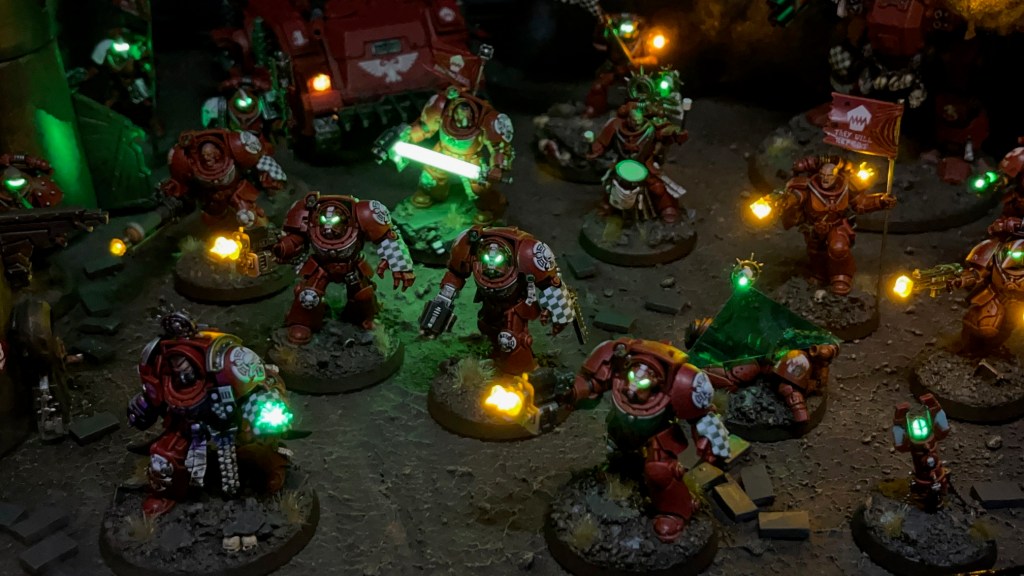
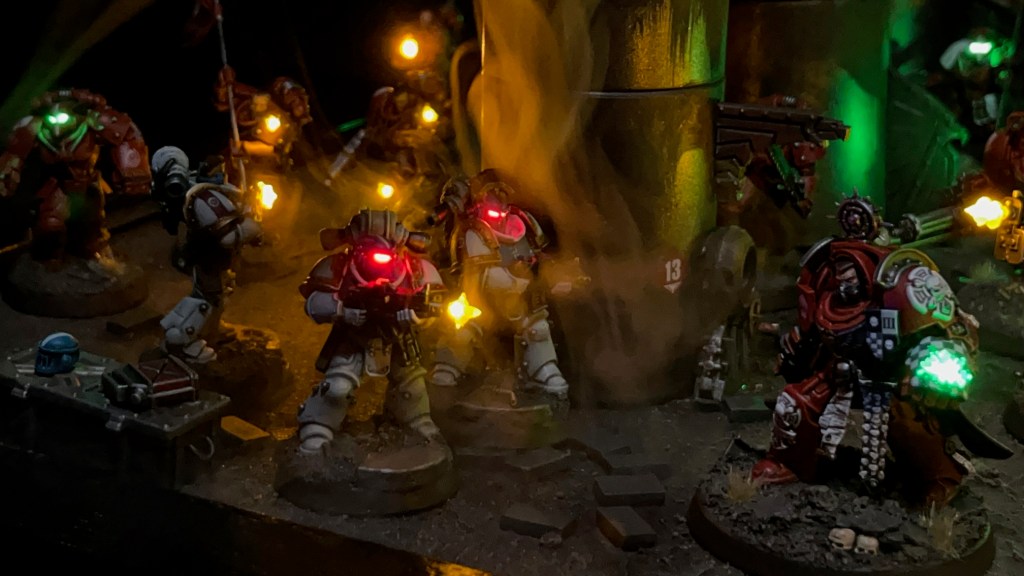
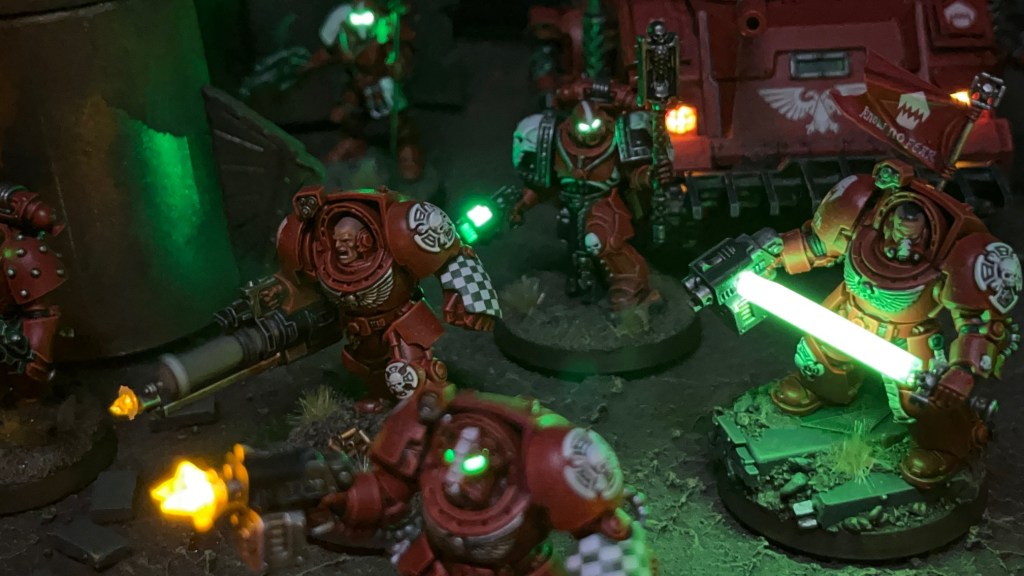
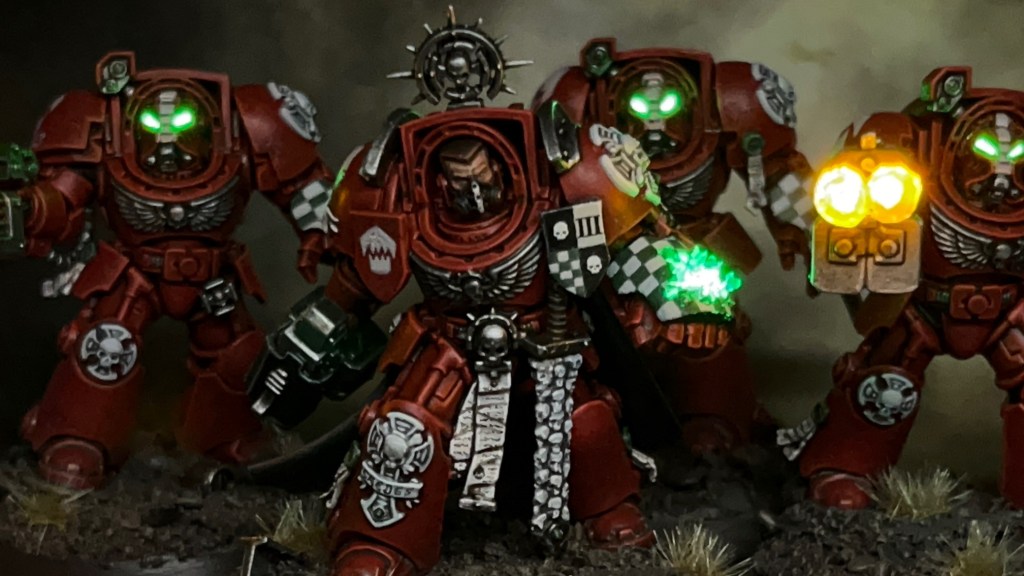
Sent reeling by the ferocious Flesh Eaters assault, the Silver Stars attempt to regroup and retaliate, beginning a guerrilla war on Interlude Quay. Geothermal Pipeline 13 is sabotaged, and a Flesh Eaters patrol is ambushed. The Flesh Eaters take casualties, but are able to deploy their teleport homer. Brother-Captain Caedes and his Terminator honour guard arrive to lead the counter attack!
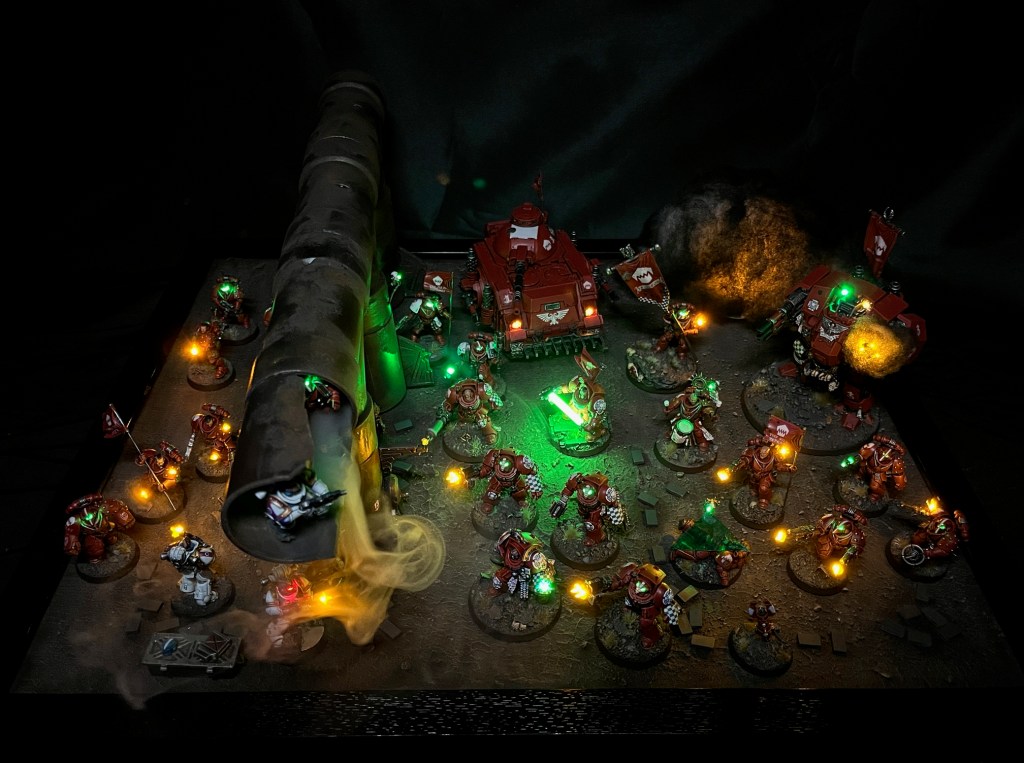
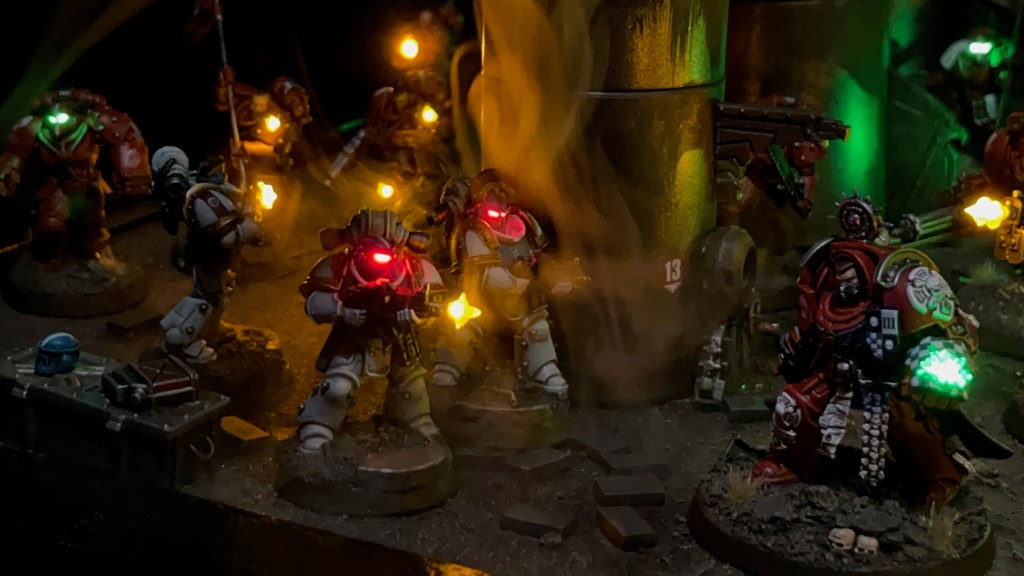
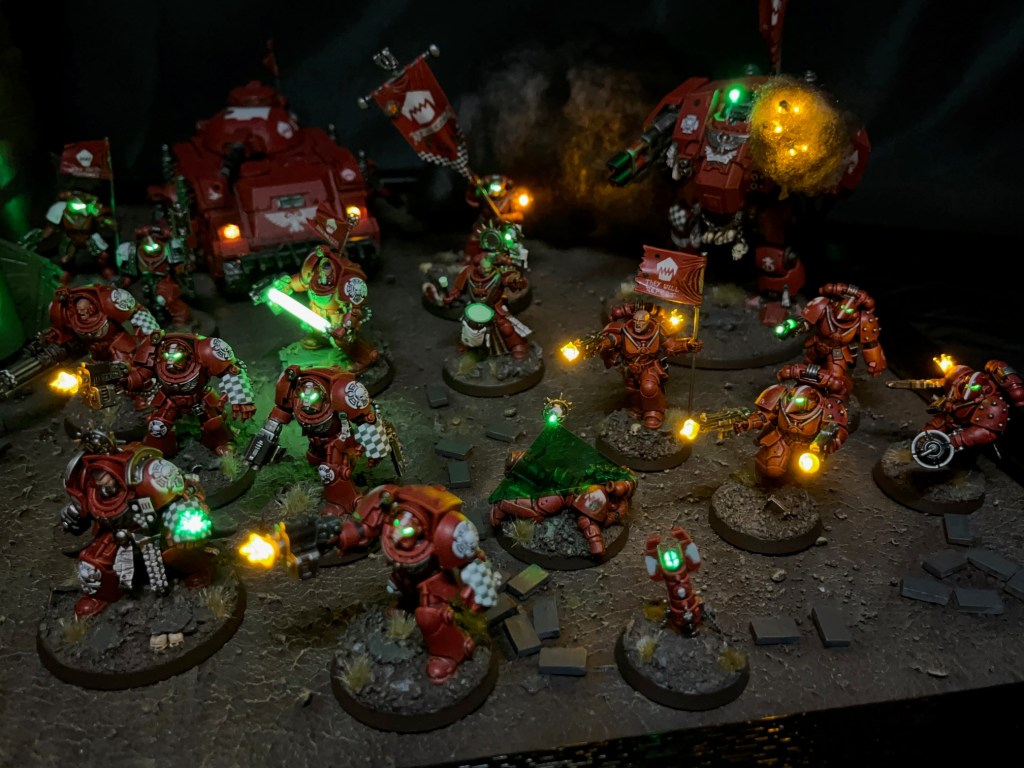
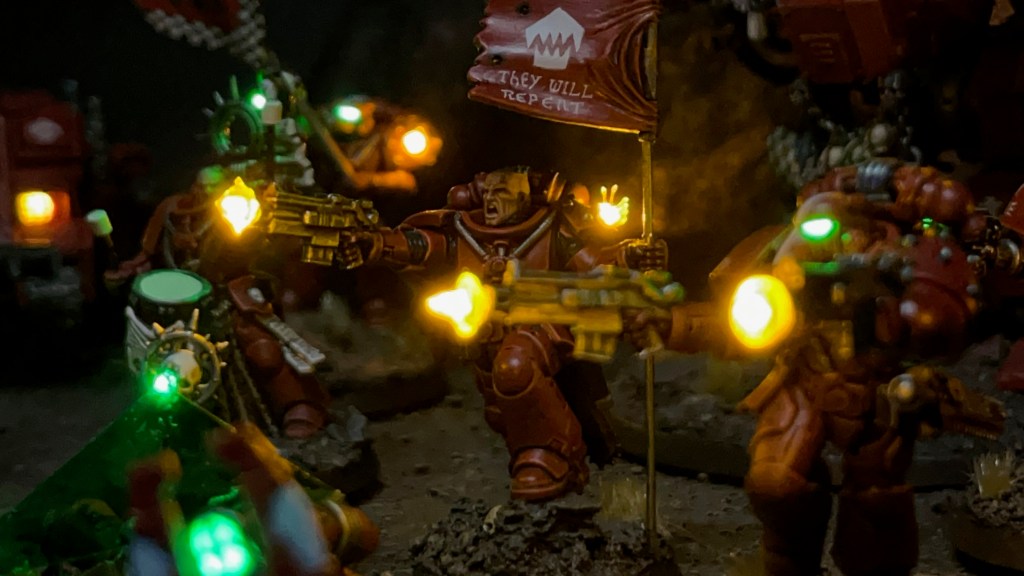
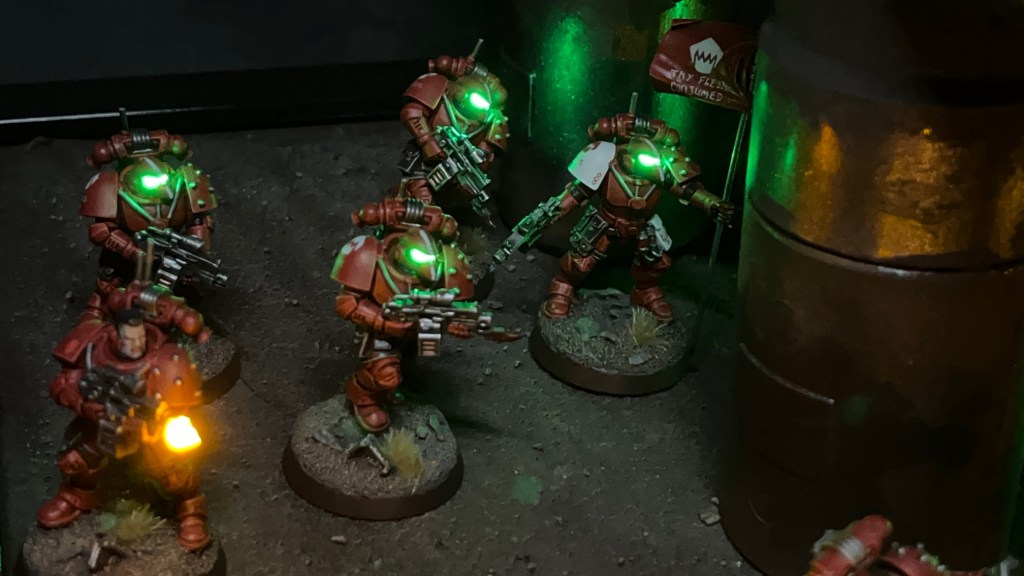
My plan with this year’s Armies on Parade board was to continue the story of my Flesh Eaters space marines, as told in 2022’s Pacification of Logan’s World and 2023’s Interregnum at Interlude Quay. The hunt for the False Primarch continues! I mocked-up several concepts for this board, including a multi-level bunker and a ruined plaza. In the end I settled on something a bit more ‘open’ so I could capture the army in its full glory. In hindsight, I think the way last year’s board was split between two levels didn’t do the army justice. Eventually I hit upon the idea of an ambush around an isolated pipeline crossing a wasteland. This seemed like the ideal concept for an open board that allowed the army to be viewed together, while also adding points of interest and something to focus the ‘battle’ around.
Designing & Building the Board
As in previous years, the board is built around a large picture frame with the glass removed and a texture applied to the wood backboard. The pipes are simply plastic drainage pipes bought from a local DIY store and glued together. You’ll notice they have some extra gothic details – like Imperial Eagle buttresses – to add some 40K flavour. The pipes were sprayed silver, then lightly sprayed dark brown in selective areas. I tried to target areas where rust would logically gather due to rain and weather. Further rust effects were applied to these areas using Typhus Corrosion and Ryza Rust. Various extra bits of scenery – such as a chain-link fence and small industrial building – were planned but eventually fell by the wayside as I realised just how much the pipes dominated the board.
I knew from early in the process that I wanted to include ‘smoke’ effects this year, as I thought it would really enhance the look of the LEDs and the smoke concept seemed to fit really well with the industrial pipeline idea.
The smoke was achieved with an ‘Ultrasonic Mist Maker Atomizer DIY kit’ purchased from eBay, and a small reservoir of water at the bottom of one of the vertical pipe sections. The ultrasonic atomizer, as well as the miniatures described in the next section, were all controlled by batteries hidden under the board.
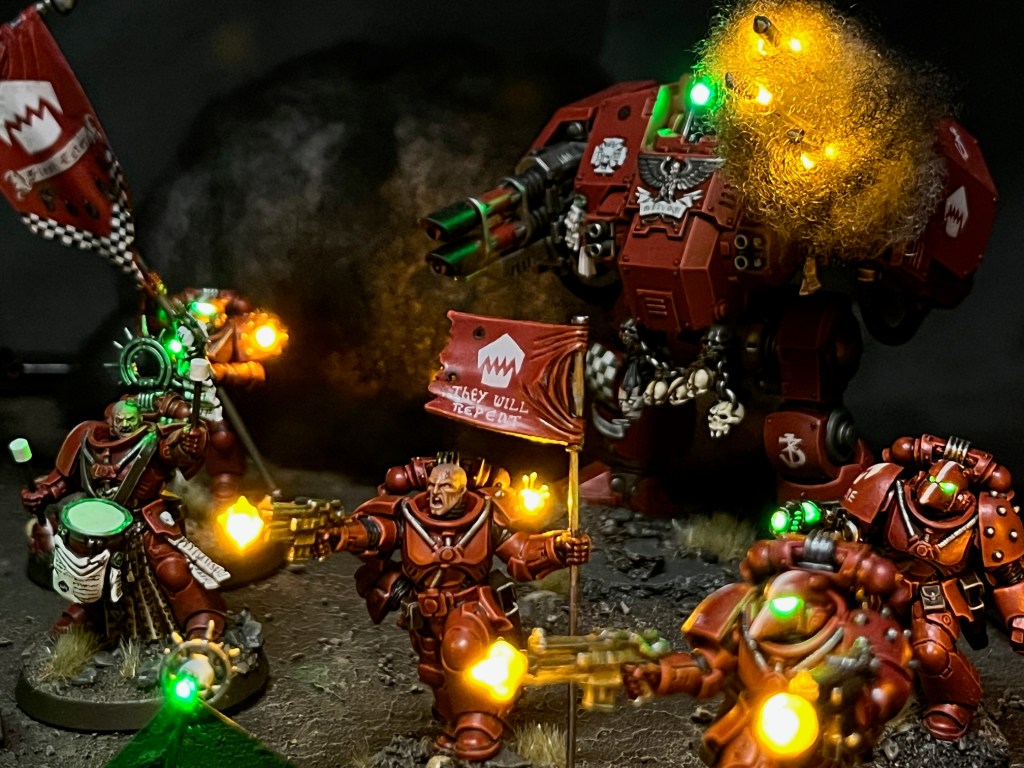
The explosion at the back of the board was made from flickering LED tealights covered in soft toy stuffing. The stuffing was given a spray of Chaos Black to make the smoke darker. This was included to help sell the concept of a pre-prepared ambush by the Silver Stars.
Silver Stars, Flesh Eaters & Servo Skulls
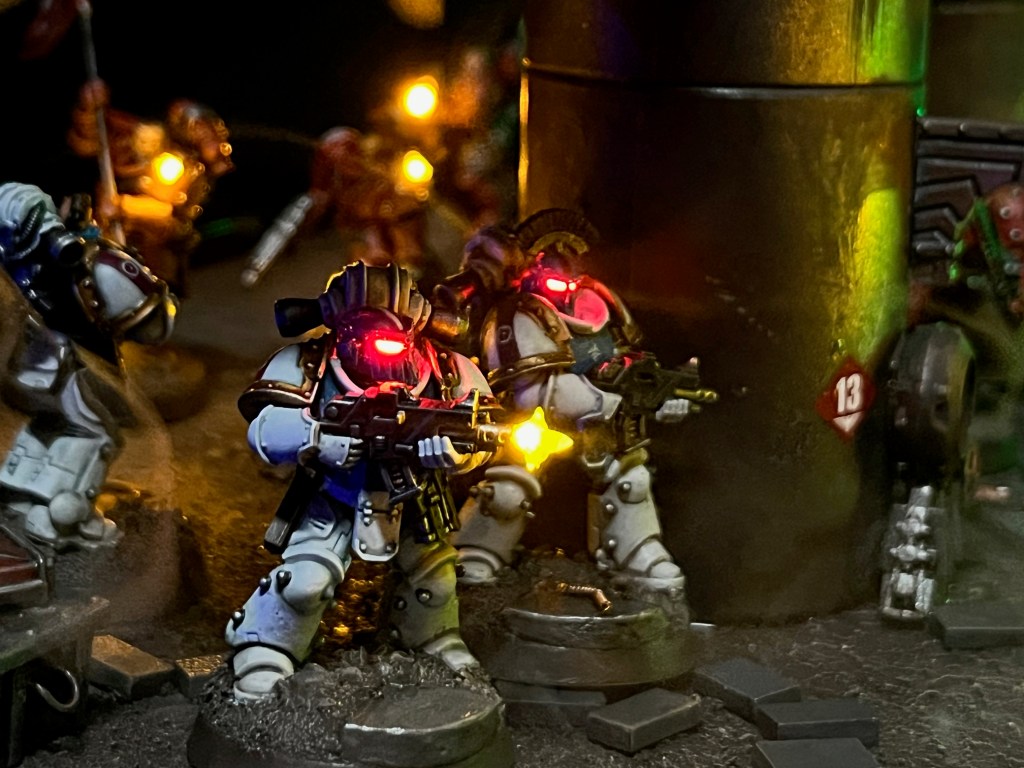
The Silver Stars space marines from my Armies on Parade 2023 board returned to the fray this year. As the Flesh Eaters include so many LED muzzle flares and bullet impacts, I always think it’s important for them to have an antagonist on their display boards to help give some context to the effects.
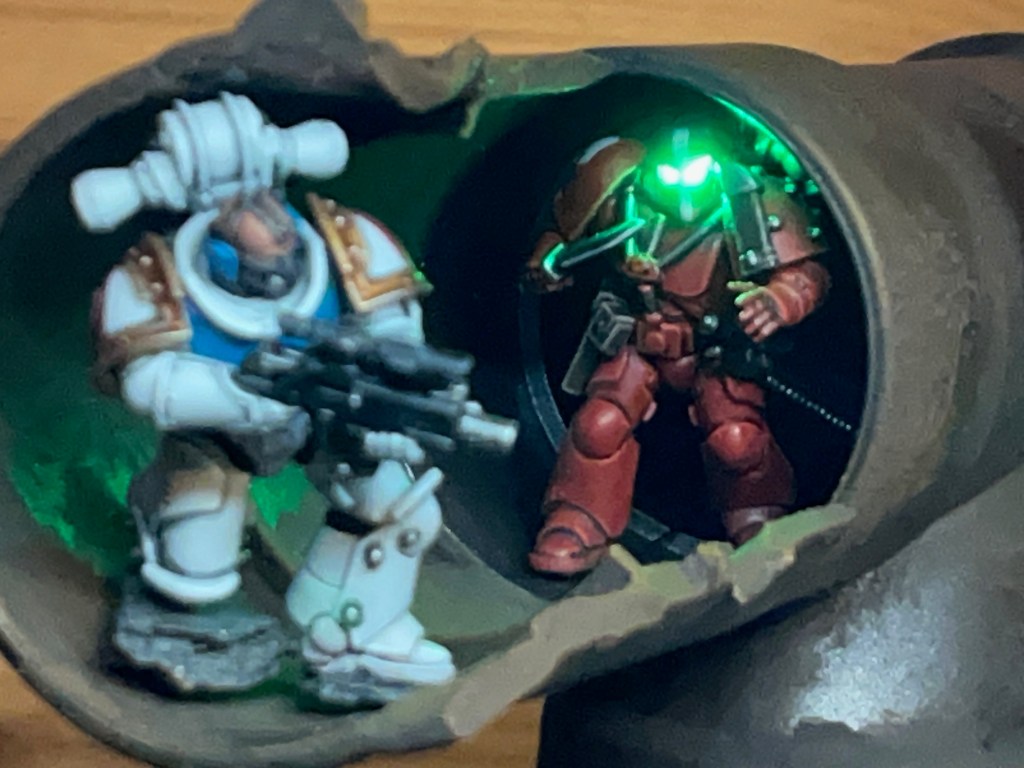
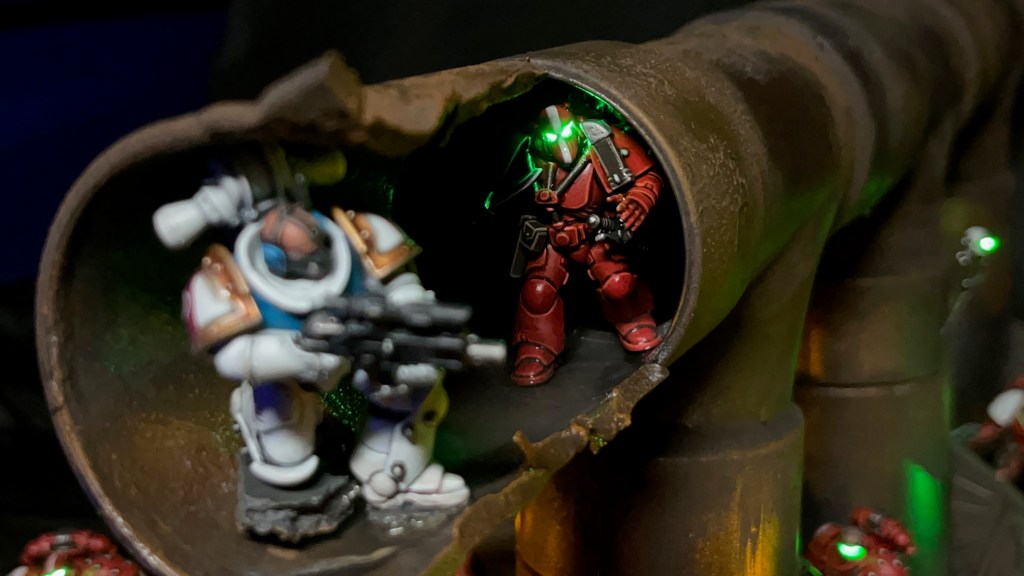
At some point in the design process I thought it might be fun to have a little vignette playing out of a Silver Stars sniper and a Flesh Eater silently closing in with their combat blade drawn to deliver vengeance. Below you can see the initial reposing of the sniper (left), a test on my workbench (centre), and the final product in situ on the board (right). Both these miniatures will eventually find their way onto their own bases and join their respective forces as regular models.
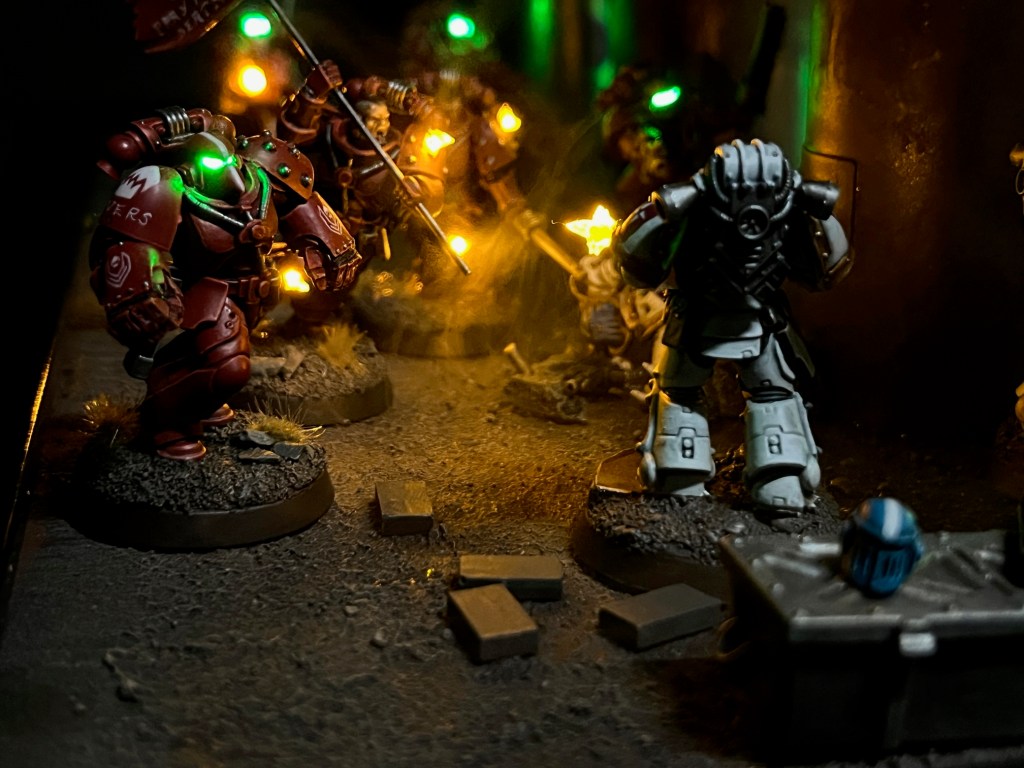
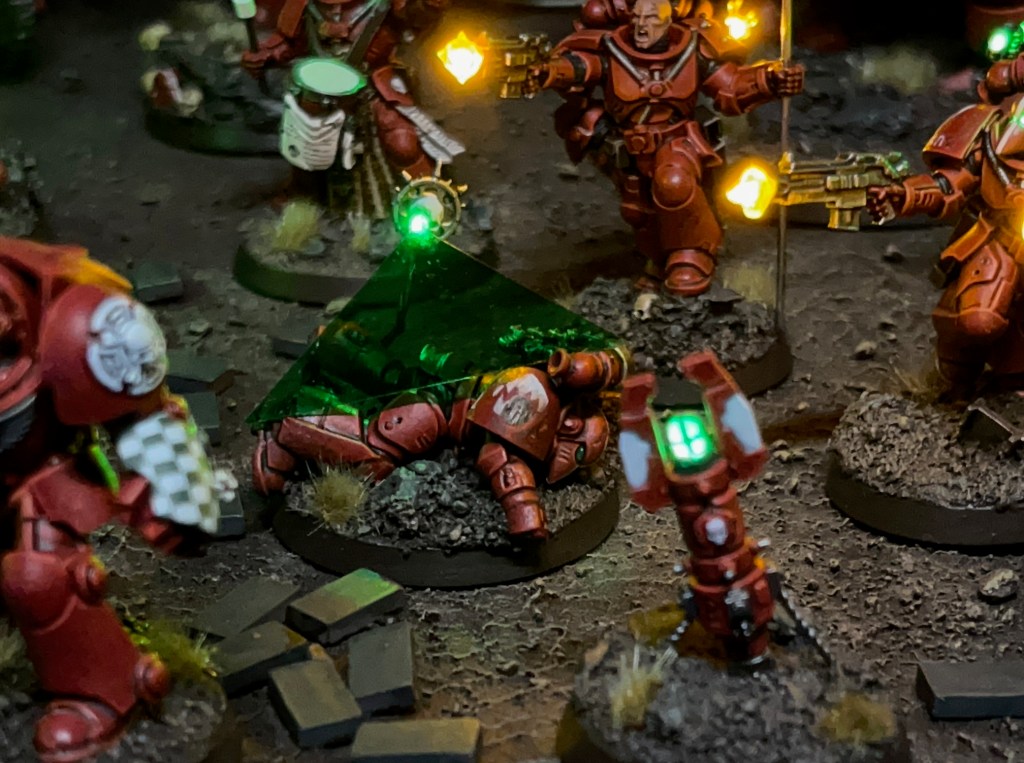
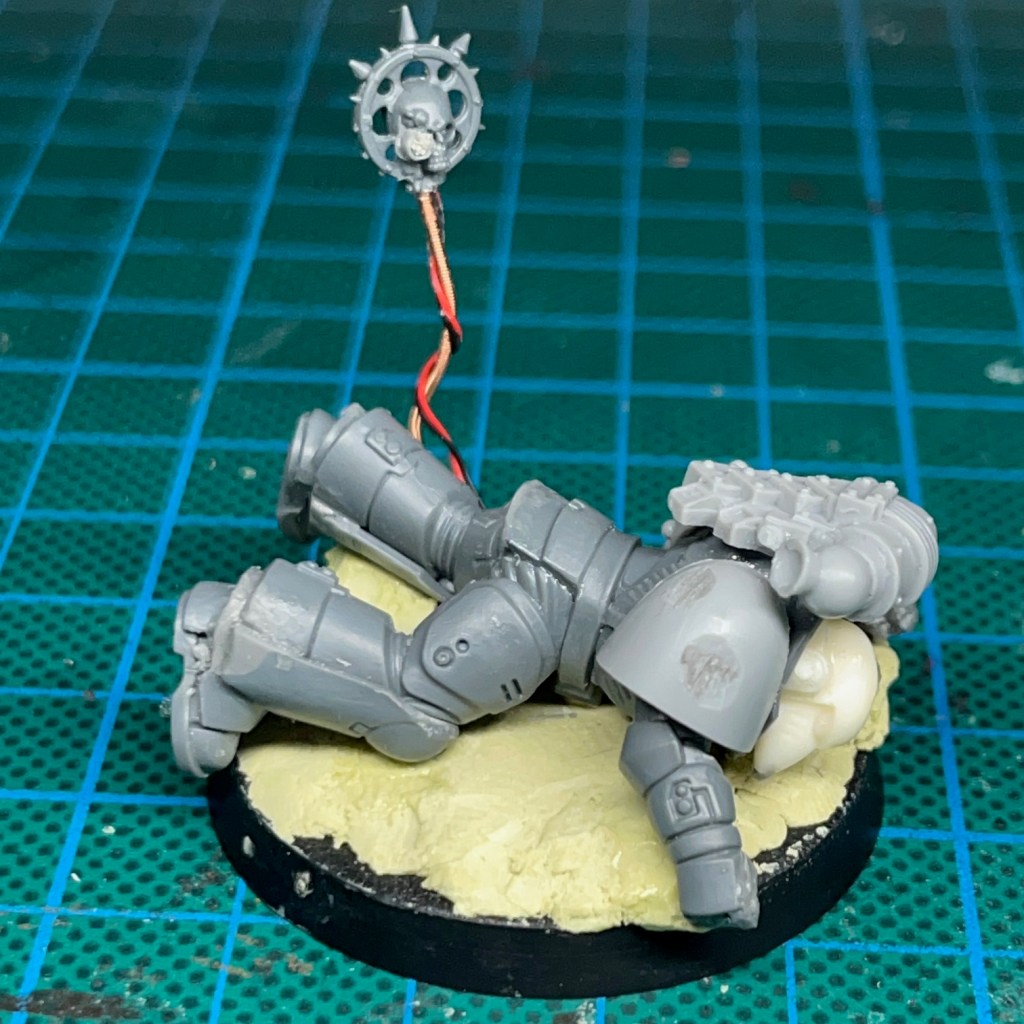
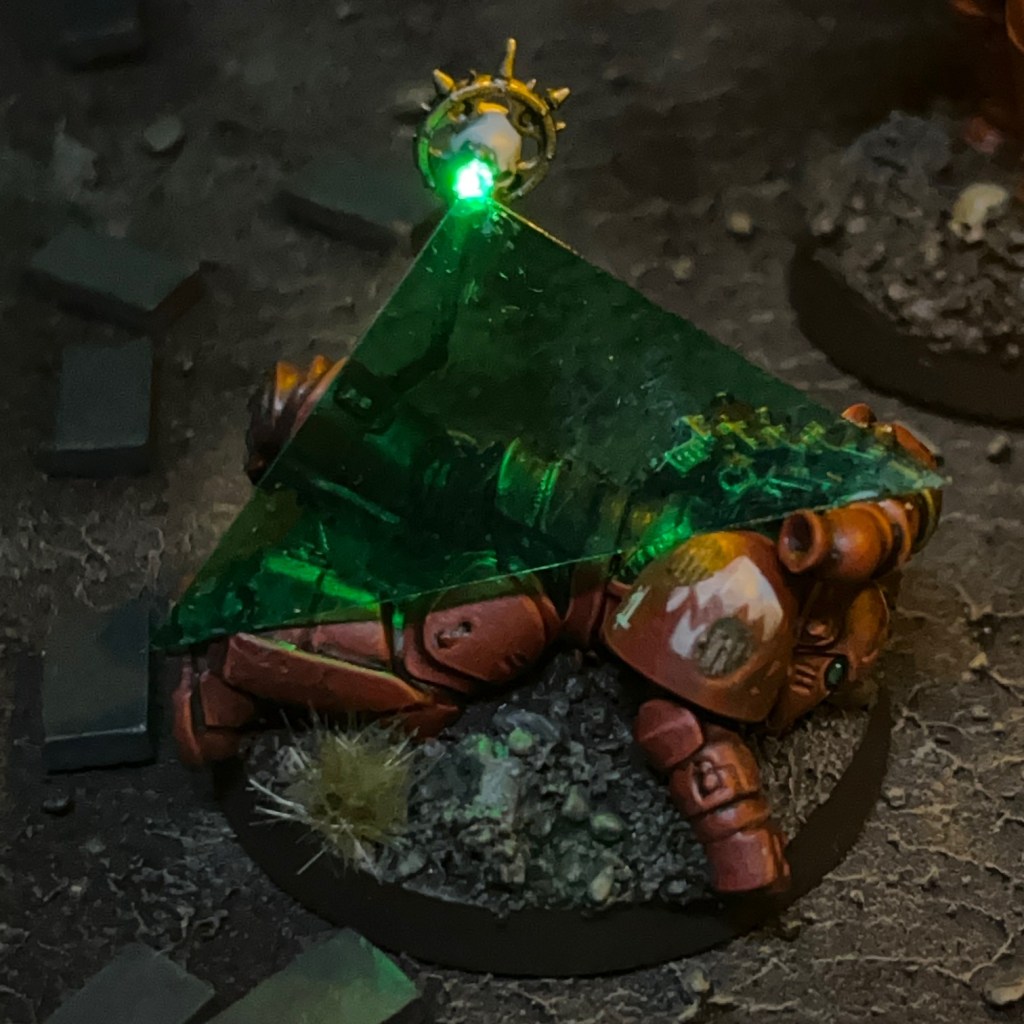
The Flesh Eaters casualty on the right of the board is intended to represent the victim of the sniper – but he did at least manage to activate the teleport homer before he fell! The casualty is mounted on a 40mm base and will eventually be used as an objective marker. If you look closely, there is a ‘1’ on his pauldron, for missions where numbered objectives are relevant. The servo skull with its LED eye was made in exactly the same way as Brother Nikko’s servo skull. I glued a triangle of translucent green plastic to the LED eye to really emphasise the scanning effect.
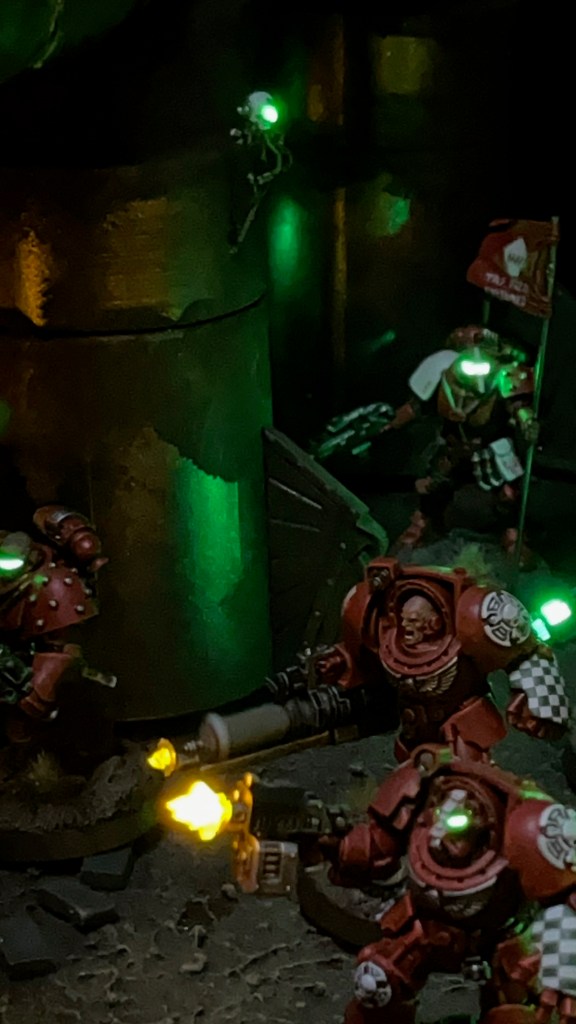
There was another servo skull flying around the board, minding his own business. This was just meant as a fun extra detail, but I think I might have mounted him too high on the pipeline, as he doesn’t appear in most of the miniatures eye level photos!
Conclusion
So that brings us to the end of another ‘Armies on Parade’ project! As is traditional, I only finished assembling and painting everything on the evening of the deadline. But at least this year I sent that submission email with 40 minutes to spare, rather than the 10 minutes that I had last year! Last minute rush aside, I’m pleased with the outcome, especially the smoke and all the little extra details like the sniper, casualty and servo skulls. I’ll aim to start earlier next year, but I’ve been saying that for five years now – although in my defence Space Marine 2 dropped right in the middle of the prime board prepping season this year!
Given more time, would I have done anything differently? Not significantly. I would have mounted the second servo skull lower on the pipeline, as mentioned above, and probably would have included a few smaller extra pieces of small scatter terrain. There was also an additional Silver Star that I didn’t quite finish in time (I’m sure we’ll see him soon) and of course the large Flesh Eaters tank that I’ve been working on for a long time and still haven’t finished…
What’s Next?
This isn’t the end for the Flesh Eaters. I still have the tank to finish that I mentioned above, plus I’d also like to add some Scouts and Death Company into the mix. Will I revisit the Flesh Eaters for Armies on Parade 2025? Possibly, but I’m also tempted to rest them for a year and have a go at something else. Time will tell!
That’s all for today, I hope you’ve enjoyed this insight into my 2024 Armies on Parade board. Thanks very much for reading, and please remember you can also find me sharing my work on Instagram, Threads, Twitter/X, Bluesky and Mastodon.
The False Primarch will perish by my hand – or my fist!
Brother-Captain Caedes, Third Captain of the Flesh Eaters
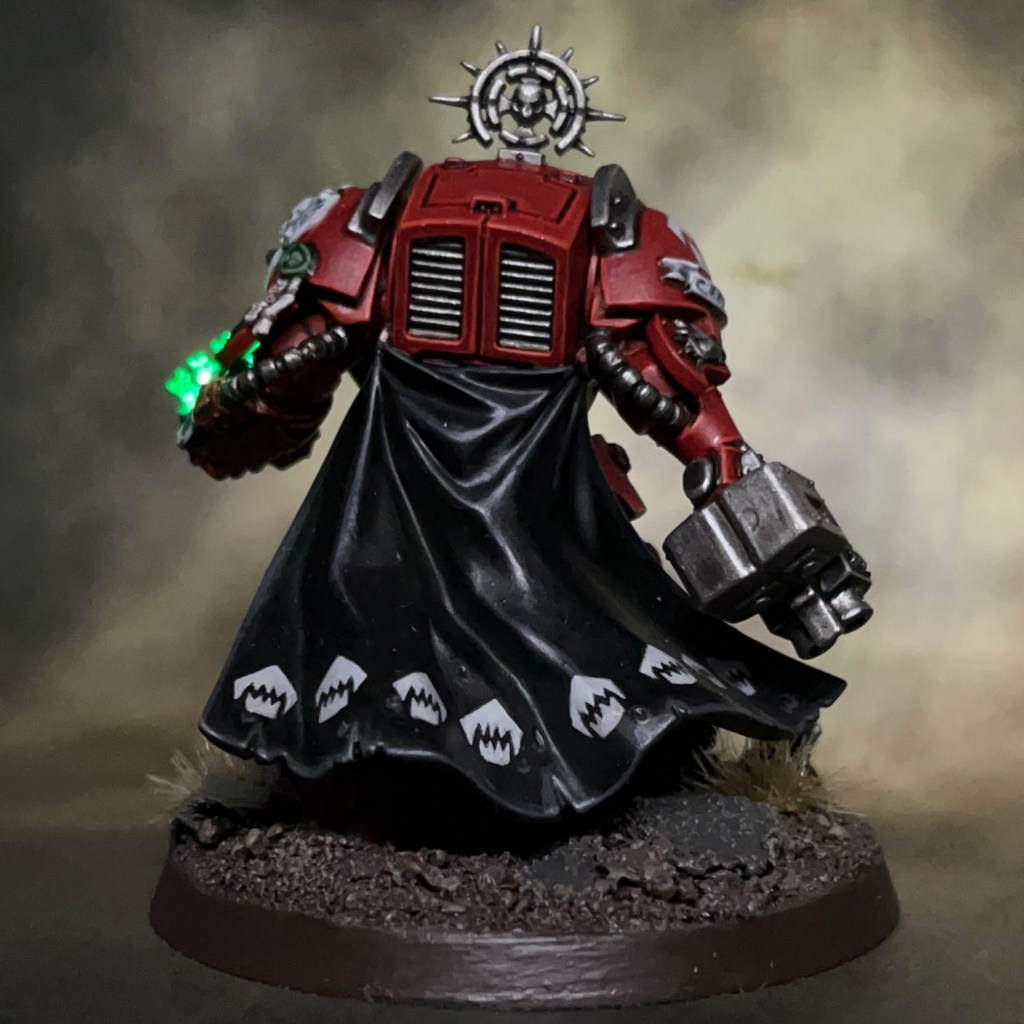
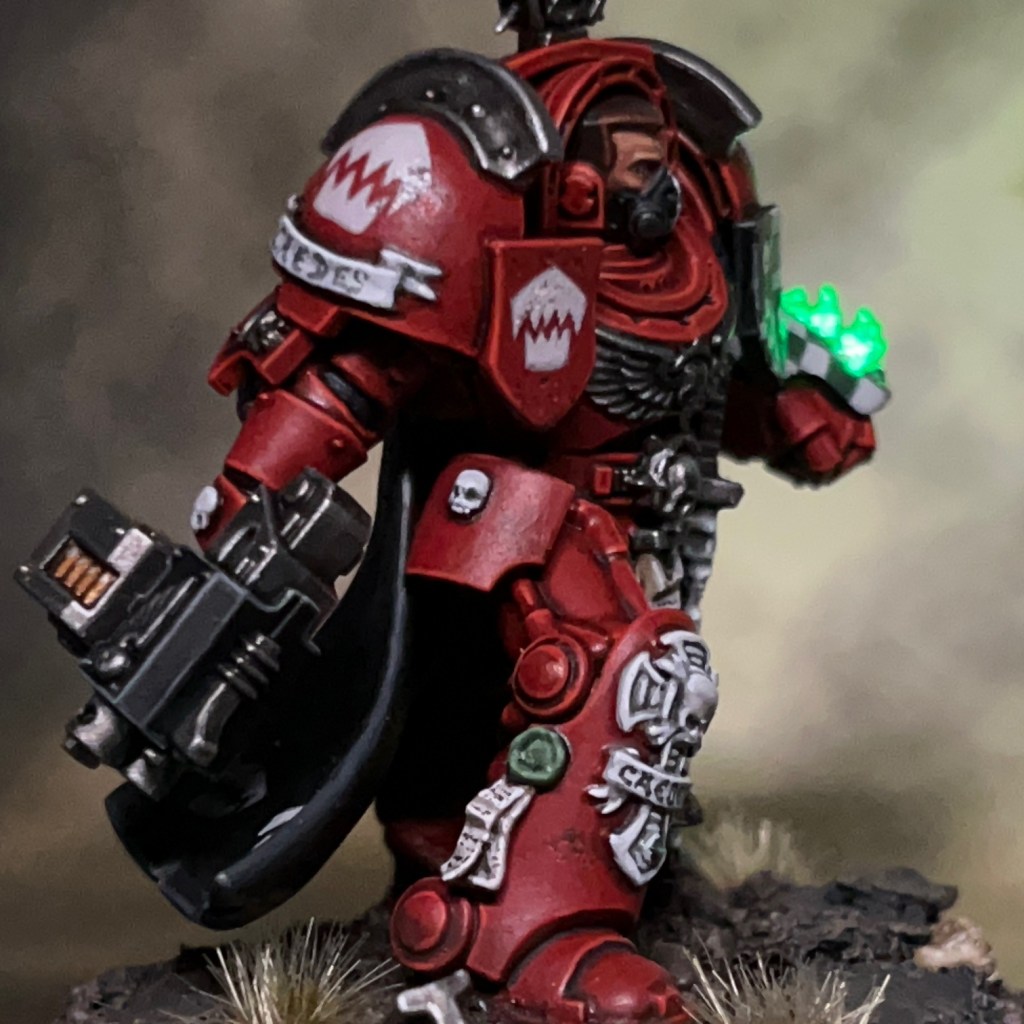
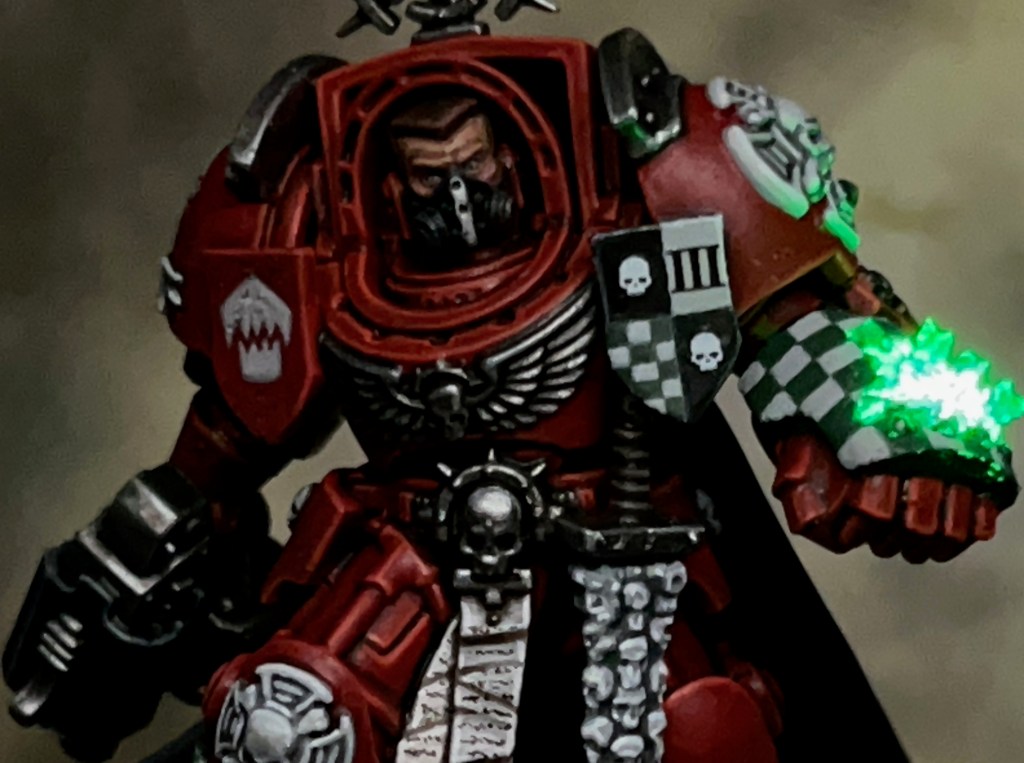
It’s back to the Flesh Eaters project this week with Brother-Captain Caedes, Captain of the Flesh Eaters third company and Master of the Armoury during the War of the False Primarch.
Modelling
One year on, I’m still slowly working my way through the contents of the Leviathan box. The base miniature for Brother-Captain Caedes is the Terminator Captain from the Leviathan boxed set (also seen in the Space Marine Combat Patrol set). I’ve tried to modify it to fit the aesthetics of the Terminator Captain included in the metal RTB9 ‘Terminator Squad‘ box. This is one of my favourite classic GW models, and the style fits perfectly with the ‘Rogue Trader era’ aesthetic I’m aiming for with my Flesh Eaters army.
The head for this miniature comes from the Horus Heresy Character Heads Upgrade Set 2, which I feel may have been an intentional homage to the head of the original Terminator Captain. If not, it’s coincidentally a very close match!
I wasn’t trying to recreate every detail of the original Captain exactly, but just capture his general aesthetic. I positioned the sheathed sword on the other side of his waist as this was a better fit with the pose of the Leviathan Captain. I also thought that it made more sense being on that side so he could draw the sword with his storm bolter hand rather than the power fist – although I think I do remember an old piece of artwork with a Terminator Captain holding a power sword in his power fist!
Another feature of the original that I didn’t replicate was the grenade launcher built into the power fist. I would have been happy to add that, except that it would have interfered with the LED power fist effect.
With the LED power fist, I was aiming to give the impression of an active ‘disruption field’, with lightning crackling over the surface of the fist. If you’re interested in the details of how the LED power fist was made, I have added a full LED Power Fist Tutorial to the LED Miniatures Tutorials section of my website.
Captain Caedes’ rank as Third Captain of the Flesh Eaters granted him the title of Master of the Armoury during the War of the False Primarch. The chapter’s arsenal received a massive influx of materiel during the conflict, both by direct order of the High Lords of Terra and as spoils of war. This put more resources at Captain Caedes’ disposal than any other Master of the Armoury has had since the founding of the Flesh Eaters – resources that he did not hesitate to deploy.
EXTRACT FROM ‘A TREATISE ON THE WAR OF THE FALSE PRIMARCH’ BY SCRIBE HOWTOPHER BUXCRAFT
I did consider giving Captain Caedes grey or white hair, but settled for brown because I wanted to give him a more youthful appearance to feed into the “young hothead” narrative – he has sworn to defeat a Primarch in personal combat after all! “Young” is a comparative term for a Space Marine Captain though, he’s still over 100 years old!
Captain Caedes’ heraldry is inspired by the heraldry of the RTB9 Terminator Captain, which is checks in opposite quarters, a skull, and a Crux Terminatus. My original plan was to reproduce this directly, but I decided it needed the third company numerals in there somewhere, so I replaced one of the check quarters. Then I wasn’t happy with the tiny Crux Terminatus that I painted, so I replaced that with a second skull.
Like their forebears, the noble Blood Angels, the Flesh Eaters also have a great respect for artisan work. Brother-Captain Caedes is said to have hand sown the embroidery on his own cloak. Like so many others in the war, the Brother-Captain had sworn to kill the Abomination by his own hand, and the black of the cloak was a constant reminder of that solemn executioner’s vow.
EXTRACT FROM ‘A TREATISE ON THE WAR OF THE FALSE PRIMARCH’ BY SCRIBE HOWTOPHER BUXCRAFT
That’s all for today, I hope you’ve enjoyed this insight into the latest addition to my Flesh Eaters army. Thanks very much for reading, and please remember you can also find me sharing my work on Instagram, Threads, Twitter/X, Bluesky and Mastodon.
This week I’d like to present Sergeant Khons of the Sons of Horus. This miniature and its LED effects have been specially commissioned by the team at Green Stuff World to show off some of their 3D printed accessories and LED kits. This is my second Green Stuff World commission after Themistius Kalden and his energy shield that I posted last week.
Modelling
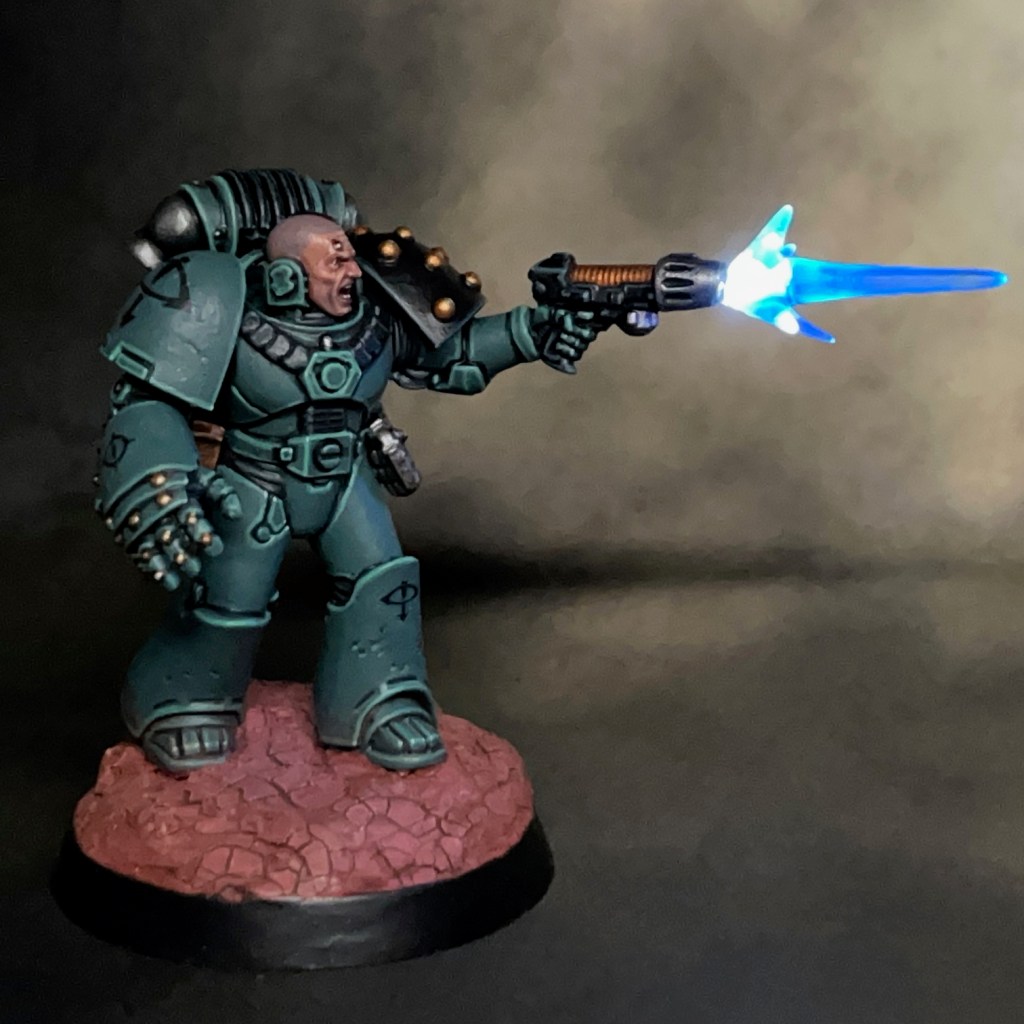
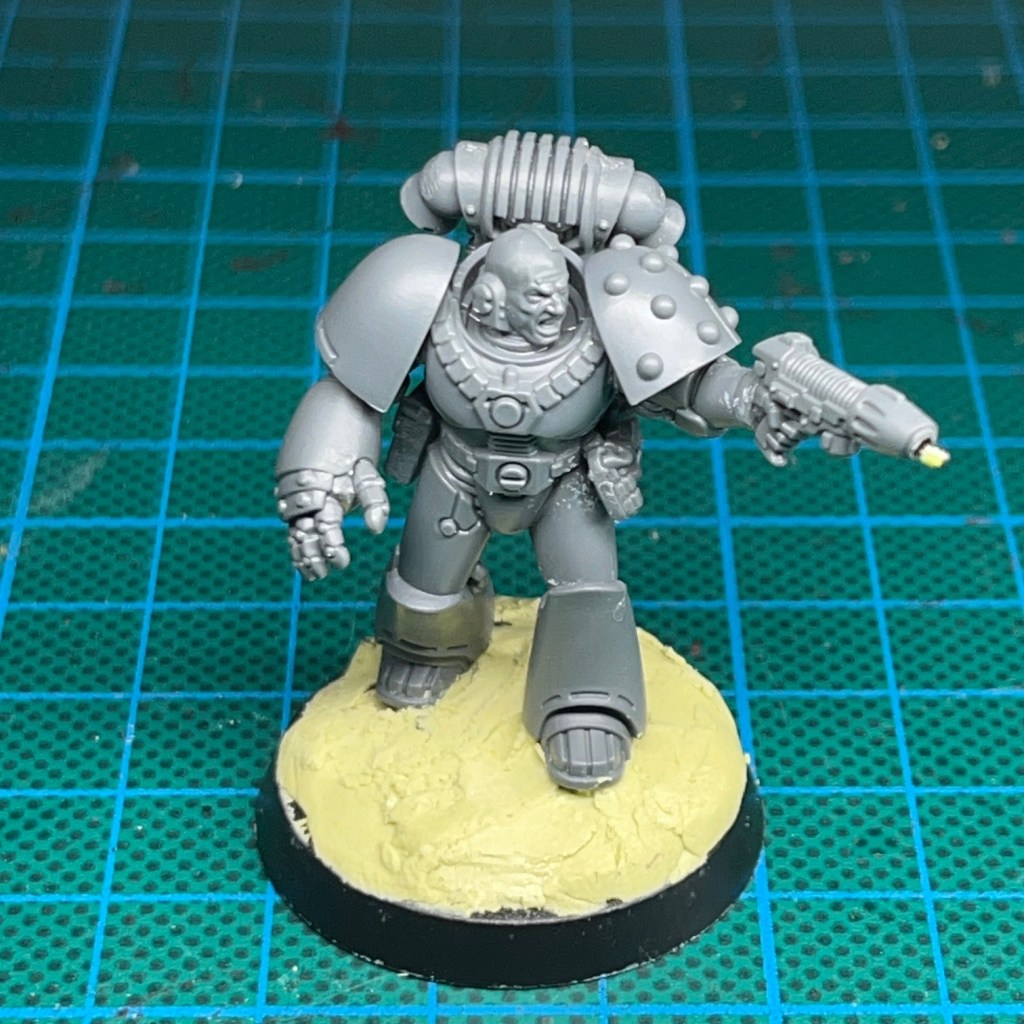
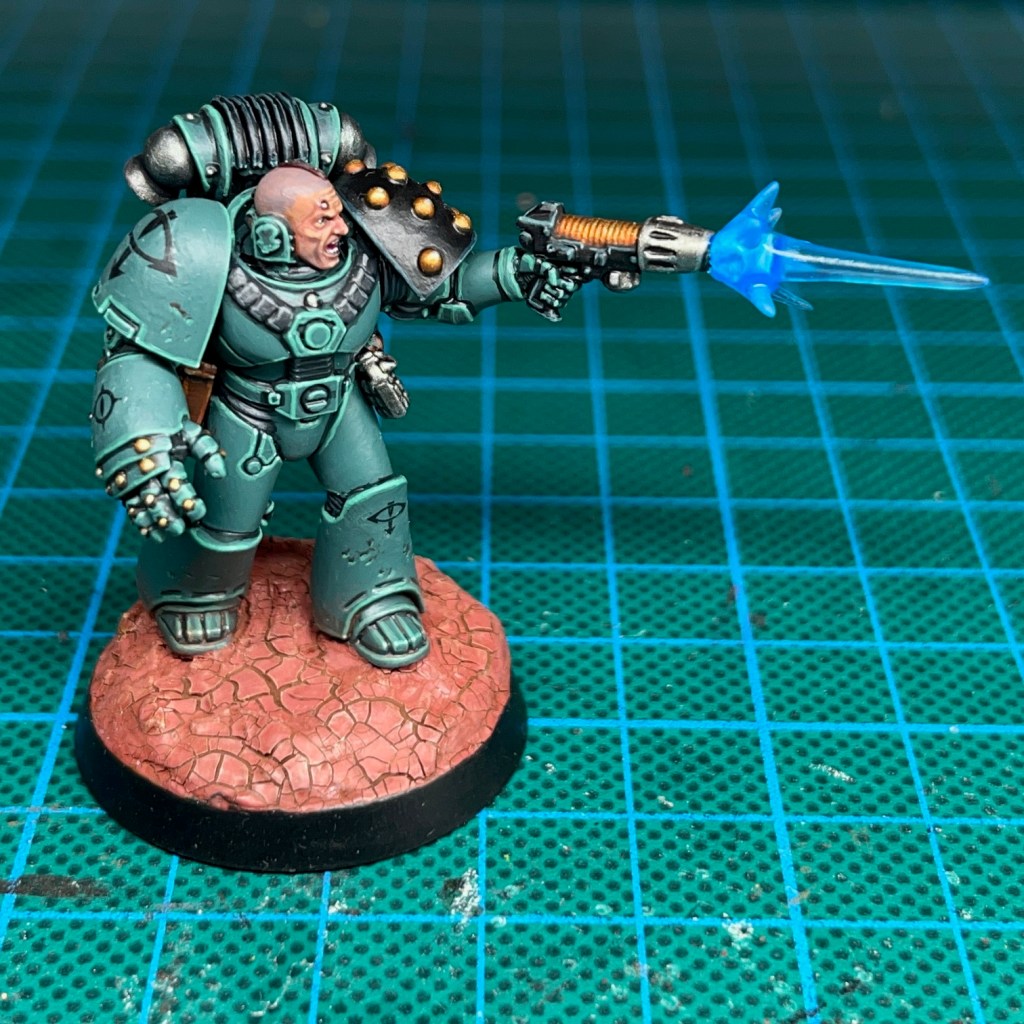
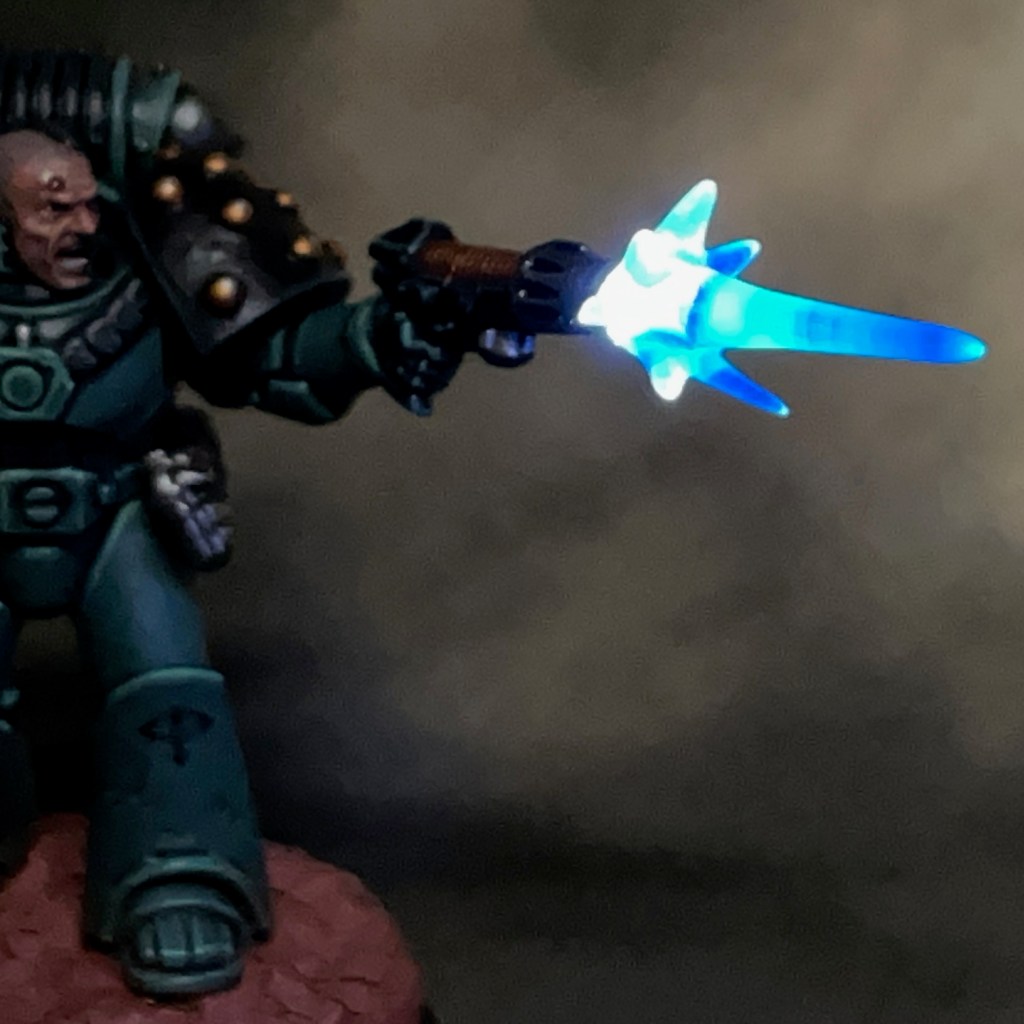
This miniature was intended to demonstrate the Green Stuff World 3D Printed Plasma Effects. When I was asked to incorporate the plasma effects into a miniature, I immediately knew this effect would look awesome on a space marine with a plasma pistol. I settled on the Sons of Horus for the paint scheme as I really I enjoyed painting Brother Amset, and I’ve been looking for an excuse to paint another Sons of Horus marine ever since.
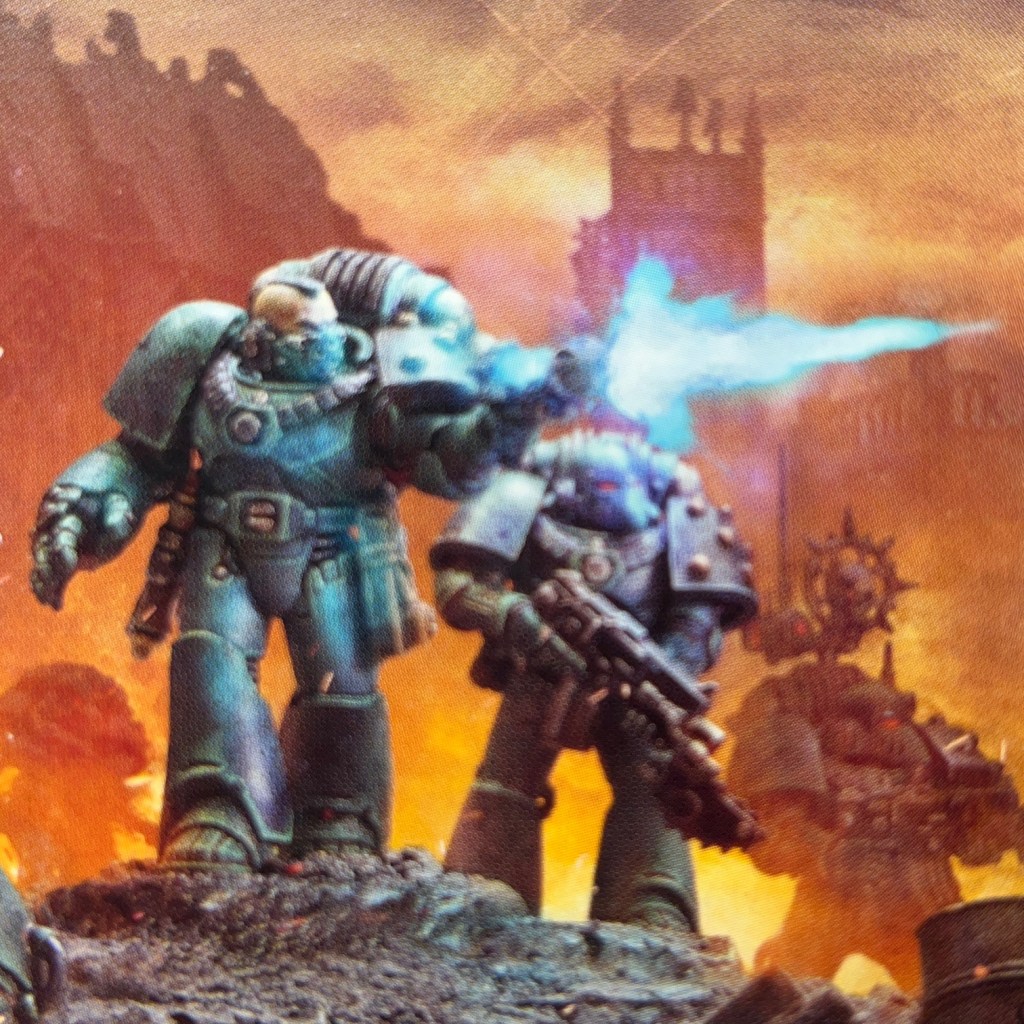
The equipment and pose of the miniature were influenced by sergeant on the Legion MKVI Tactical Squad box art, shown above. I swapped the mask for a bare head as a shouting or grimacing face combined with an LED muzzle flare really helps to sell the ‘mid-action’ pose.
As part of the commission I filmed all the stages of the build process, which you can see in the video below.
A full PDF tutorial for this build will be released via Green Stuff World soon. When it is, I’ll add it here and link to it from my tutorial section. In the meantime to get you started here’s a list of all the components and consumables I used. The miniature is from the Legion MKVI Tactical Squad kit.
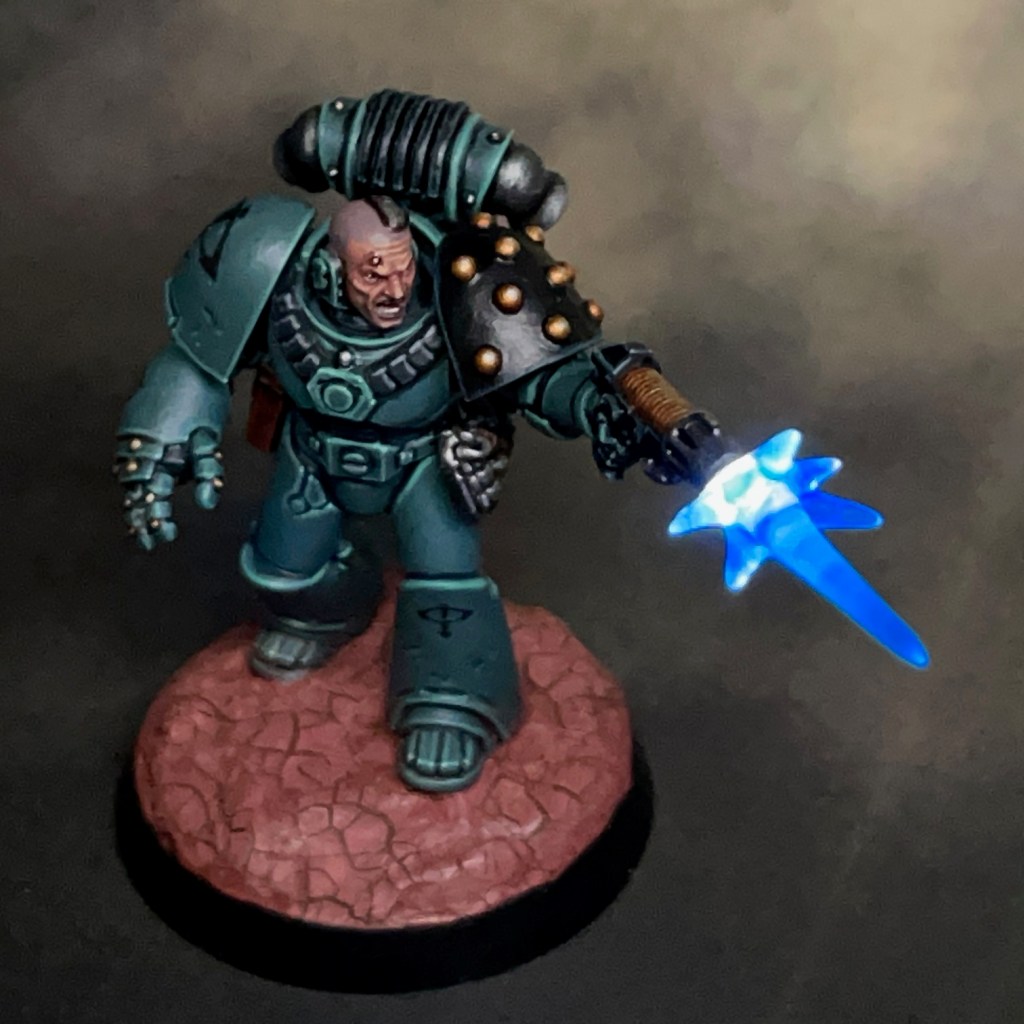
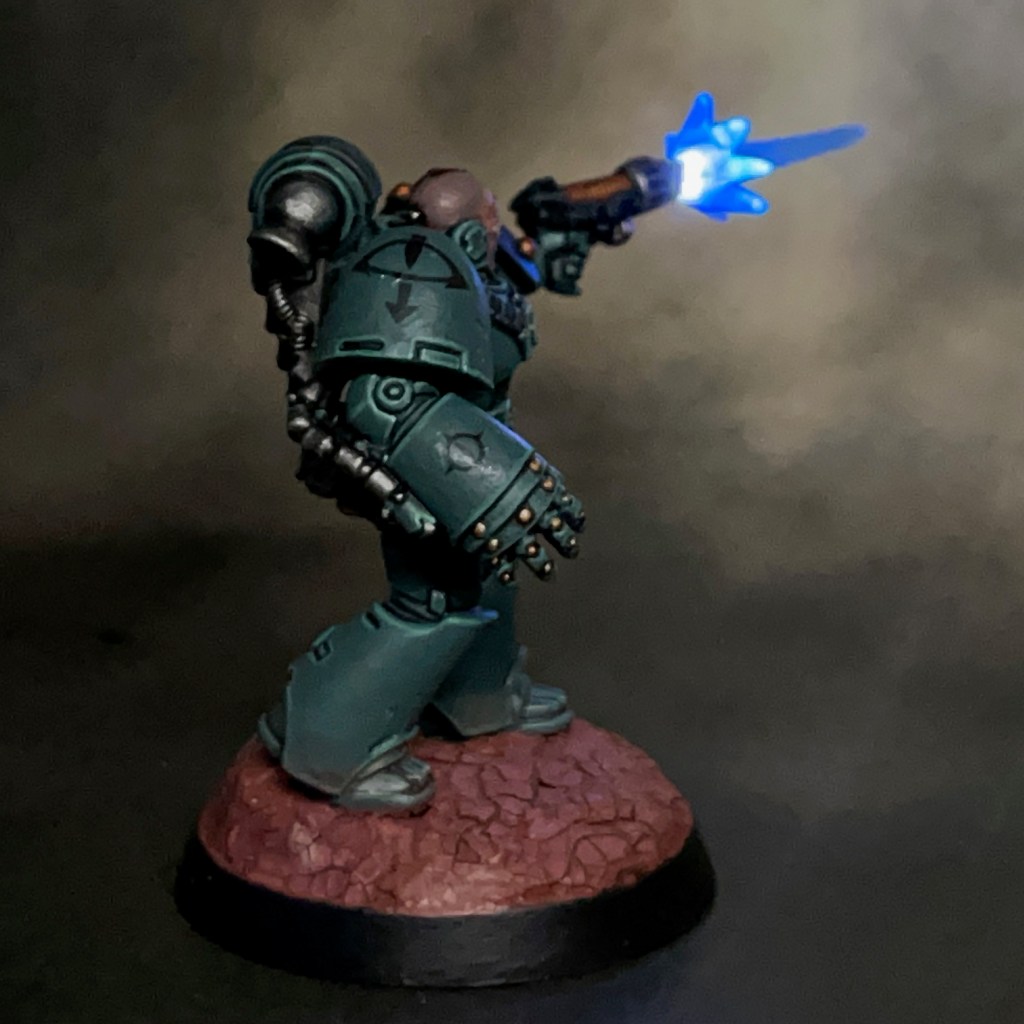
My Sons of Horus armour recipe can be found in this previous post. For the face, I used my standard Pale Skin recipe. During the painting stage the plasma effect was given a thin blue glaze. This was done to help give the cool white LEDs a blue tint, and also to give the plasma effect some visual interest when the LED was switched off. The iconography on this miniature came from the transfer sheet included in the box.
LED effects aside, I’m really pleased with the paint job on this model. I think it’s one of the best space marines that I’ve painted to date – if I do say so myself!
That’s all for today, I hope you enjoyed this miniature and the demonstration of the Green Stuff World kits. Thanks very much for reading, and please remember you can also find me sharing my work on Instagram, Threads, Twitter/X, Bluesky and Mastodon.
Oh, and if you have time, please consider voting for my miniature painting in the CRIT Awards!














 Chris Buxey Paints