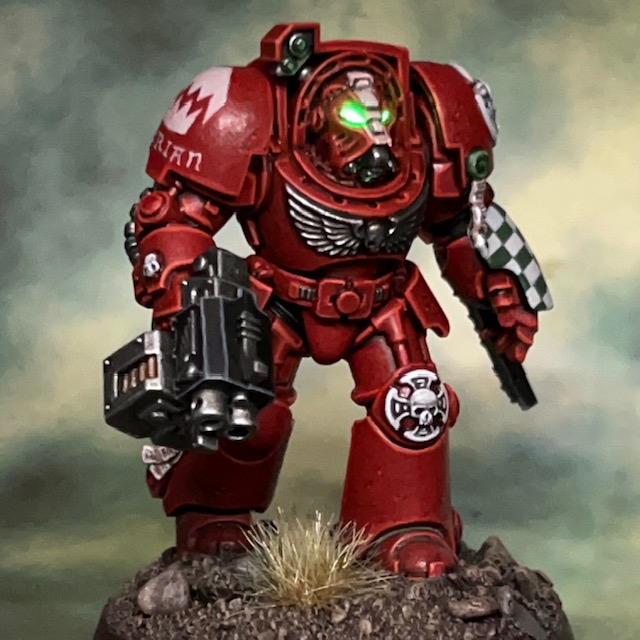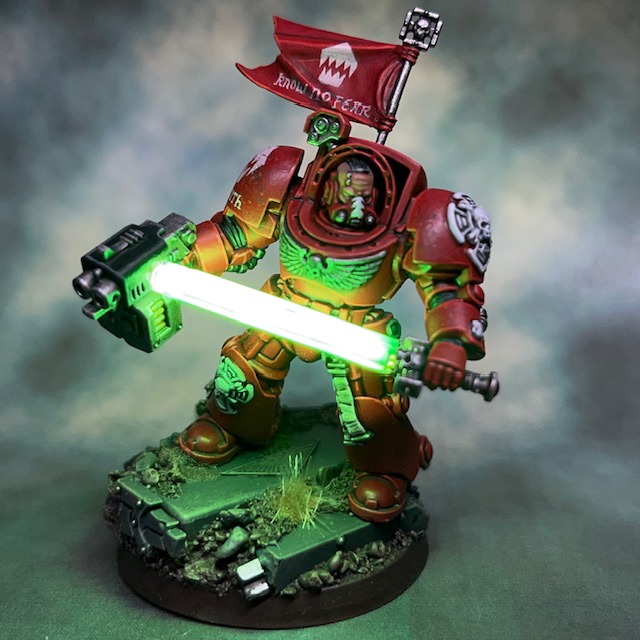
Brother Furian, Flesh Eaters Terminator

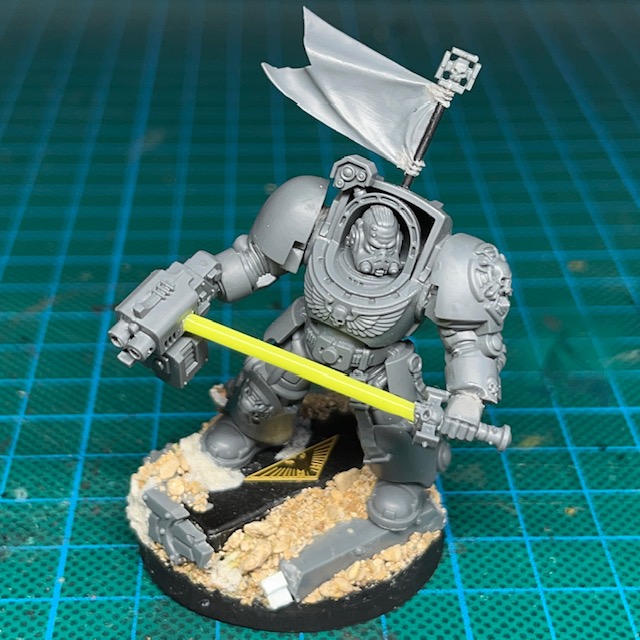
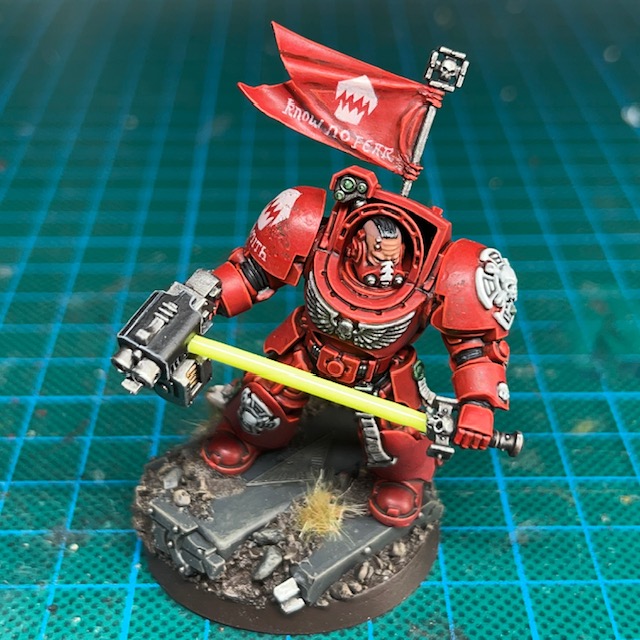
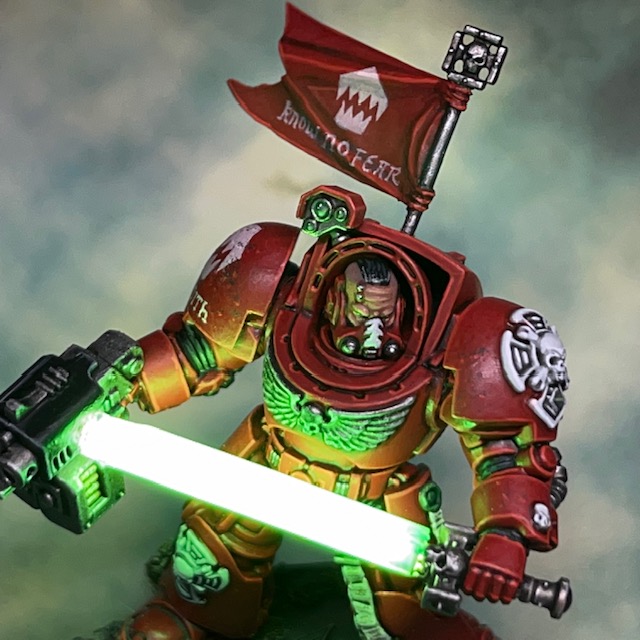
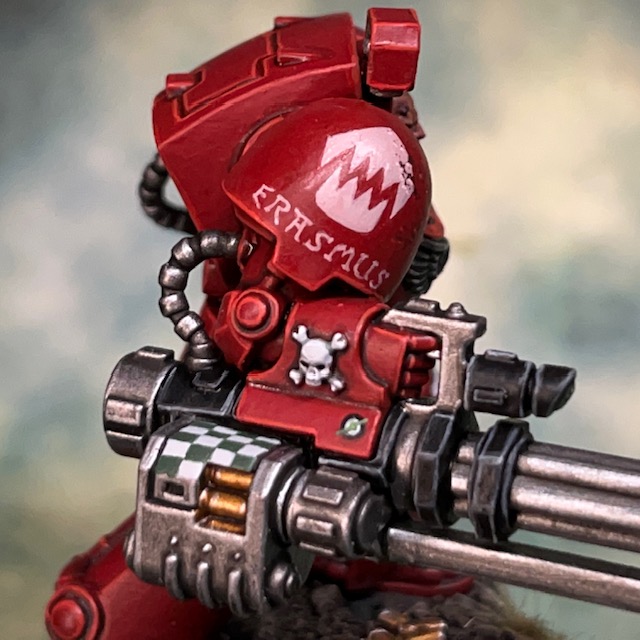
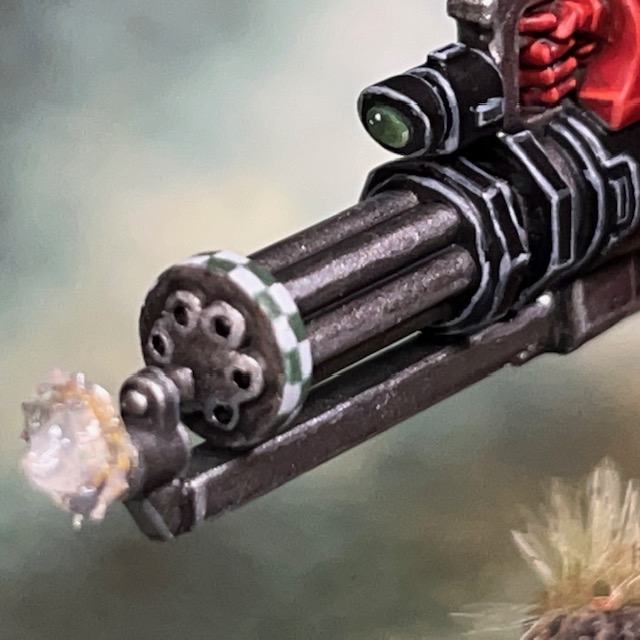
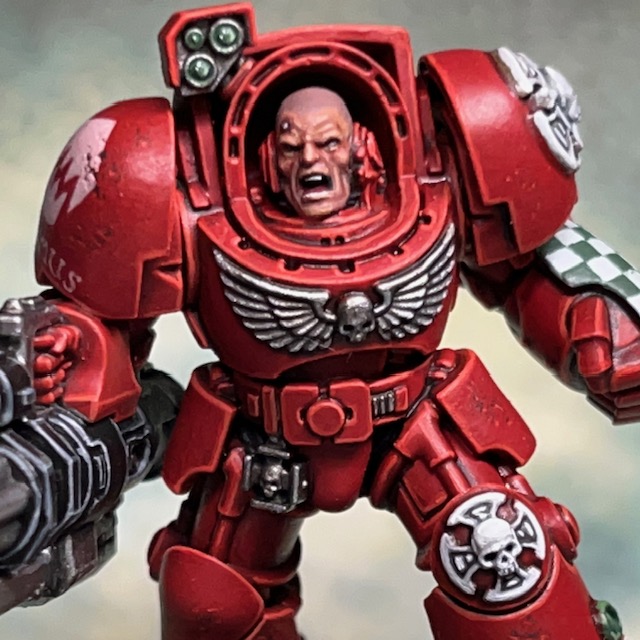
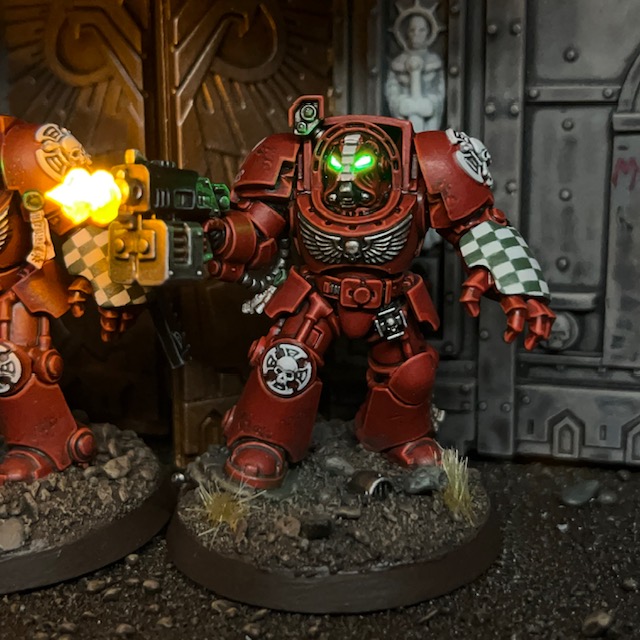
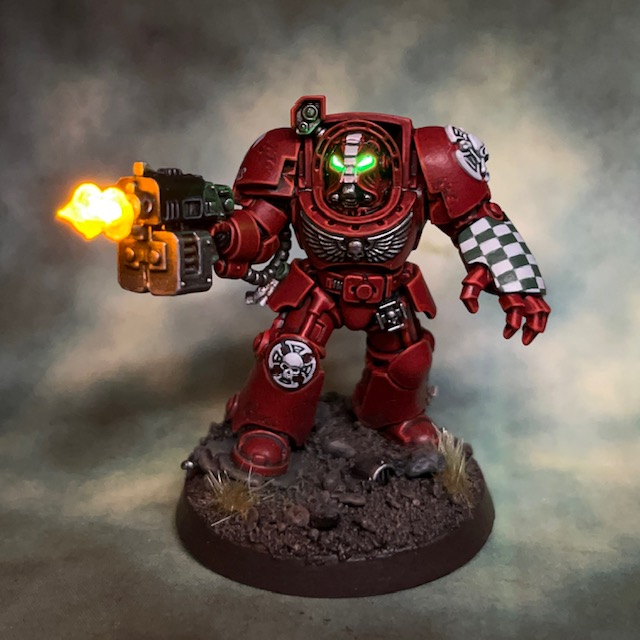
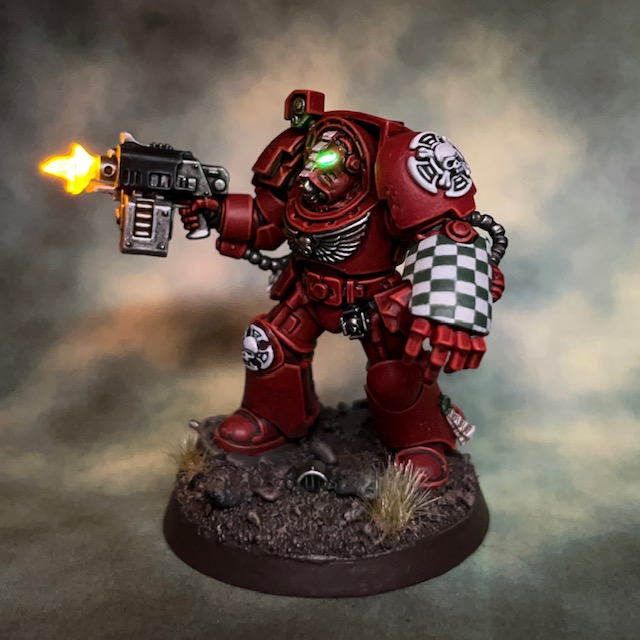
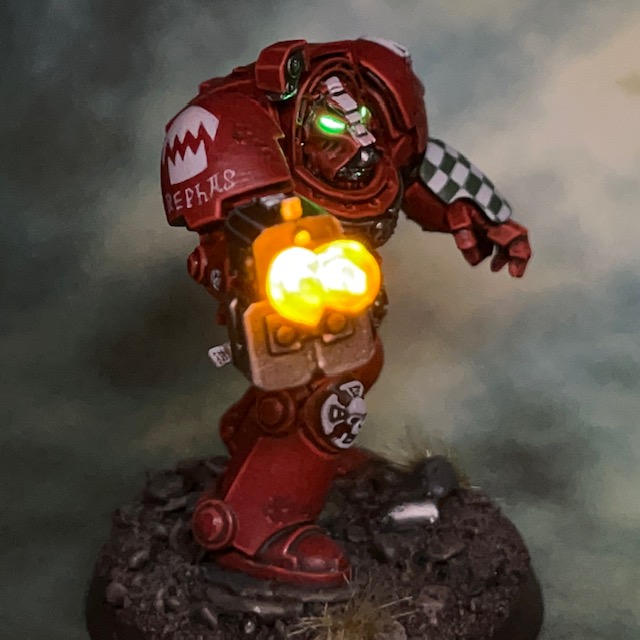
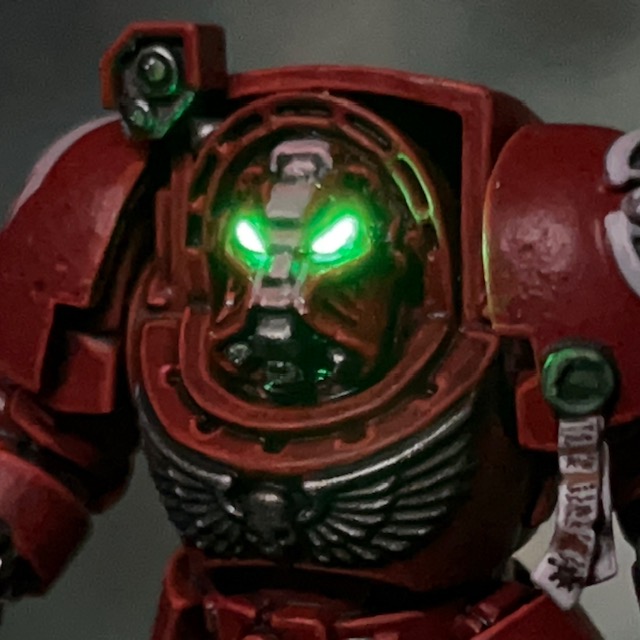
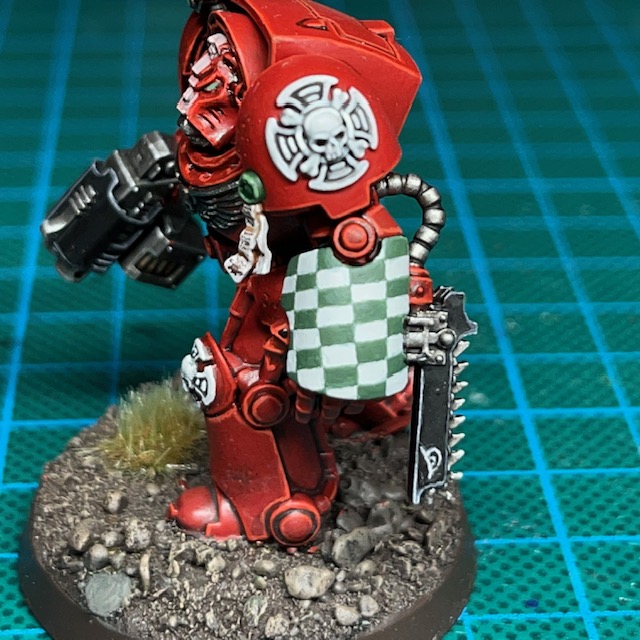
More Warhammer 40,000 ‘Leviathan’ Terminator action this week with Brother Furian, a Flesh Eaters Terminator with storm bolter and chainfist.

Modelling

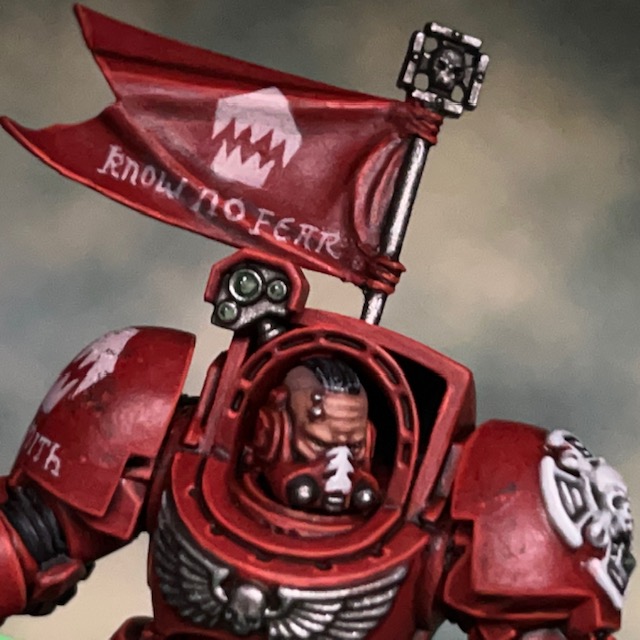
As this model wasn’t in a dynamic firing pose or carrying any special weapons, I decided to keep the LEDs simple and just illuminate the helmet eye lenses. I used the techniques detailed in my LED Eye Lens Tutorial, the only difference being that I used a TruOpto OSPG7331A-KL 1.8mm Green LED. As I mentioned in my post about Brother Lazarus, I found it easier to insert the helmet LED from the rear of the Terminator helmet, rather than underneath as I normally do.

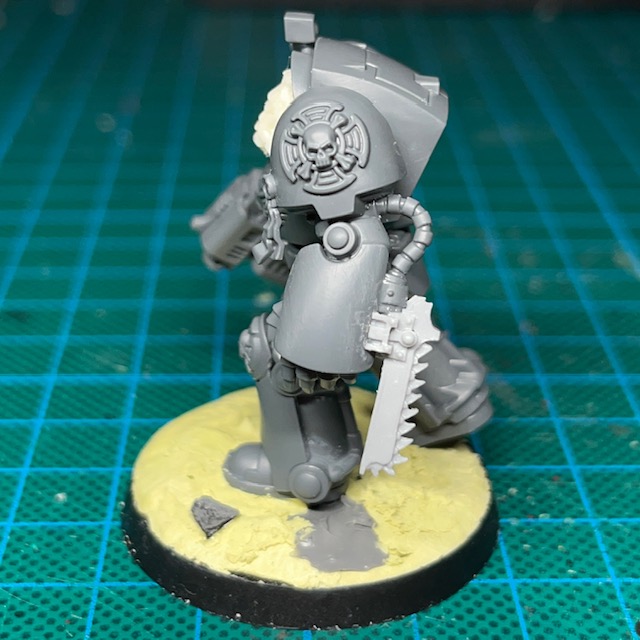
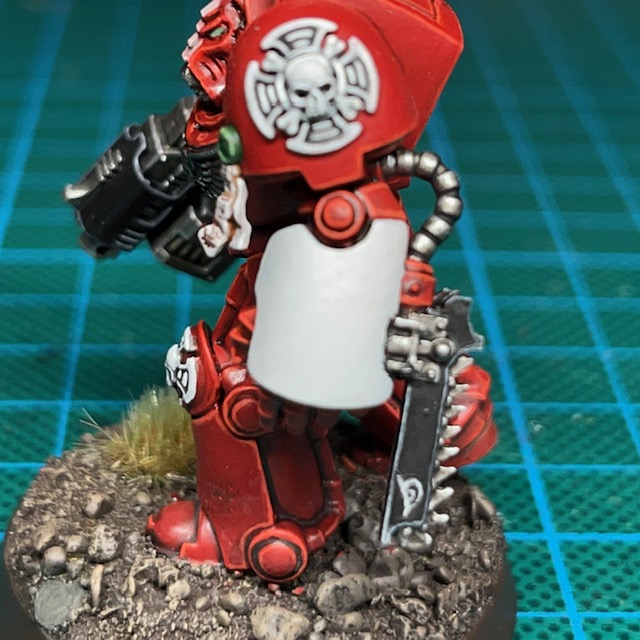
As a last minute addition, just to give this model a bit more interest, I decided to turn his power fist into a chainfist – a weapon option that is not in the Leviathan box. The chain blade component came from an old Forge World Tartaros Terminator upgrade kit, but there’s an equivalent on the modern plastic Legion Tartaros sprue. It fitted neatly over the bottom of the power fist with only some minor gap filling required.

Painting

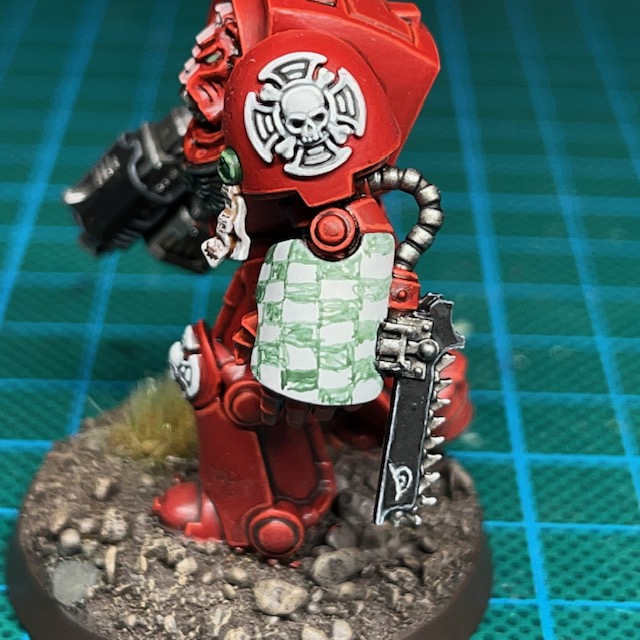
I don’t have many additional things to say about the paint scheme for this miniature. I’ve previously talked about painting Flesh Eaters armour in others posts, and described how I paint Terminator iconography here. However, after posting Brother Lazarus, I had a few positive comments and questions about the freehand checks, so I thought I’d share my method here.

‘Iterative’ Freehand Check Technique

I’ve decided to call this the ‘iterative’ technique, as it’s based on making small iterations to the neatness of the squares. The two Citadel paints I used for the checks on this Terminator were Corax White and Waaagh Flesh.

  1. Start with a solid background colour, using the lighter of the two colours. Apply this as several thin coats if necessary to ensure a smooth surface.
  2. Lightly “sketch” roughly where you think the squares should be. Use a thinned down version of the darker colour.
  1. Go back over the dark squares with an additional coat of the darker colour, making the squares more solid.
  2. Correct any mistakes by applying the lighter colour along the edges of the light squares to ensure they are straight. Remember that there should not be any overlaps – squares should only be touching other squares of the same colour at the very corners.
  3. Apply a final correction of the darker colour along the edges of the darkers squares, again to ensure they are straight. You can repeat steps 4 and 5 as many times are needed, making finer and finer corrections until you are happy with the result.

So there we have it, that’s the ‘iterative’ freehand technique. I prefer this over sketching a grid and then filling in the gaps. Drawing a grid tends to mean that the darker squares are larger than the lighter squares, since they incorporate the grid itself into their colour area, which leads to overlapping corners. If you’d like to see the iterative technique applied elsewhere, I also used it on my Lamenters.

Image © Games Workshop

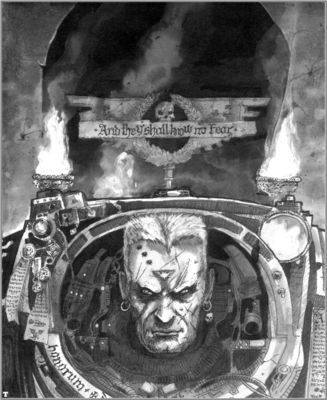
When looking for ideas on how to paint the chain blade on the chain fist, I consulted the Rogue Trader-era Terminator heraldry shown above. I thought the whole thing would be quite confusing on the eye if I tried to reproduce exactly, but I quite liked the idea of a shark-like face, especially as I had used that imagery elsewhere with the Flesh Eaters. However, I wondered if painting teeth on the blade would look strange when it already has its own ‘teeth’. In the end I just settled for painting the eye as a nod to the original heraldry, which then hopefully gives the impression the whole chain blade is a shark-like head, with the chain teeth standing in for the teeth of the creature.

That’s it for today, but I’ll be back again very soon with more Terminators. I’m determined to power through the whole squad before moving on to other projects! As always, thanks very much for reading, and please don’t forget you can also follow my work on social media at Instagram, ThreadsTwitter/X and Mastodon.
Brother Lazarus, Flesh Eaters Terminator

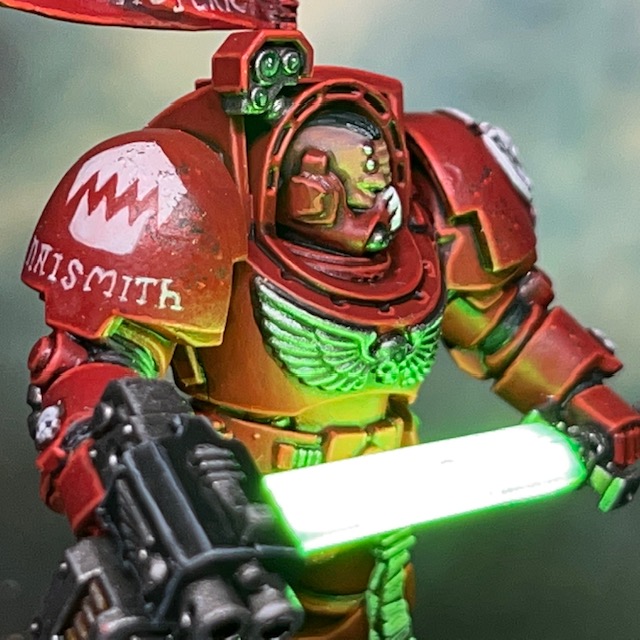
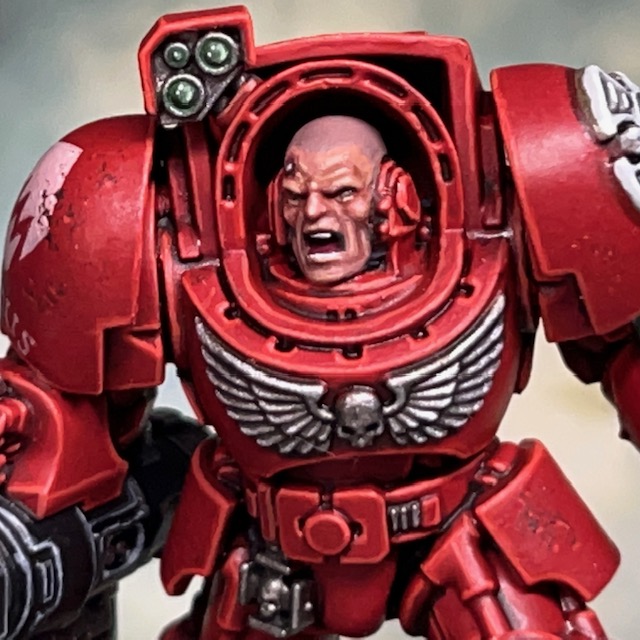
My work on the Warhammer 40,000 ‘Leviathan’ box continues this week with Brother Lazarus, a Flesh Eaters Terminator with storm bolter and power fist.

Modelling

I decided to start with this particular Terminator as he was in a good firing pose, which made it easy to add some LED muzzle flares. I used the techniques detailed in my LED Muzzle Flare Tutorial, the only difference being that there are two muzzles on a storm bolter! This meant two Yellow/Amber 0805 Chip LED (3V) connected in parallel. For the helmet eye lenses I used a TruOpto OSPG7331A-KL 1.8mm Green LED. Due to the position of the Terminator’s head in respect to its body, I found it easier to insert the helmet LED from the rear of the helmet, rather than underneath as I normally do.

Thankfully there was little else to do in terms of conversion work on this model. Regular readers will know that my Flesh Eaters army is based on the War of the False Primarch setting, which takes place in M33. This means that the Primaris models I’ve used in MkX power armour have been converted to give them a more MkVI appearance. However this wasn’t necessary with the Leviathan Terminators, as Indomitus pattern Terminator armour is perfectly in keeping with the time period and ‘Rogue Trader’ aesthetic that I’m aiming for with this army.

Painting

I spent a lot of time thinking about how to paint this model. Although the colour scheme is well established for this army, there are two things I’ve not had to paint elsewhere in the Flesh Eaters – a Crux Terminatus and winged skull on a chest plate. I was certain that I didn’t want to introduce any additional colours into my army’s colour palette if I could avoid it, so I initially decided to paint all of them Corax White. However that much white turned out to be a little visually overpowering, so I changed the winged skull to Leadbelcher instead. This meant that it no longer drew the eye away from more visually interesting areas.

I’ve listed my Crux Terminatus recipe below, primarily as a reminder to myself for when I come to paint the rest of the squad.

Crux Terminatus

  • Administratum Grey basecoat
  • Contrast Apothecary White shade
  • Nuln Oil shade in deepest recesses
  • Corax White layer
  • Skull White highlight

The other aspect of the paint scheme that caused me a lot of thought was how to pattern the power fist. Other power fists in this army have so far only been carried by sergeants, and I’ve opted for rank insignia as decoration. But Brother Lazarus is not a sergeant, and I wanted to include some traditional Terminator power fist markings. At first, I thought I might paint the classic black and yellow stripes, but I was reluctant to introduce the additional yellow into my army palette as it is not used elsewhere. I also worried that it might make the model read visually as a Blood Angel. I did also consider black and white stripes but wasn’t sure it would have the same visual ‘pop’ – plus it might look like zebra skin!

In the end I settled for green and white checks. This checkerboard pattern is a traditional Terminator decoration, and I’ve used green elsewhere in the army as a spot colour for items like targeting lenses and purity seals. I’m pleased with the results and think I made the right call in the end. I also continued the custom of including the marine’s name under the chapter symbol on their pauldron. I grabbed my old Space Hulk Campaigns book off the shelf and had a skim through for a suitable and storied name for a Terminator, eventually settling on Brother Lazarus.

That’s it for today, but hopefully I’ll be back again soon with more Terminators! As ever, thanks very much for reading, and please don’t forget you can also follow my work on social media at TwitterMastodonThreads and Instagram.

Terminator Teleport Homer

Just a short blog post today as I’m still working on the Terminators from the Leviathan box. But in the meantime, here’s the teleport homer that comes in the set, with added flashing LED beacon.

Modelling & Painting

Although I could have easily added a normal LED to the teleport homer (especially given ‘Rule 4′), I decided a flashing LED was the best choice here. The homing beacon is seen flashing in the Leviathan trailer, and I think it helps to give a cinematic sense of urgency and imminent threat.

To create the beacon I just followed the principles of my LED Eye Lense Tutorial, although in this case I made a resin recast of the light bulb rather than a helmet. I had to change the base of the teleport homer to a 32mm from a 25mm to accommodate the required battery holder. If you don’t fancy making a resin recast of the bulb, then I have an alternative method of making LED bulbs in my Ork Comms Boy post.

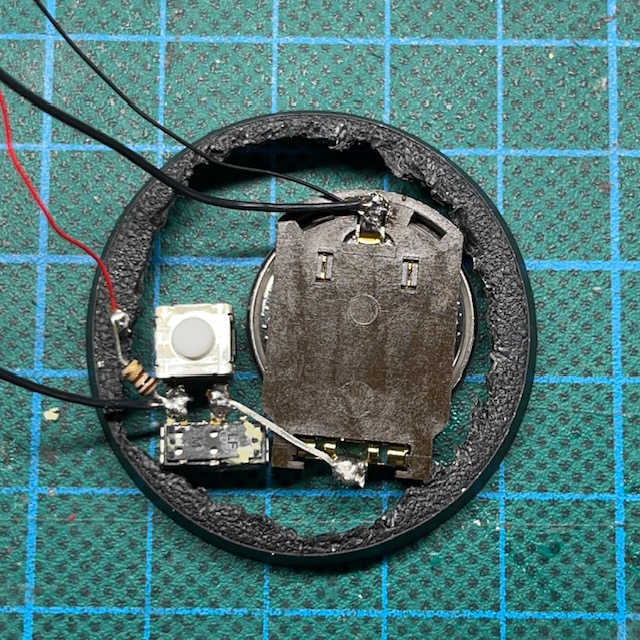
The LED used is a 1.8mm 3V 1.5 Hz green LED from Small Scale Lights. The “1.5 Hz” or 1.5 hertz refers to the frequency with which it flashes – in this case, 1.5 times every second. The circuitry which allows the LED to flash is built into the LED itself, so no extra electronics were required. The wires from the LED run down through the body of the teleport homer and connect to the battery and switch in the base.

As you can see in the pictures below, I cut off the stabiliser wings to make drilling the hole for the LED easier. I then reattached them once it was successfully installed.

For the paint scheme, I simply followed my standard Flesh Eaters painting recipes that you can see in this post.

That’s it for today – I said it was a short one! But I hope you found that interesting. Please check back for some actual Terminators teleporting onto this beacon soon! As always, thanks very much for reading, and please don’t forget you can also follow my work on social media at TwitterMastodon, Threads and Instagram.

Leviathan Screamer Killer

Today we’re looking at the first model that I’ve assembled and painted from the 10th Edition Warhammer 40,000 ‘Leviathan’ box – the Screamer Killer!

Hive Fleet Cerberus

My personal Tyranid swarm, Hive Fleet Cerberus, has been plaguing the galaxy for decades. In fact, they’re the only army I own that has – in some form or another – consistently seen the tabletop in every single edition of Warhammer 40,000. They took part in the global Ichar IV campaign back in the 1990s, so it has always been my ‘headcanon’ that Hive Fleet Cerberus was a splinter of Hive Fleet Kraken, skulking off to terrorise the Eastern Fringe in the aftermath of that epic conflict.

This army has soldiered on with some of the original Tyranid models for many years now (as shown below). These were among the first xenos models I ever purchased, and they will always hold a special place in my nostalgic gamer’s heart. For the last couple of new Warhammer 40,00 edition release boxes, I’ve sold the non-Marine models, but the arrival of Leviathan convinced me to not only keep them, but begin the long-overdue revamp of my Tyranid army. As the classic Screamer Killer was always one of my favourites, I decided this is where I should start the project.

Modelling

The most prominent feature of my Leviathan Screamer Killer is the LED bioplasma effect. This was achieved using the techniques described in my Simple LED Muzzle Flare tutorial, only with a blue 0805 chip LED instead of the yellow one listed in the tutorial. Additionally, the acrylic gel was given a blue glaze instead of the yellow.

These days I like to pick a limited colour palette of LEDs for army projects, just so the finished force does not look like a bunch of Christmas decorations with a huge mish-mash of different colours and lights. For Hive Fleet Cerberus I’ve settled on blue for energy weapons and psychic powers. I’m not sure what other colours I’ll use yet, but I’ll decide that as the need arises.

Painting

It’s often said that it’s best to start a new army paint scheme with the rank and file models, and not the leaders or large centrepieces, but as mentioned above I just couldn’t resist starting with the Screamer Killer. When it came to picking the colours for this revamp project I wanted to stick fairly close to the original scheme, so that meant red for flesh and bone for carapace. After some thought on what colour bioweapons should be, and considering both green and a beige ‘flesh’ colour, I eventually settled on blue. This forms a triadic colour harmony with the red and the yellowish tint of the bone. As an aside, I find this free Colour Wheel website a useful reference for choosing complementary colours schemes for painting projects.

You can see some examples below of classic Tyranids from Games Workshop publications painted in a red, yellow, and blue scheme. This colour combination definitely has a pedigree!

I decided to paint the Screamer Killer’s face blue for a number of reasons. Firstly, it was traditionally painted a different colour to the rest of the flesh and carapace on the classic model, so I felt that should be the case here as well. Secondly, as mentioned above, I’d settled on blue for bioweapons, and for this Tyranid, their face is the weapon! I added the purple mottling to the top of its head to provide some visual interest for what is otherwise a large, flat area.

I also made the sinews on the arms blue, as you may have noticed. This was because they felt distinct from the surrounding flesh, and in need of picking out in another colour. Again, as the claws are weapons, the blue seemed appropriate. Also, it adds some visual interest to what is otherwise a very large area of solid red when the model is viewed directly from the front.

When I list my painting recipes on this blog, I’m not only recording them for those of you who are interested in using them, but also as a reminder for myself! Below are the paint recipes for Hive Fleet Cerberus, and I’m sure I’ll be referring to this post frequently as the project progresses. All paints listed are from the Citadel range and are applied over an undercoat of Citadel Wraithbone spray.

  • Red Flesh
  • Contrast Blood Angels Red
  • Wild Rider Red highlight
  • Troll Slayer orange dot highlight on sharp points
  • Bone Armour
  • Contrast Skeleton Horde
  • Screaming Skull highlight
  • Skull White dot highlight on sharp points
  • Blue Bioweapons
  • Contrast Talassar Blue
  • Lothern Blue highlight
  • Blue Horror dot highlight on sharp points
  • Black Claws
  • Contrast Black Templar
  • Eshin Grey highlight
  • Dawnstone dot highlight on sharp points
  • Purple Mottling
  • Naggaroth Night irregular dot
  • Genestealer Purple layer inside dot
  • Yellow Eyes
  • Averland Sunset base coat
  • Agrax Earthshade shade
  • Yriel Yellow layer
  • Abaddon Black pupils
  • Urban Base
  • Mechanicus Standard Grey base coat on rocks
  • Warplock Bronze base coat on metal debris
  • Contrast Skeleton Horde on skulls
  • Nuln Oil shade all over
  • Dawnstone drybrush on rocks
  • Administratum Grey drybrush on rocks
  • White Scar drybrush on rocks
  • Retributor Armour highlight on metal debris
  • Screaming Skull highlight on skulls
  • Skull White dot highlight on skulls
  • Citadel Middenland Tufts

If you’re after tabletop ready models quickly, then I don’t think you can beat Contrast and one or two highlights as the best compromise between speed and acceptable quality. For projects with fewer models, like my Flesh Eaters space marines, then I do prefer traditional painting methods. But when you have to get a load of models done, especially highly textured models like Tyranids, then I just don’t have the hobby time these days to paint them in the traditional way.

That’s it for today, I hope you all found that interesting. Please check back soon for more miniatures from the Leviathan boxed set. As always, thanks very much for reading, and please don’t forget you can also follow my work on social media at TwitterMastodon and Instagram.

Brother Byrne, Flesh Eaters Sergeant

It’s back to the Flesh Eaters project this week with Brother Byrne, a plasma pistol and power fist equipped Assault Intercessor Sergeant. Brother Byrne will be leading my second Assault Intercessor squad – henceforth known as Squad Byrne!

Modelling & Painting

This model has had the LED helmet eye lens and plasma weapon treatment, as detailed in my LED Plasma Weapon tutorial. As this model was fairly straightforward to make, I took the opportunity to document the process and refresh my LED Plasma Weapon tutorial. It is essentially the same, with a few minor improvements and clarifications, as well as new, clearer photos.

I know from my website stats that LED plasma weapons this is one of my most popular tutorials. It’s a few years old now so I thought it was worth bringing up-to-date. I haven’t deleted the original August 2018 version though, that is now archived here in case anyone still wanted to reference it.

As I’ve described previously for other Flesh Eaters miniatures, the base model is a Primaris Assault Intercessor that I have modified to wear MkVI armour, in keeping with the War of the False Primarch theme for my Flesh Eaters army.

Brother Byrne takes his name from a classic Rogue Trader miniature with plasma gun. Unlike Brother Levers, who was directly inspired by his 1980s namesake, I’ve just borrowed the name from Brother Byrne and not tried to recreate the original miniature.

For those that are interested, my painting recipe for the red Flesh Eaters armour can be found in this previous post. One aspect of this model that I painted differently was the minor battle damage around the lower leg area. The damage was applied using the sponge method and Rhinox Hide, which I then highlighted along the lower edge with Evil Sunz Scarlet and Wild Rider Red to give a sense of depth.

I haven’t added much battle damage or weathering to the Flesh Eaters in this project so far, but Sergeant Bryne’s squad mate Brother Oram has some, so I thought I might introduce a bit more battle damage for this unit. I may even go back and add it to some other completed units!

That’s it for today, but if you’d like to read more about my Flesh Eaters then you can view all posts tagged with Flesh Eaters. As always, thanks very much for reading, and please don’t forget you can also follow my work on social media at TwitterMastodon and Instagram.