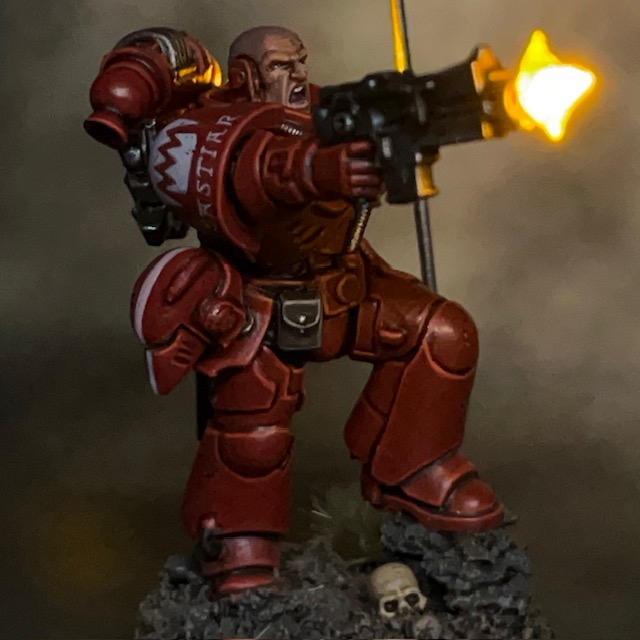
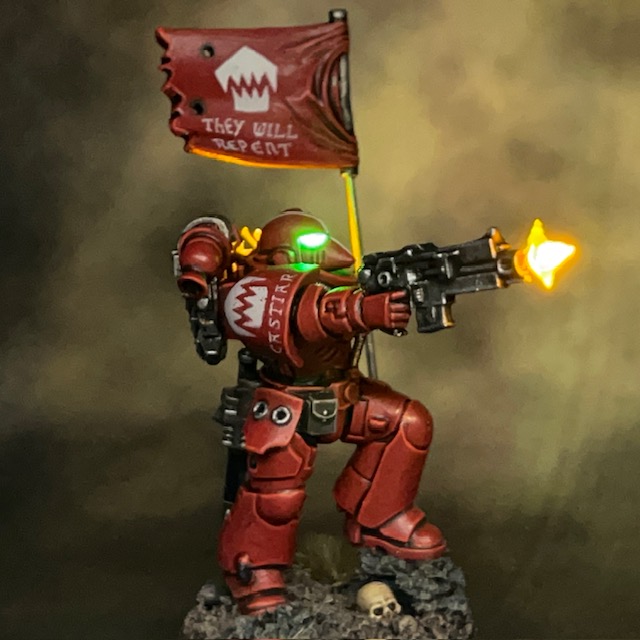
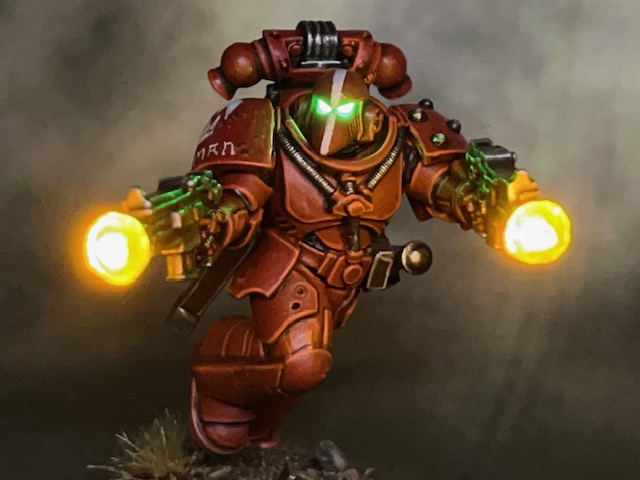
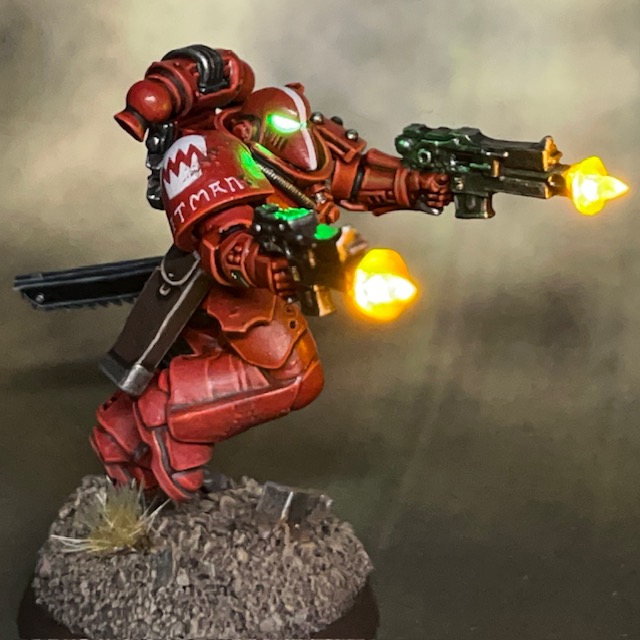
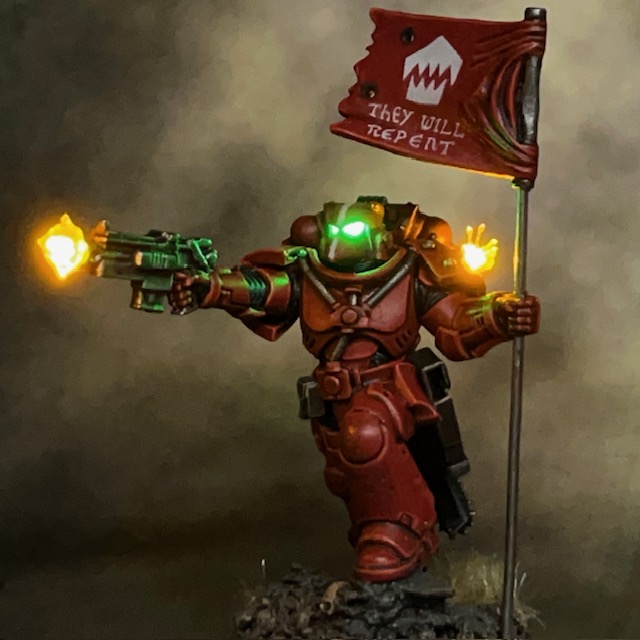
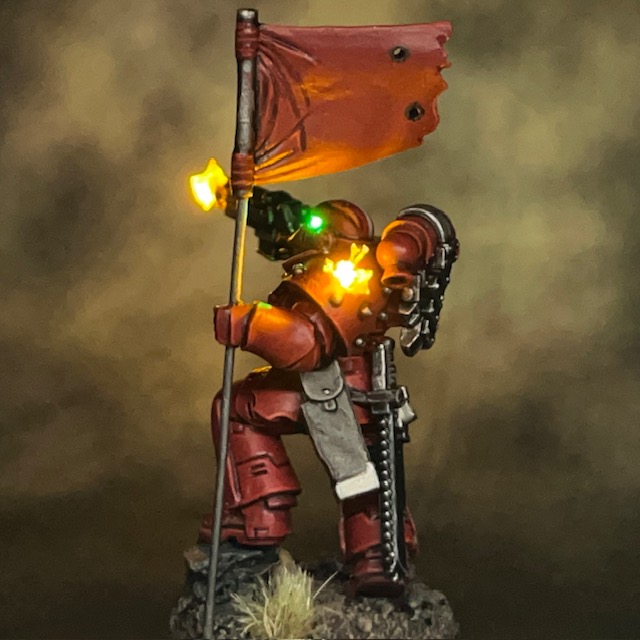
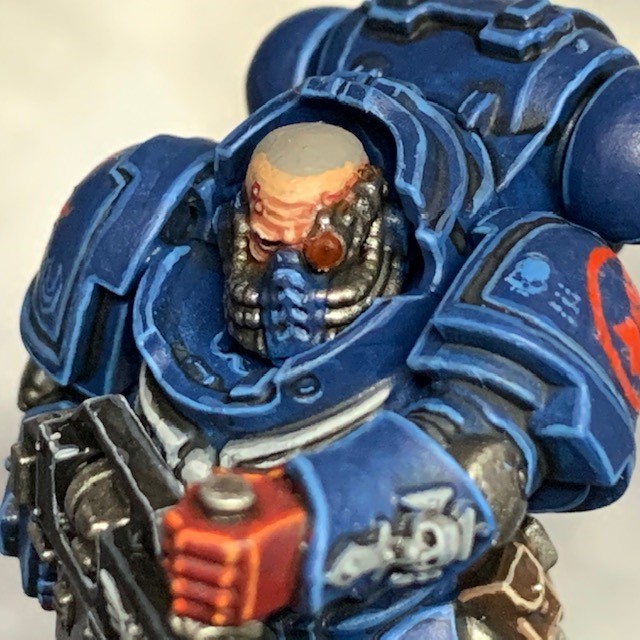
Brother Castiar, Flesh Eaters Assault Intercessor with swappable helmet

Sometimes you need to look the enemy in the eye, and sometimes you need to trust in your wargear.

Brother Castiar, Flesh Eaters

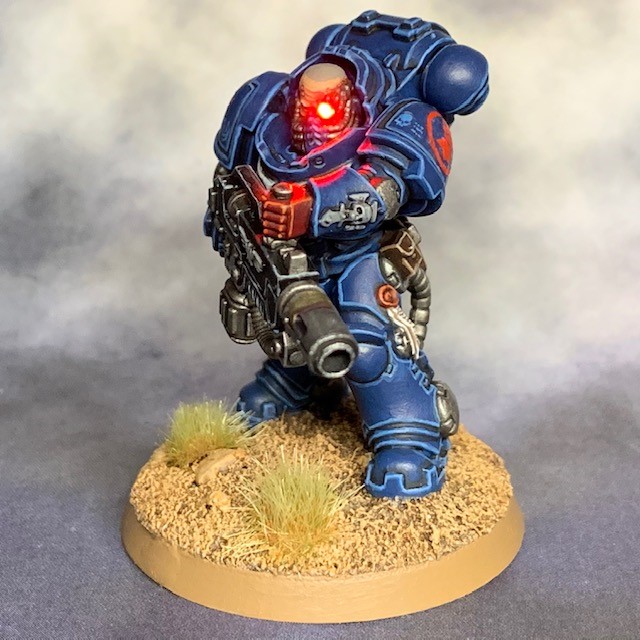
I’m back again with the next addition to my Flesh Eaters Space Marines project. Brother Castiar is the fourth member of my second Assault Intercessor squad, along with Brother Pitman, Brother Oram, and Sergeant Byrne. As well as the usual LED muzzle flare and bullet impact effects, Castiar also has a choice between a bare head or helmet that can be easily swapped during a game.

Modelling

I had built a similar effect before with my Crimson Fists Captain, although in that case he couldn’t wear the helmet ‘mag locked’ to his belt. It’s a technique I’ve been meaning to revisit for a while and refine into a short-form tutorial. The base miniature is an Assault Intercessor from the Indomitus box – yes, I’m still working my way through that!
Swappable Helmet Tutorial

1. This tutorial builds on the techniques used in my LED Eye Lens tutorial. To prepare your miniature and base, first complete Steps 1-10 of that tutorial.

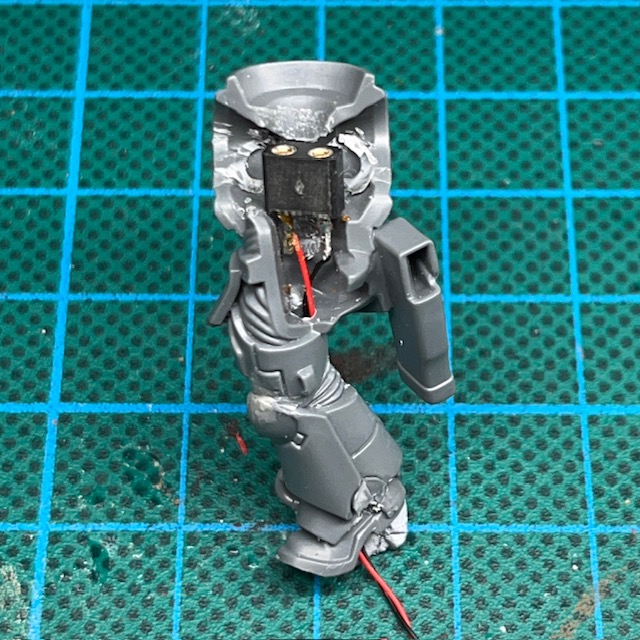
2. This technique uses IC sockets (above left) as sockets for LED legs. They are just the right size for the legs of 1.8mm LEDs to easily fit in and out. IC sockets are often manufactured in long rows or squares, but you can easily cut them down into pairs but cutting in between individual sockets with a craft knife. For this tutorial you will just need a single pair of sockets. IC sockets are available on Amazon here or from electronic component suppliers like RS here.

Assuming you’ve followed Steps 1-10 of my LED Eye Lens tutorial, you can now solder the two legs of the IC socket to the two wires inside the torso of your miniature (above right). Solder one wire to each leg. It doesn’t matter which way round you solder the wires, just remember which side was positive and which was negative.
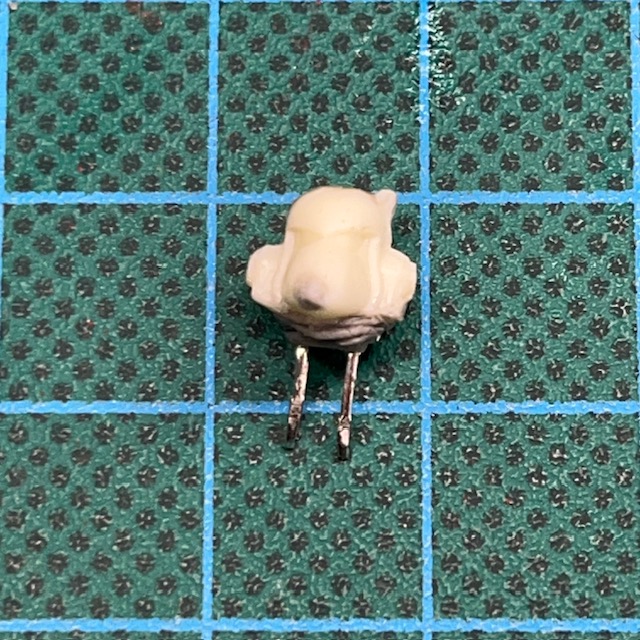
3. Now complete Step 11 – 14 of my LED Eye Lens tutorial to prepare the helmet (above left). Make sure you consider the polarity of the LED legs with respects to the polarity of the IC socket before you fix the LED into place. At this stage I’ve also started using modelling putty to sculpt the flexible ‘rubber seal’ between the helmet and the armour. If you make sure the putty covers the entire underside of the LED this also helps prevent unwanted light spilling out from the bottom of the helmet.

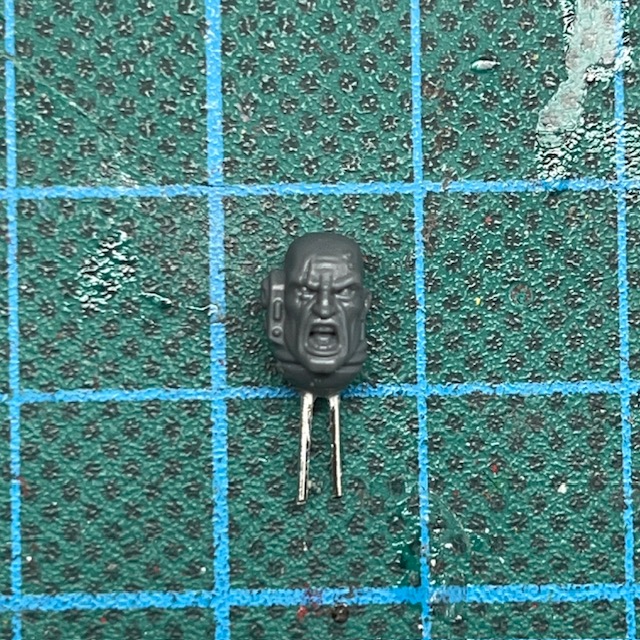
You will also need to prepare the bare head (above right). Use off-cuts from you LED legs to give the bare head legs of its own, then it can easily plug into the same IC socket. Make sure that the metal legs are not touching each other, otherwise you risk short circuiting the battery when the bare head is insert. There’s also no reason that the bare head can’t simply be a replaced with a different LED helmet instead.
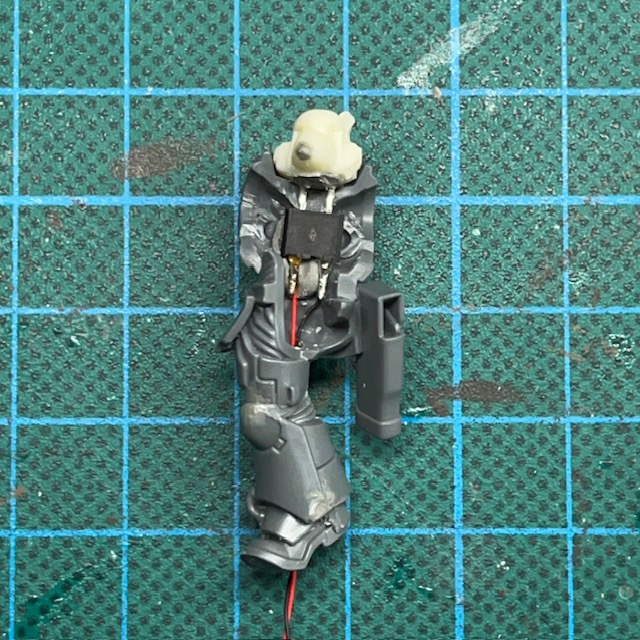
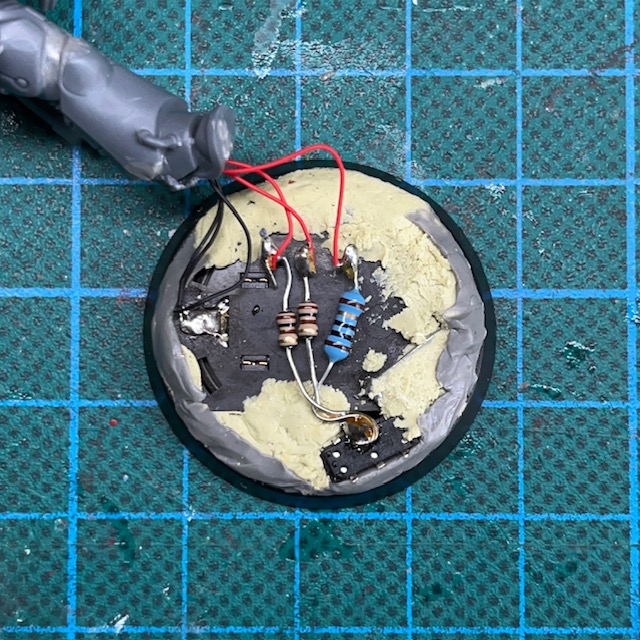
4. Make sure the LED legs are the right length so they fit comfortably through the neck hole and into the IC socket, while also sitting as flush as possible with the top of the torso. Once you are satisfied with the position, fix IC socket in place with glue and/or modelling putty (above left).

You may also want to add additional LED effects, for example LED Muzzle Flares or LED Plasma Weapons. If you do, this is the point at which to do it. Additional LEDs can be connected in parallel with the connections to the IC socket on the base (above right).
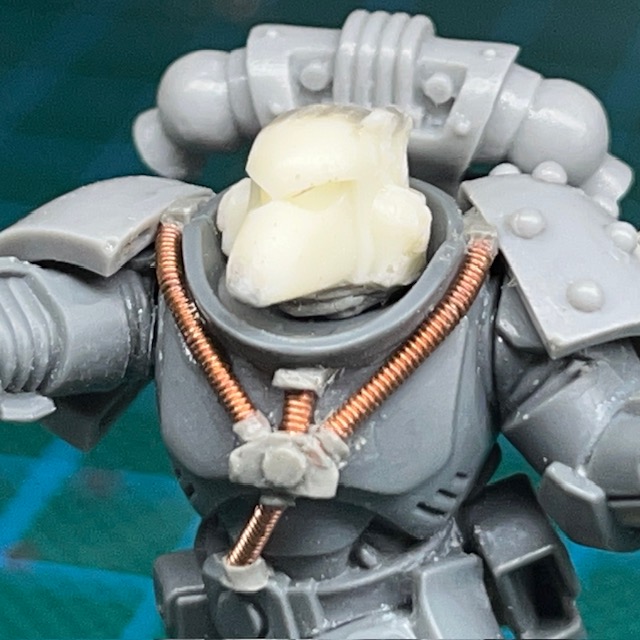
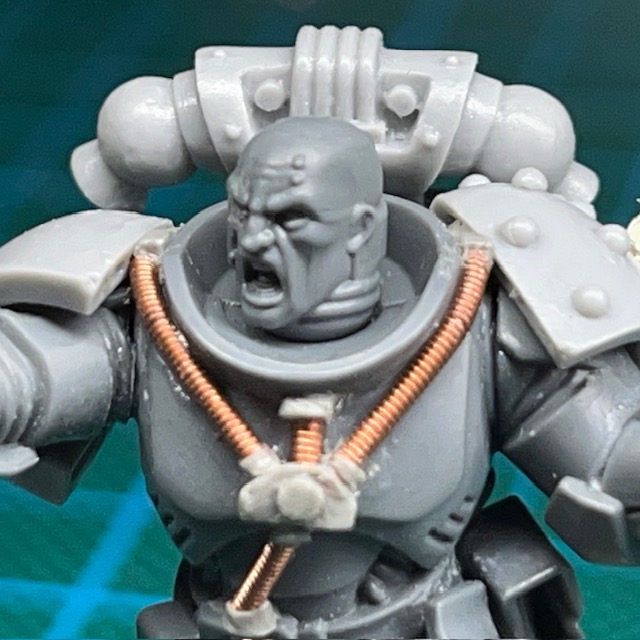
5. Assemble the rest of the miniature, and then make sure the both heads have a good fit with the torso. If there are gaps, you may need to use more modelling putty to sculpt additional detail to fill the gap, like the ‘rubber seal’ around the neck. (above).
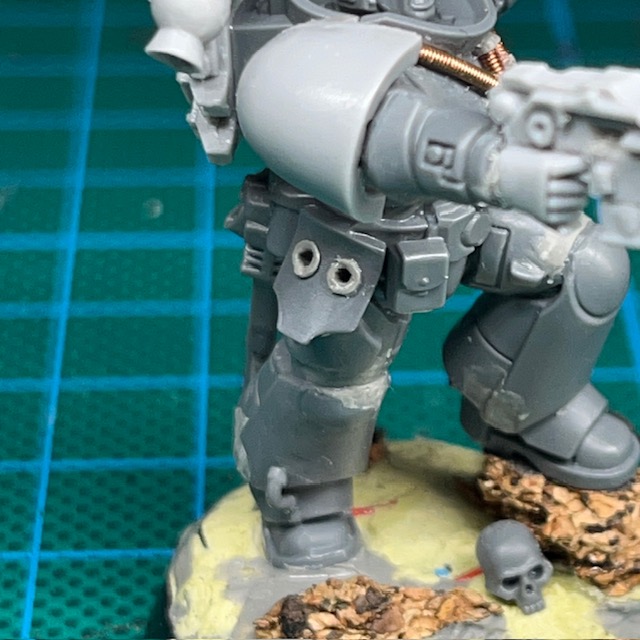
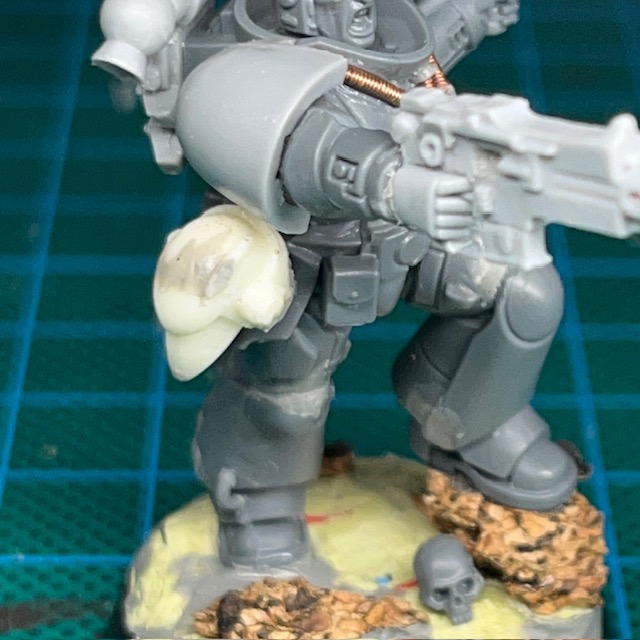
6. This step is optional, but if you want to include the ability to ‘mag lock’ the helmet on the belt, you will need to drill two holes in the waist or hip of the miniature (above left). Make sure the holes are deep enough so that the helmet sits flush with the hip (above right). A 1mm drill bit should be the ideal size for this. After drilling the holes, I added a small ring of modelling putty to make them look similar to the other sockets and access ports you sometimes find on Space Marine armour. Just be careful not to drill through any wires that may be inside the leg! These holes do not need any electrical connections as the helmet is ‘powered down’ when mag locked to the waist, so is not expected to illuminate in this postion.

Painting

When painting this miniature I stuck with my usual recipes. I used my standard recipes for Flesh Eaters red armour and my recipe for Space Marine pale skin. Something that’s worth noting, I always apply a thin glaze of Biel-Tan Green to the resin in the helmet eyes so they have a green tint even when switched off. This is especially important for this miniature, where the helmet will feasibly be on display on the waist while powered down.

There’s a minor Easter Egg in the slogan Brother Castiar’s banner. Ostensibly, ‘They Will Repent’ is a threat and a promise to his Partisan enemies in the War of the False Primarch. But also – as with the banner on the Infiltrator squad – it’s also a reference to a level in the original Doom. Of course the level name is itself a biblical reference, so I guess it’s a nested Easter Egg, if you’ll excuse the pun!
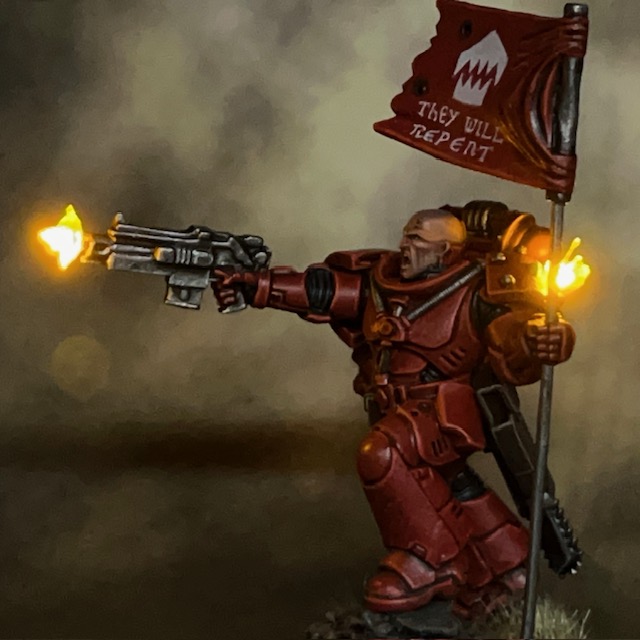
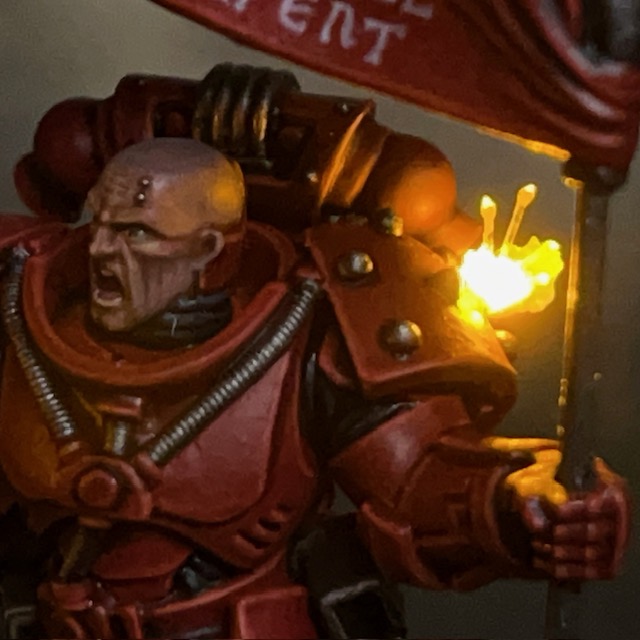
That’s all for today. It’s been a while since my last blog post, but rest assured I’ve been working on lots behind the scenes, and I have plenty more to show soon. Thanks very much for reading, and please remember you can also find me sharing my work on InstagramThreadsTwitter/XBluesky and Mastodon.
Brother Pitman, Flesh Eaters Assault Intercessor

So you like bolters do you, traitors? Well GOOD NEWS!

Brother Pitman, Assault Specialist

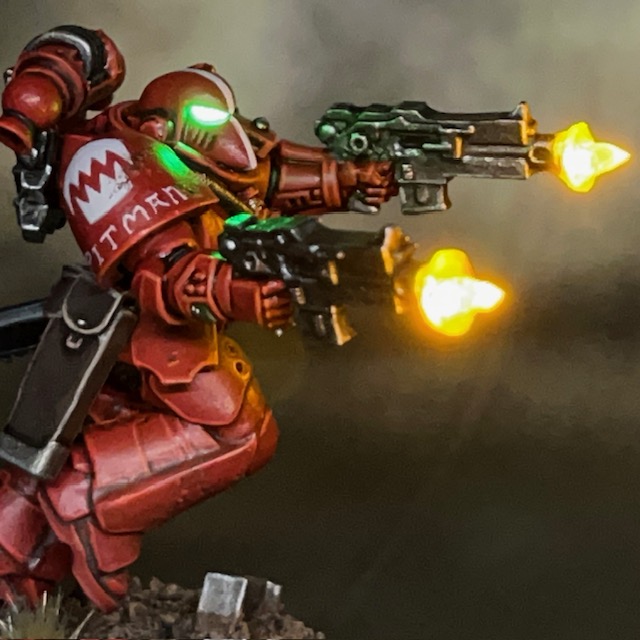
It’s back to the Flesh Eaters project this week with Brother Pitman, an Assault Intercessor equipped with duel heavy bolt pistols and a chainsword. Brother Pitman will be joining my second Assault Intercessor squad as the third member of the unit.

Modelling & Painting

This miniature is a redux of Crimson Fists Sergeant Bast. I was always pleased with his guns akimbo pose, and wanted to bring it into my Flesh Eaters project. There are a couple of other effects I want to port over from my Crimson Fists army, but those are projects for another day.

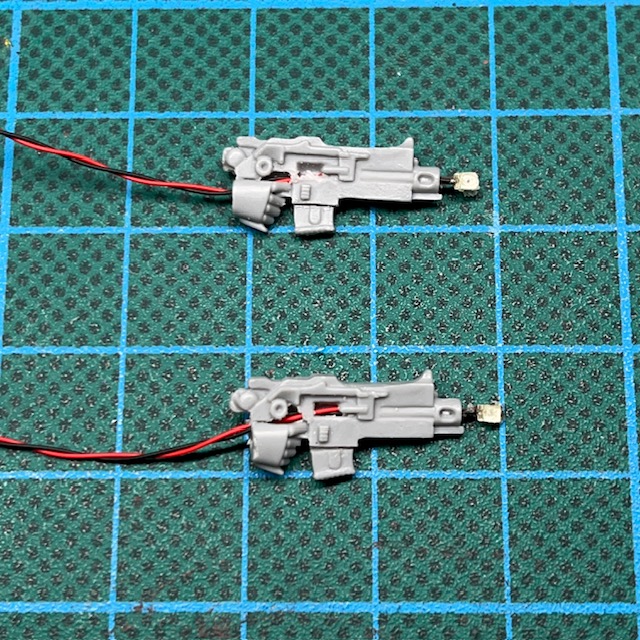
The LED effects on Brother Pitman were assembled using the techniques described in my LED Muzzle Flare Tutorial, with the slight change that there are two LED muzzle flares instead of one. To achieve this, I simply repeated Steps 2 – 7 of the tutorial. The second yellow chip LED was connected in parallel with the first yellow chip LED and the green helmet LED.

A tip I remember picking up from a fellow miniature painter – possibly Apologist – is that if you have a model with duel weapons, it can enchance the pose if the miniature’s head is looking in the same direction as one of the guns it is firing. This is a principle I’ve tried to follow here. If you have the two guns firing in opposite directions and the miniature’s head facing halfway between the two, then it can make the model seem ‘disengaged’ from the act of firing the weapons.

The conclave known as the ‘Diet of Fools’ ensured the Flesh Eaters and the other chapters of the Pentarchy of Blood were incredibly well equipped for the task ahead. This glut of equipment, supplied by order of the High Lords of Terra, wasn’t just reserved for officers but also filtered down to the line units. In these holo-picts we can see a very well provisioned Brother Pitman. His chainsword will carry the word of Terra – quite literally – to his Partisan foes!

EXTRACT FROM ‘A TREATISE ON THE WAR OF THE FALSE PRIMARCH’ BY SCRIBE HOWTOPHER BUXCRAFT

As I’ve described previously for other Flesh Eaters miniatures, the base model is a Primaris Assault Intercessor (from the Indomitus box) that I have modified to wear MkVI armour, in keeping with the War of the False Primarch theme for my Flesh Eaters army. The heavy bolt pistols are made from Umbra pattern bolt guns with the magazine cut down to give them a smaller profile.

For those that are interested, my painting recipe for the red Flesh Eaters armour can be found in this earlier post. I’ve added a little more battle damage to this Intercessor squad than the previous one. The ‘paint chips’ on their armour were applied using the sponge method and Rhinox Hide, which I then highlighted along the lower edge with Evil Sunz Scarlet and Wild Rider Red to give a sense of depth. Below you can see a picture of Squad Byrne so far – three down, two to go!

That’s all for today, I hope you’ve enjoyed this addition to the Flesh Eaters project. I’ll be back with more LED miniatures soon. Thanks very much for reading, and please remember you can also find me sharing my work on InstagramThreadsTwitter/XBluesky and Mastodon.
Crimson Fists Eradicator Squad Complete

“Let others bring the Emperor’s light. We bring His heat.”

Sergeant Paulo, Eradicator squad

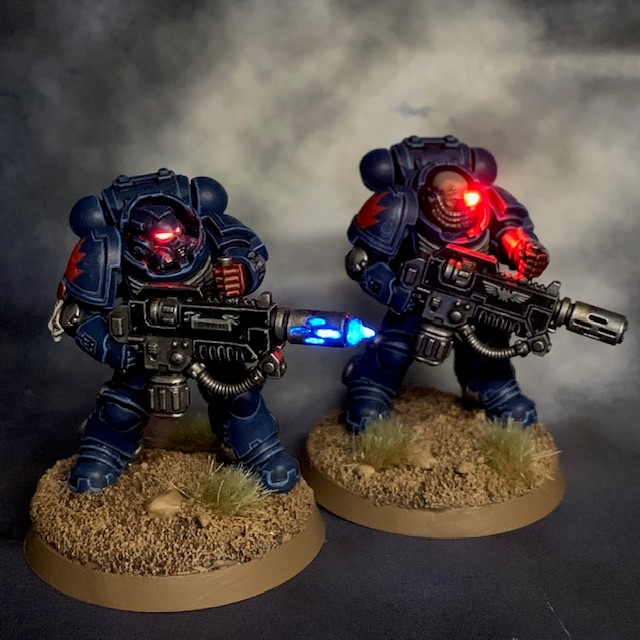
This week I’ve finished the Eradicator squad from the Indomitus box set. I always find it immensely satisfying when a squad comes together and is ready for deployment on the table top – just in time for the lessening of pandemic lockdown restrictions here in the UK too!

I don’t have a great deal new to say about the third squad member that hasn’t already been said elsewhere since he’s so similar to the first member of the squad. I’ve already discussed LED melta weapons here, and the sergeant with his LED bionic eye here.

So with a little hindsight, would I have done anything different with this unit? Perhaps I’d tone down the brightness of the bionic eye in some way. Other than that I was fairly pleased with the results. As I think I mentioned in a previous post, I’ve had a clear idea in my head of what I wanted to do with this squad from the start, and I’ve managed to live up to the vision in this case.

That’s all for this week, but I’ll be back again soon. Don’t forget if you want to try making LED miniatures for yourself then my tutorials are all here and if you need tools and supplies you can buy them here.

Crimson Fists Eradicator Sergeant

No enemy shall escape either my sight or my wrath!

Paulo, Eradicator Sergeant

This week I’ve been working on another Indomitus Eradicator. I didn’t use the LED melta weapon effect technique on this one as I felt his weapon wasn’t really in a firing pose. Instead I decided to focus on his bionic eye – if you’ll excuse the pun!

This was mostly achieved using the basic techniques described in my LED eye lens tutorial, with one key exception; instead of recasting the head in resin I used the plastic original. I drilled a 1mm hole into the bionic eye of the plastic head, and then a larger hole up through the neck to meet the eye hole in the middle of the head. I then fed the wires of my 3V red ultra nano SMD chip LED in through the eye hole and out of the neck, then gently pulled the LED into the hole. I then ran the wires through the torso and legs – again, as described in my LED eye lens tutorial – to connect to the battery in the base. Then I applied a small blob of Water Splash Effect Gel, available from Green Stuff World to fill in the hole. Finally, once the gel was dry I applied a shade of Citadel Carroburg Crimson and three successive glazes of Citadel Bloodletter to give the eye some colour when the LED is off and also to prevent the LED being too bright. Bloodletter glaze is sadly discontinued, but a watered-down glaze of Citadel Evil Sunz Scarlet would do the same job.

So why do this rather than my normal method of recasting the head? For a start this is far less time consuming than making a new silicon mould for this one head. But also one of the reasons I use casting rather than drilling for helmets is that it allows you to easily retain the non-circular shape of helmet eye lenses. With bionic eyes this is not as important as they tend to be circular and therefore they lend themselves well to drilling.

Here’s Sergeant Paulo with his fellow Eradicator from last week. As you may notice from the image above, the other thing I did this week was to switch out the incorrect ‘battle line’ symbol on Brother Eliseo’s shoulder for the ‘fire support’ symbol. I had a complete brain-fart while applying transfers last week and for some reason thought that Eradicators were a differently armed variant of Heavy Intercessors – which would have made them ‘battle line’ – rather than being their own thing. Ah well, it was fairly easy to make the change. Anyway, that’s all for this week, see you again soon for more LED action!

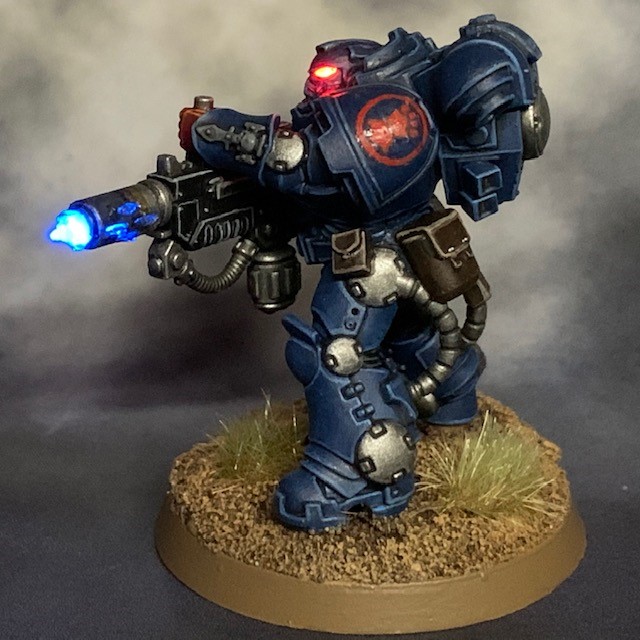
Crimson Fists Eradicator & Melta Weapon Tutorial

If the Emperor had meant us to show mercy, he wouldn’t have granted us the Total Obliteration protocols.

Brother Eliseo, Eradicator

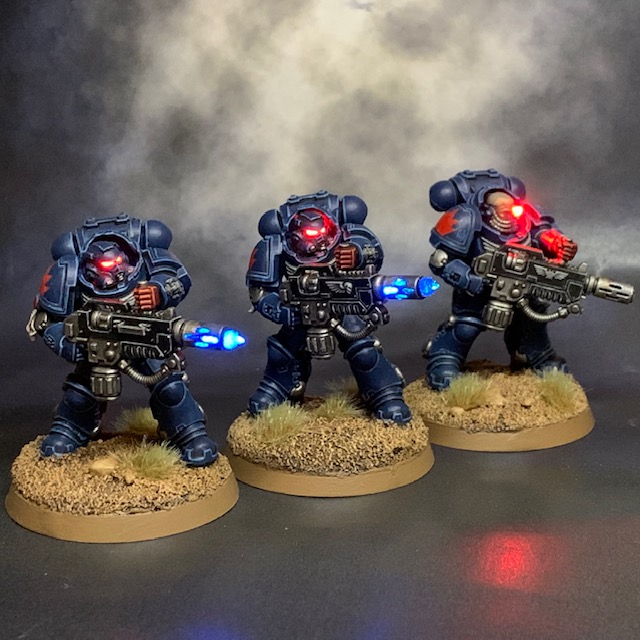
This week I decided to return to the Crimson Fists for a bit. I haven’t added anything to this army since “finishing” them for Armies on Parade. But the still mostly unpainted Indomitus set is nagging at me from my ‘Shelf of Shame’, the three Eradicators in particular. They are one of those units that I had a very clear vision for from the moment I saw the models. I don’t have any other melta weapons in my army, so this would be the perfect opportunity to try out some LED effects on this type of weapon.

LED Melta Weapon Tutorial

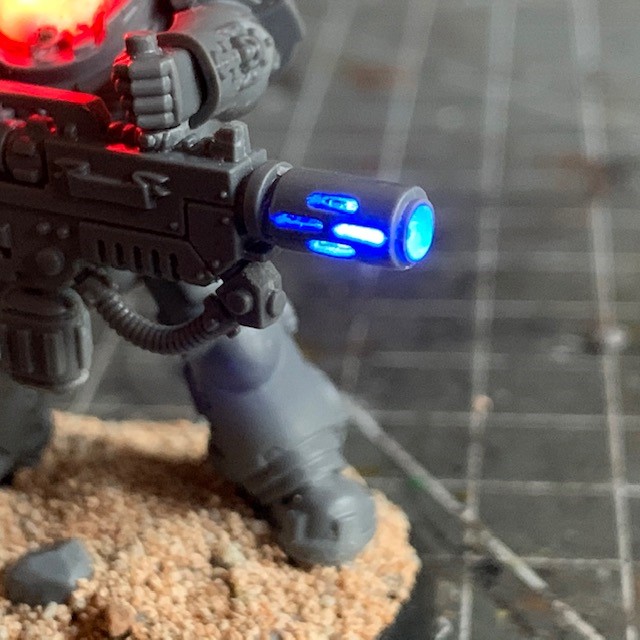
So how do we make LED melta weapons? I’m not going to do a full tutorial, as most of the process is very similar to my existing LED Muzzle Flare tutorial. The steps below essentially replace steps 11 – 13 in that tutorial. For this project I used a 3V Blue Ultra Nano SMD Chip LEDs available from Small Scale Lights, rather than the 0805 yellow chip LED mentioned in step 12 of the LED Muzzle Flare tutorial. Also I used a 175Ω resistor in series with the TruOpto 1.8mm red helmet LED, rather than the 100Ω resistor mentioned in step 15 of that tutorial. This is due to the different current requirements of the blue ultra nano LED. All paints used are from the Citadel range. As with all my tutorials, I recommend reading all the way through to make sure you have the necessary skills and tools before you get started.

  1. Begin by drilling the melta barrel. I found a 2.5mm drill bit was just right. You may find it easiest to cut off the wide front of the barrel at the point where it reaches the narrow “neck” with a craft knife and then drill it separately. You can then use a sharp craft knife or scalpel to cut the remaining thin layer of plastic in each of the four vents on either side of the barrel.

2. Now you will need to drill a hole through the gun and arm to run the wire for the blue ultra nano LED. I found a 1.5mm drill bit was about the right size for this. For weapon effects I normally run the wires through the right arm, but in this case I found it easier to go up through the top handle and left arm due to its position and how straight it was. Another valid approach would be to go through the front of the chest at the point where the back of the melta rifle is held against the chest eagle. Once you have drilled your hole, run the wire through. This can be connected to the rest of the circuit inside the miniature as detailed in steps 14 – 17 of the LED Muzzle Flare tutorial.

3. Assemble the model, as detailed in steps 19 of the LED Muzzle Flare tutorial. Make sure the blue ultra nano LED is setting as centrally as possible in the barrel so it can be seen evenly through all vents and also the muzzle. Test that the circuit works and that you haven’t damaged any components or connections during assembly by switching it on.

4. Cover all exposed LED areas with blu-tac (or similar) and then apply your spray undercoat of choice. If you are following this tutorial to the letter then the critical areas to cover are the helmet eye lenses, barrel vents and the muzzle. Once the undercoat is completely dry you can remove the blu-tac. I find either using a pair of fine tweezer or fresh blu-tac can assist with this.

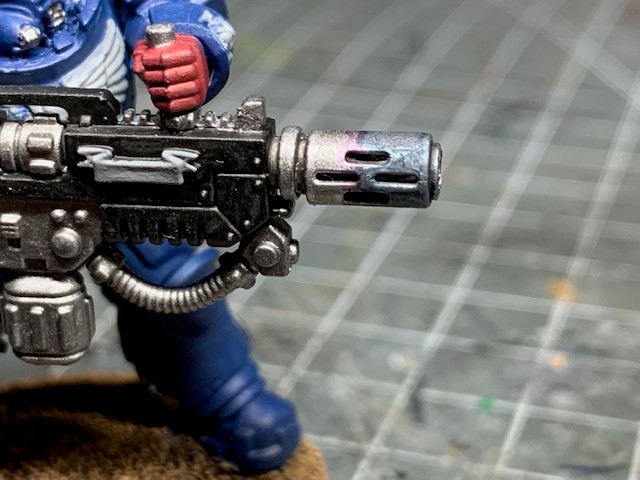
5. I’m just going to discuss painting the melta barrel itself. The rest of the model you can paint to your own colour scheme. Firstly, paint the barrel with Leadbelcher, being careful not to clog any of the vents or get any paint on the ultra nano LED.

6. Shade the barrel with Nuln Oil and edge highlight with Stormhost Silver.

7. Apply a wash of Drakenhof Nightshade starting at the muzzle and going about halfway back along the barrel. This is the start of a ‘scorched metal’ effect that will give the impression the barrel has discoloured due to the extreme heat of the melta weapon. If you don’t want to paint this effect, ignore this and skip straight to step 10 instead.

8. Apply a narrow ring of Druchii Violet where the blue shade stops.

9. The final part of the ‘scorched metal’ effect is to apply a ring of Seraphim Sepia below the violet shade.

10. Now it’s time to build-up the melta ‘flame’ effect. It’s not really a ‘flame’ in the same sense of a flamethrower burning internal fuel. Rather, I wanted to give the impression of the air being ionised by the incredible energies in the vicinity the barrel. Picture the blue flame on a bunsen burner, but taken to extremes. To make the ‘flame’ I applied the ever-useful Water Splash Effect Gel, available from Green Stuff World. There is a small amount emerging from the side vents, but the majority is coming out of the muzzle. This gel is milky-white when applied, but don’t be alarmed as it dries clear. You can’t sculpt the whole flame immediately, it needs to be applied in layers. The product instructions recommend 24-hours between application of layers, but in these small amounts I found that around six hours was plenty. Once it’s clear and hard, you’re good to go.

11. Continue to build-up successive layers to enlarge the muzzle ‘flame’ until you are happy with it.

12. Once the gel is completely dry, you can apply some thin paints to give it a bit of colour when the LED is off. Apply a thin shade of Drakenhof Nightshade and once that has dried apply a light glaze Guilliman Blue (or another watered-down mid-blue).

And there we have it, the finished effect! I hope you found this tutorial useful, or at least interesting. That’s all for today, see you again soon!