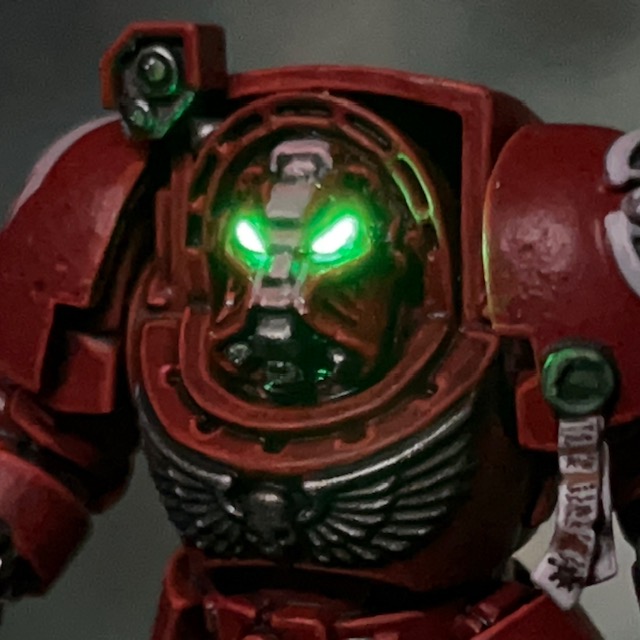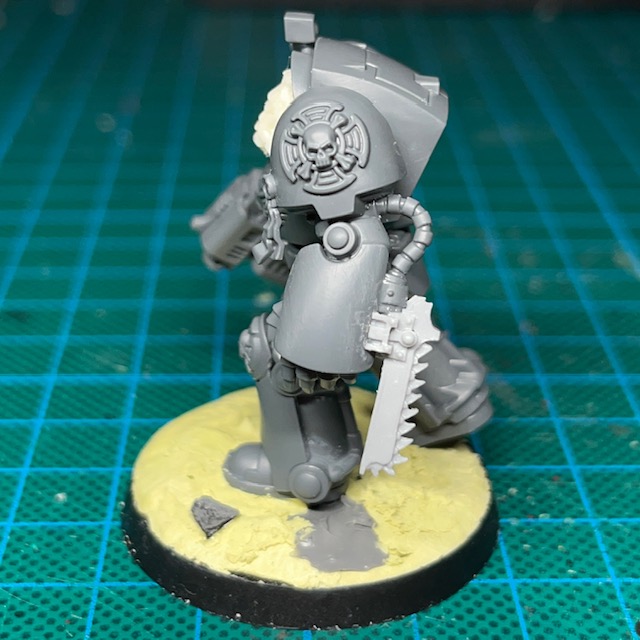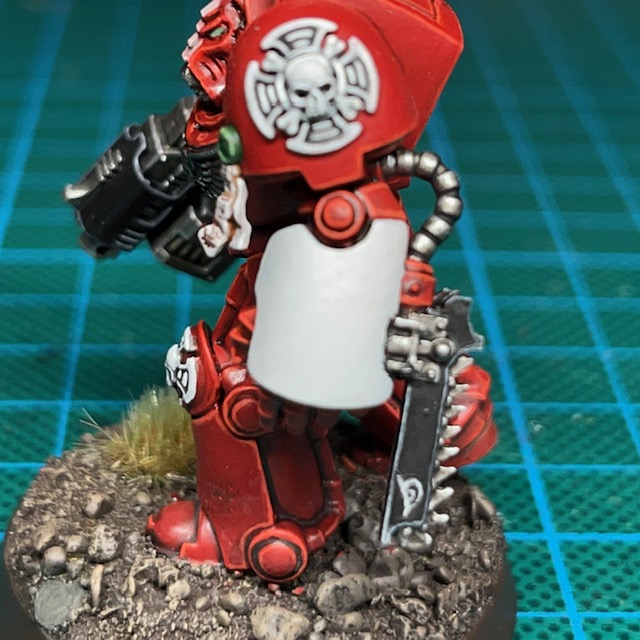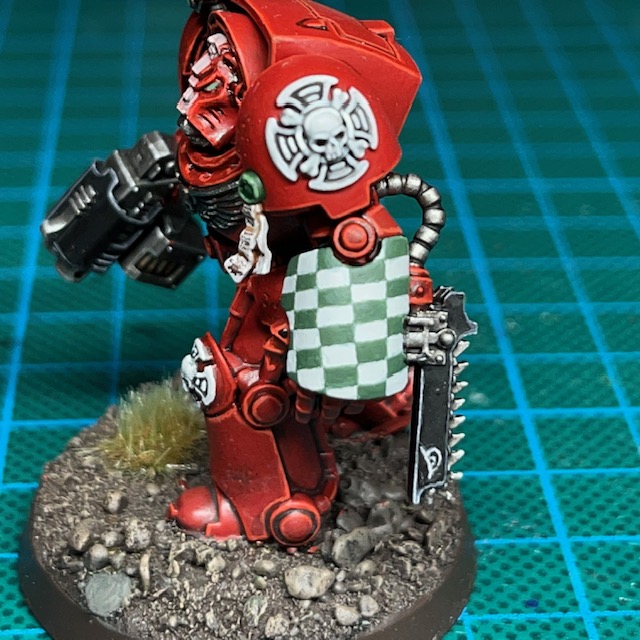
Brother Naismith, Flesh Eaters Terminator Sergeant

Heresy is like a sword. If you don’t cut it then it will cut you.

Brother-Sergeant Naismith

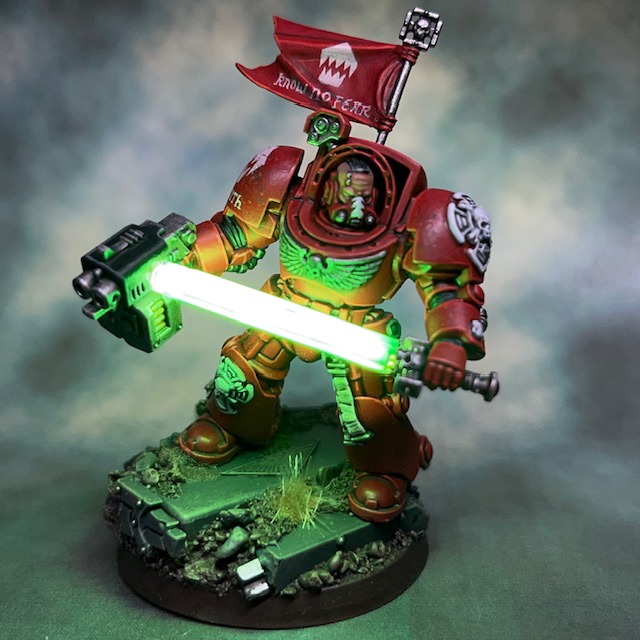
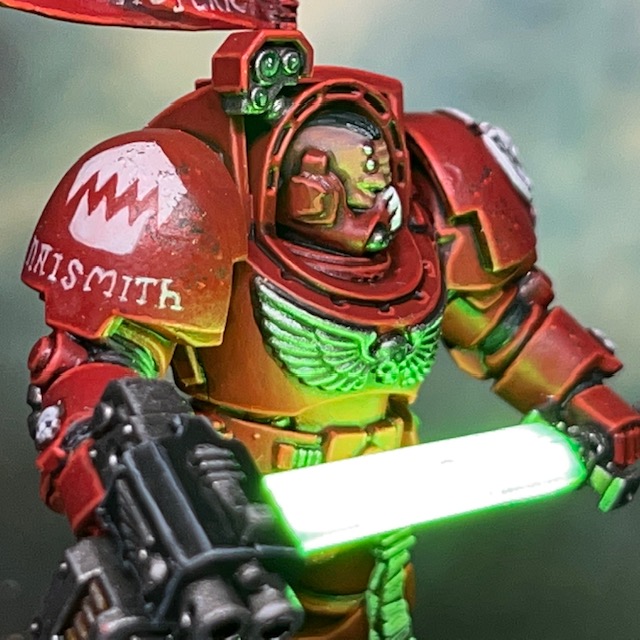
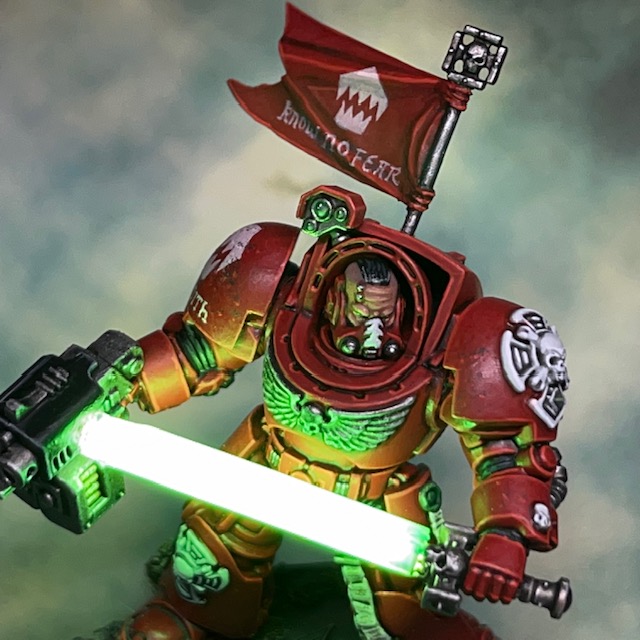
I’m back with the final model in the Warhammer 40,000 ‘Leviathan’ Terminator squad – Brother-Sergeant Naismith, a Flesh Eaters Terminator with filament LED power sword! This model took quite a bit of work as it was my first attempt at a completely new power sword technique.
Modelling

The best way to make an LED power sword is something that has been troubling me since I first started putting LEDs into miniatures almost ten years ago. To my mind, the biggest issue is achieving an evenly illuminated blade. I know many of my fellow miniature LED enthusiasts like to put the LED in the hilt of the sword, facing upwards into a transparent blade to achieve power sword or lightsabre effects. I mean absolutely no disrespect to any of them as it’s a great technique that takes a lot of skill to achieve! But the drawback of this technique that I personally don’t like is that the sword blade appears brighter near the hilt and dimmer at the tip. This effect can often appear dim in bright ambient light.

So, for many years I’ve been trying to figure out a convincing and reliable way to evenly illuminate the entire blade. In the meantime, I did come up with the solution of using millimetre-sized chip LEDs embedded in the blade to simulate the power field generators, which you can read about in my LED Power Weapon Tutorial. However, I think I may have finally found a better solution with filament LEDs.
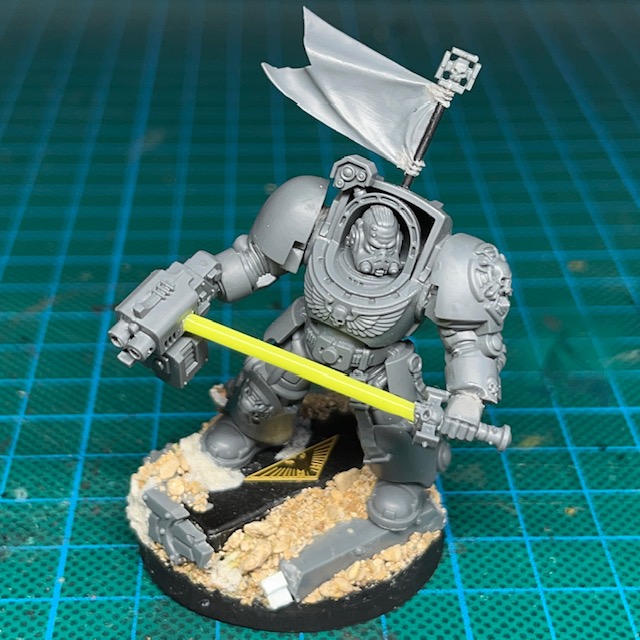
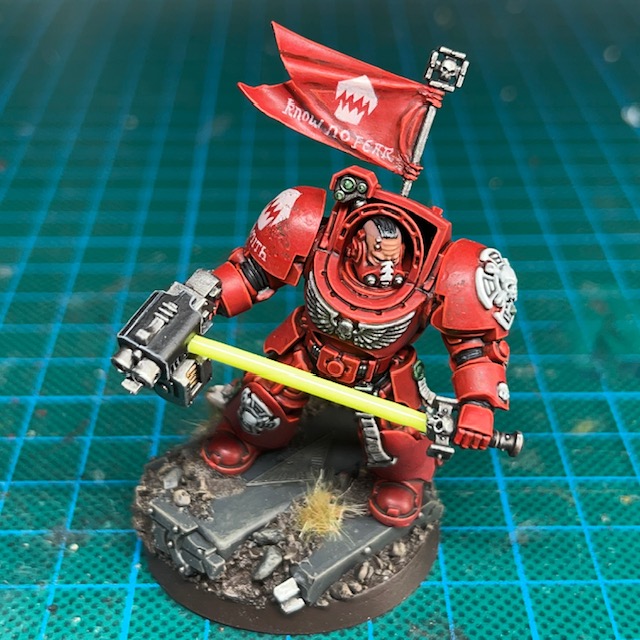
Filament LEDs are long and thin with a single connection at either end. I’ve used them before on other projects, most notably “Burn Traitor!”. These types of LEDs are often used in lightbulbs or similar applications and are available in a variety of colours and voltages. I get mine from a UK seller on eBay.  The type used here was a 38mm 12V ‘yellow-green’ LED. I went with 12V to ensure plenty of brightness, but this meant having to switch to a single 12V MN21 battery rather than trying to fit four of my normal 3V CR2032 batteries in the base, which wouldn’t have been physically possible.

As I’ve said before, if you are attempting this yourself then please remember filament LEDs are extremely fragile!  They are built around a thin strip of plastic that holds an array of sub-millimetre LEDs. This strip of plastic cannot take any real amount of bending or pressure and will snap at the least provocation. If you are using them in a project, I’d strongly recommend buying twice as many as you need, just in case of accidents.

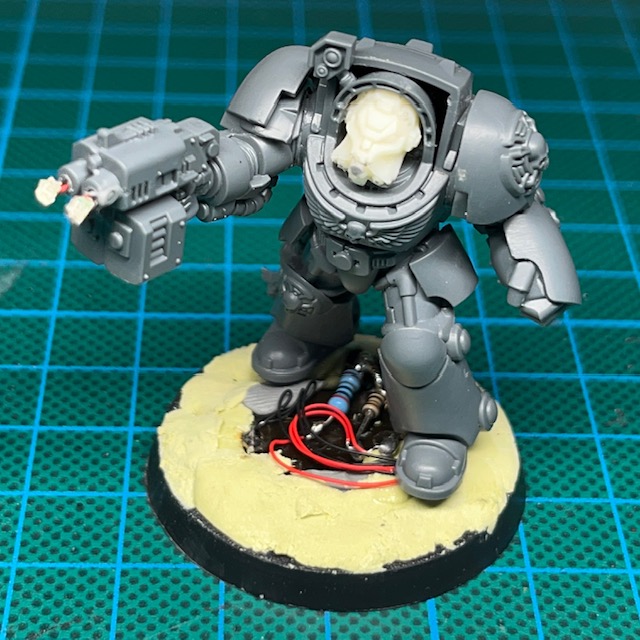
The circuit is extremely simple. One end of the filament LED is hidden in the hilt, the other is concealed in the storm bolter. A wire runs down through each arm to connect to the battery holder and switch in the base. You can see the battery holder in the picture above – it’s the black rectangle in the base. Because this is a lot larger than my normal battery holders, it made the base quite tall. I decided to turn this problem into a feature and make it look like the sergeant was striding down some steps as he prepares to swing his sword. Hopefully this adds to the dynamism of his pose.

To conceal the filament and give it a sword shape, I covered it with thin strips of plastic. The filament is so bright that it shines through the plastic, which also diffuses the light in a pleasing way. I then gave the sword blade three or four thin glazes of Citadel Hexwraith Flame technical paint to make the blade look interesting if the LED was switched off. After the above pictures were taken, I decided I wasn’t happy with the tip of the blade and used a scalpel to carefully shave it into a more pointed end. Hopefully in the illuminated pictures it looks like the tip of the sword is just held near the storm bolter, rather than being driven into it!

This model was something of an experiment and making it was mostly about teaching myself the technique, so I haven’t put together a full tutorial yet. I do plan to use this method again for other models though, so next time I will take some step-by-step photos.

I chose to use the unhelmeted head for two reasons. Firstly, it meant I didn’t have to worry about illuminating the helmet eye lenses while working with a different battery type. Secondly, I knew a bare head would look more dramatic when underlit by the blade.

The other thing I should mention about this model is the banner. All the units in this army are carrying a flag, and I wanted the Terminators to have one too. But it seemed a waste to dedicate a Terminator to holding a flagpole in their power fist, so I decided to add the flag as a back banner to the sergeant. But rather than the traditional hanging back banner shape, I kept the flag design used by the other units, for consistency.

Painting

As with the rest of the Terminator squad, I painted Brother-Sergeant Naismith using my normal Flesh Eaters armour and Terminator iconography recipes. As mentioned above, the power sword blade was given three or four thin glazes of Citadel Hexwraith Flame technical paint. LEDs aside, thin glazes of Hexwraith Flame over a white basecoat is a great way to produce a quick, cheap and cheerful powered blade effect.
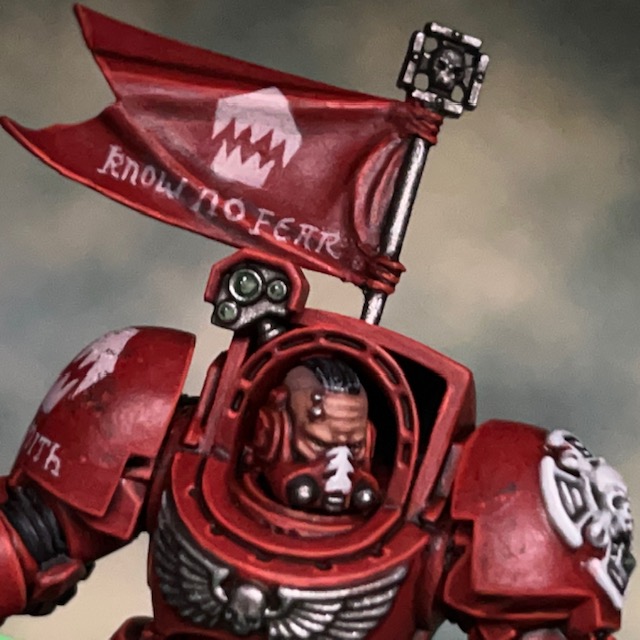
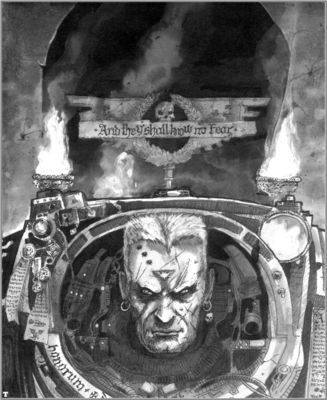
For the banner slogan, I decided to keep it simple and go with ‘Know No Fear’. This is a classic Space Marine motto, and echoes the classic John Blanche Terminator artwork shown above. The Brother-Sergeant’s name is a nod to veteran Citadel miniature scultpor Bob Naismith, who I believe had a hand in the original Terminator prototype designs. I decided that Sergeant Goodwin would be too on the nose!
Now that I’ve finished the sergeant, that’s the entire Terminator squad complete! I’m sure I’ll be back again soon with some group pictures of the unit. Then of course it’s getting everything ready for Armies on Parade. In the meantime, thanks very much for reading today’s post, and please don’t forget you can also follow my work on social media at InstagramThreadsTwitter/X, Bluesky and Mastodon.
Brother Erasmus, Flesh Eaters Assault Cannon Terminator

We can eat our enemies, and our enemies can EAT THIS!

Brother Erasmus, Flesh Eaters Terminator

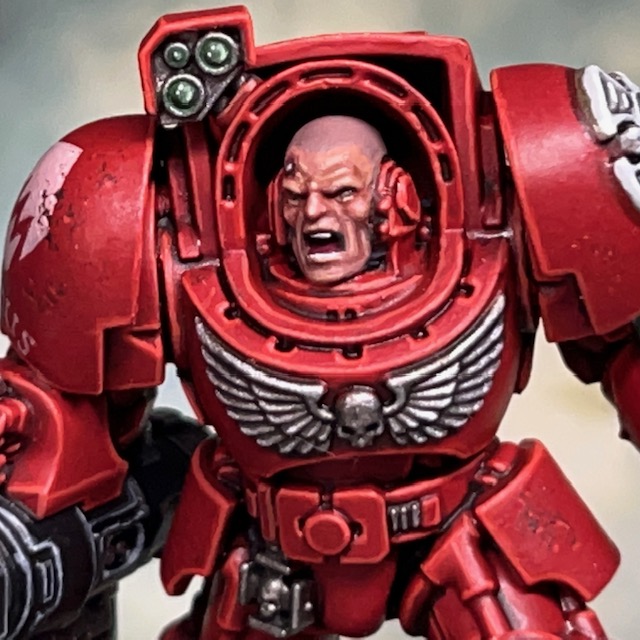
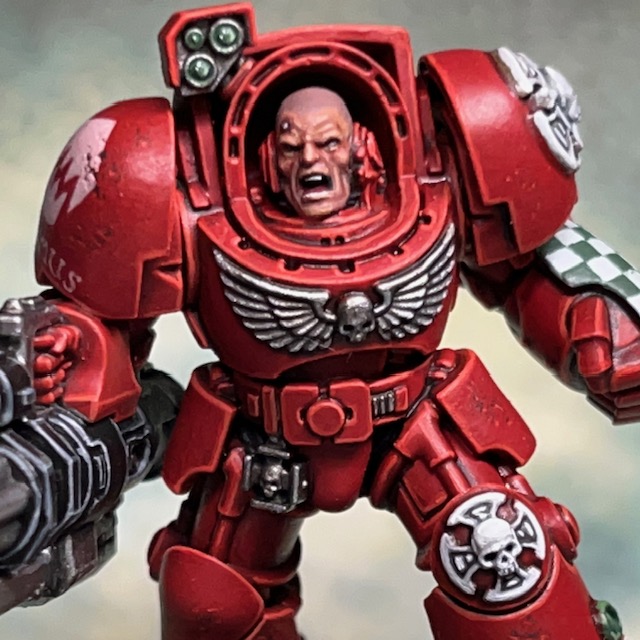
My work on the Warhammer 40,000 ‘Leviathan’ Terminator squad continues this week with Brother Erasmus, a Flesh Eaters Terminator with a LED motorised assault cannon! From the moment the Leviathan contents was previewed, I knew I’d have to give this miniature some special treatment.

Modelling

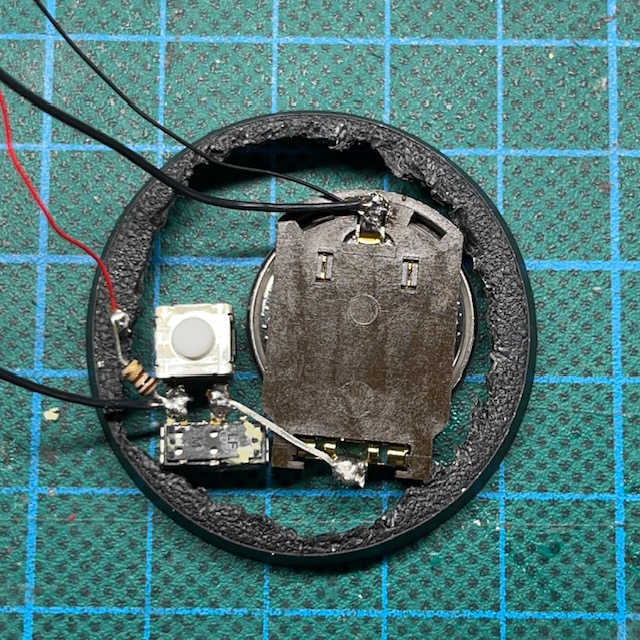
To make this miniature I followed my own LED Motorised Assault Cannon tutorial, with only one small difference: I placed a miniature slide switch in parallel with the ‘push to make’ switch. With this modification, turning on either switch will activate the assault cannon, regardless of what position the other switch is in. This means I can still use the ‘push to make’ switch to “fire” the assault cannon during a game, whereas the slide switch can be used to keep the assault cannon on for photography and display purposes.

The image on the left below shows the two switches connected in parallel, with the ‘push to make’ switch facing up and the slide switch facing down. The image on the right shows the assault cannon construction in progress. The motor used was 4mm x 8mm so was small enough to fit inside the assault cannon without modifying its shape. The holes you can see drilled in the side were covered up when the magazine was glued into place on the side.

If you’re trying this yourself, just be a bit cautious when attaching the barrels to the shaft of the motor. I used too much force on the shaft and pushed the plastic back off the first motor, destroying it completely. I had to pause work on this miniature while I waited for a replacement to arrive. If it hadn’t done this, then we probably would have seen Brother Erasmus last week. This mistake can be avoided by bracing the plastic back of the motor with a pair of tweezers when you are attaching the barrels.

I decided that an unhelmeted head was the best choice for this model. As there was only room for one CR2032 battery in the base, the motor, the muzzle flare and the helmet eye lenses would have all shared a single battery. This meant that when the assault cannon was operating, the helmet eye lenses would have dimmed, which I felt would have been too immersion breaking.

The head used is from the Leviathan Terminator Captain. I had this going spare as I had already sourced an alternative head for my Captain. I decided to shave off his hair and one of the service studs with a hobby knife, just so it looked like a different head. The Captain’s head is normally facing to his left, but I placed the head facing to the right, following the line of fire of the assault cannon. Unfortunately, some of the detail was missing from the left side of the Captain’s head as that is normally obscured, so I had to sculpt in the missing parts with modelling putty, mainly around his left earpiece.

Painting

As with the rest of the Terminator squad, I painted Brother Erasmus using my normal Flesh Eaters armourTerminator iconography and freehand check recipes. I’m going to do a post taking a detailed look at my method for painting light skin soon, but you can find a brief rundown of my recipe for painting Space Marine pale flesh towards the end of this post.

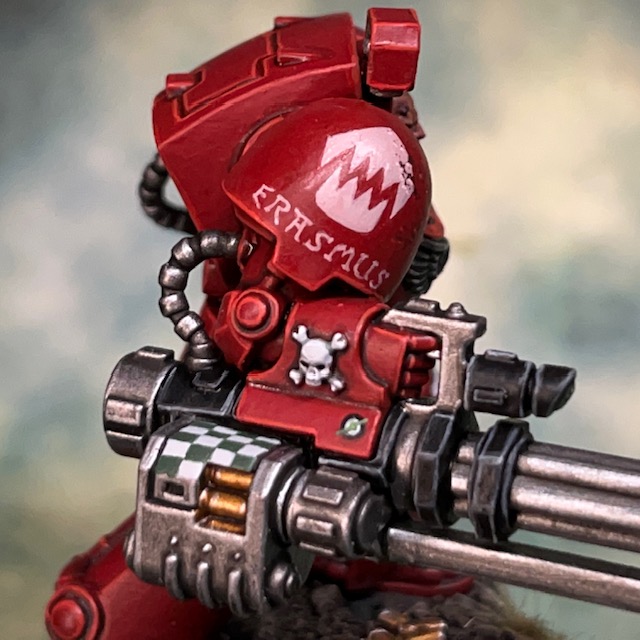
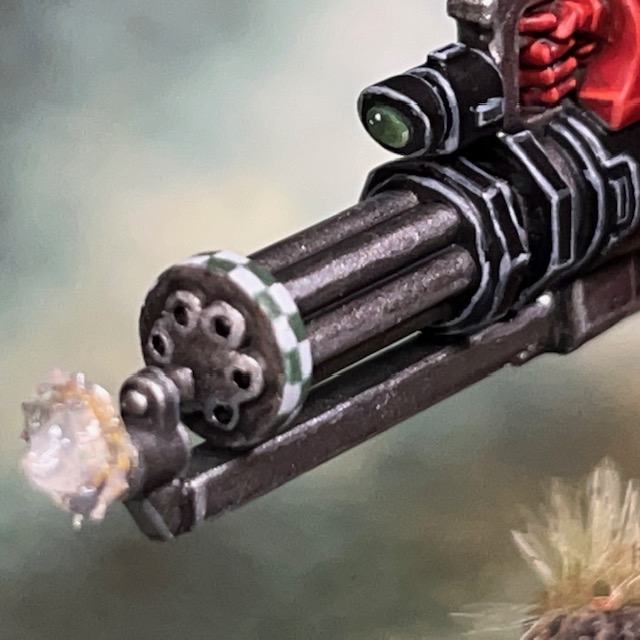
It’s often tricky to exactly match Rogue Trader-era Space Marine heraldry (above left) exactly, especially when the design of the weapons has evolved over the years. Instead I tried to capture the feel of it with checks on the magazine (above centre) and around the barrels (above right). If you look very closely, you’ll see a version of the assault cannon ‘lightning bolt’ symbol.

As I suggest in the tutorial, the button that activates the assault cannon is hidden underneath a skull. Pressing down on the central skull (above left) will “fire” the assault cannon. I did briefly consider breaking my War of the False Primarch army theme and using a Tyranid skull for the button as a nod to Leviathan, but in the end decided against it. I’ve come this far on-theme and it would have been a shame to deviate from it now.

So there we are, four Terminators done! The Sergeant is probably going to take the most conversion work out of all of them, so I’m not sure how quickly I’ll get him done. Thanks very much for reading today’s post, and please don’t forget you can also follow my work on social media at InstagramThreadsTwitter/X and Mastodon.
Flesh Eaters Terminator Progress

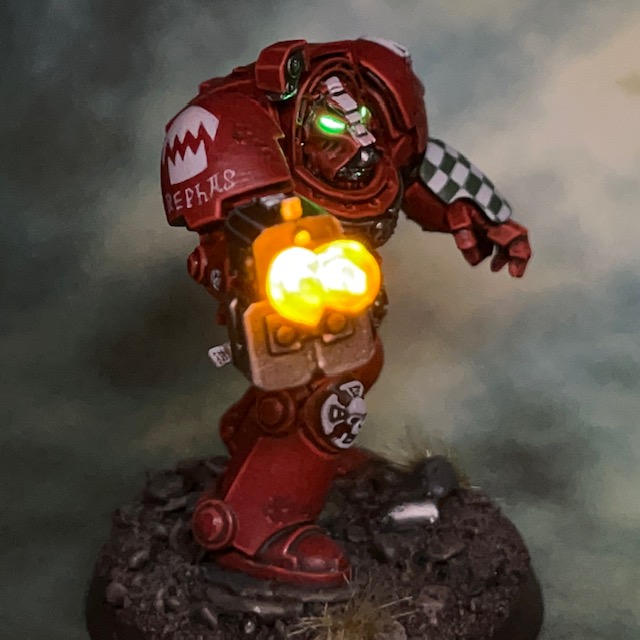
I finished a third ‘Leviathan’ Terminator over the weekend, so Brother Rephas (right) joins the squad with a storm bolter and power fist. Since I’m getting this squad done at a much faster rate than my normal hobby progress, I thought it was worth taking a group picture to celebrate.

Modelling & Painting

If you’ve been building this Terminator squad too, you may have spotted that Brother Rephas has had an arm swap with the sergeant. This is because I wanted another basic Terminator in an active firing position, and also I needed his original arm for a pose I have planned for the sergeant.

The storm bolter LED muzzle flares used the techniques detailed in my LED Muzzle Flare Tutorial, the only difference being that there are two muzzle flares on a storm bolter. This meant two Yellow/Amber 0805 Chip LED (3V) connected in parallel. For the helmet eye lenses I used a TruOpto OSPG7331A-KL 1.8mm Green LED. Due to the position of the Terminator’s head in respect to its body, I found it easier to insert the helmet LED from the rear of the helmet, rather than underneath as I normally do.

After posting the previous Terminators, my good friend Apologist asked whether I’d considered illuminating the small shoulder lights/sensors with LEDs. I had, but decided against it. Actually lighting them up is technically trival, I would have done it in the same way as this servo skull. However, it would have added additional cost per model, and I think it would have drawn focus away from the head and gun effects for no real gain in overall aesthetics. So because of these two reasons I decided against it and to take the approach of painting the shoulder lenses as ‘passive’ sensors. I thought it was worth sharing that answer, in case anyone else was wondering the same thing.

When it came to painting Brother Rephas, I used my normal Flesh Eaters armour, Terminator iconography and freehand check recipes.

That’s it for today, as always, thanks very much for reading, and please don’t forget you can also follow my work on social media at InstagramThreadsTwitter/X and Mastodon. Next up, assault cannon goes brrrrrrr!

Brother Furian, Flesh Eaters Terminator

More Warhammer 40,000 ‘Leviathan’ Terminator action this week with Brother Furian, a Flesh Eaters Terminator with storm bolter and chainfist.

Modelling

As this model wasn’t in a dynamic firing pose or carrying any special weapons, I decided to keep the LEDs simple and just illuminate the helmet eye lenses. I used the techniques detailed in my LED Eye Lens Tutorial, the only difference being that I used a TruOpto OSPG7331A-KL 1.8mm Green LED. As I mentioned in my post about Brother Lazarus, I found it easier to insert the helmet LED from the rear of the Terminator helmet, rather than underneath as I normally do.

As a last minute addition, just to give this model a bit more interest, I decided to turn his power fist into a chainfist – a weapon option that is not in the Leviathan box. The chain blade component came from an old Forge World Tartaros Terminator upgrade kit, but there’s an equivalent on the modern plastic Legion Tartaros sprue. It fitted neatly over the bottom of the power fist with only some minor gap filling required.

Painting

I don’t have many additional things to say about the paint scheme for this miniature. I’ve previously talked about painting Flesh Eaters armour in others posts, and described how I paint Terminator iconography here. However, after posting Brother Lazarus, I had a few positive comments and questions about the freehand checks, so I thought I’d share my method here.

‘Iterative’ Freehand Check Technique

I’ve decided to call this the ‘iterative’ technique, as it’s based on making small iterations to the neatness of the squares. The two Citadel paints I used for the checks on this Terminator were Corax White and Waaagh Flesh.

  1. Start with a solid background colour, using the lighter of the two colours. Apply this as several thin coats if necessary to ensure a smooth surface.
  2. Lightly “sketch” roughly where you think the squares should be. Use a thinned down version of the darker colour.
  1. Go back over the dark squares with an additional coat of the darker colour, making the squares more solid.
  2. Correct any mistakes by applying the lighter colour along the edges of the light squares to ensure they are straight. Remember that there should not be any overlaps – squares should only be touching other squares of the same colour at the very corners.
  3. Apply a final correction of the darker colour along the edges of the darkers squares, again to ensure they are straight. You can repeat steps 4 and 5 as many times are needed, making finer and finer corrections until you are happy with the result.

So there we have it, that’s the ‘iterative’ freehand technique. I prefer this over sketching a grid and then filling in the gaps. Drawing a grid tends to mean that the darker squares are larger than the lighter squares, since they incorporate the grid itself into their colour area, which leads to overlapping corners. If you’d like to see the iterative technique applied elsewhere, I also used it on my Lamenters.

Image © Games Workshop

When looking for ideas on how to paint the chain blade on the chain fist, I consulted the Rogue Trader-era Terminator heraldry shown above. I thought the whole thing would be quite confusing on the eye if I tried to reproduce exactly, but I quite liked the idea of a shark-like face, especially as I had used that imagery elsewhere with the Flesh Eaters. However, I wondered if painting teeth on the blade would look strange when it already has its own ‘teeth’. In the end I just settled for painting the eye as a nod to the original heraldry, which then hopefully gives the impression the whole chain blade is a shark-like head, with the chain teeth standing in for the teeth of the creature.

That’s it for today, but I’ll be back again very soon with more Terminators. I’m determined to power through the whole squad before moving on to other projects! As always, thanks very much for reading, and please don’t forget you can also follow my work on social media at Instagram, ThreadsTwitter/X and Mastodon.

Brother Lazarus, Flesh Eaters Terminator

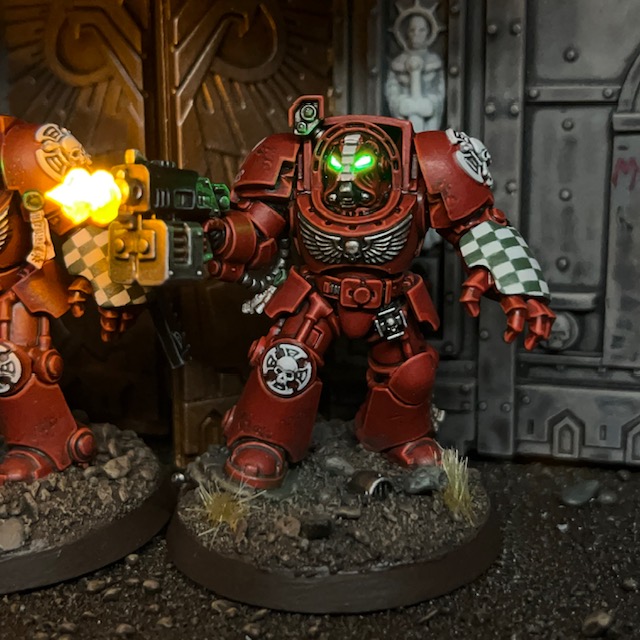
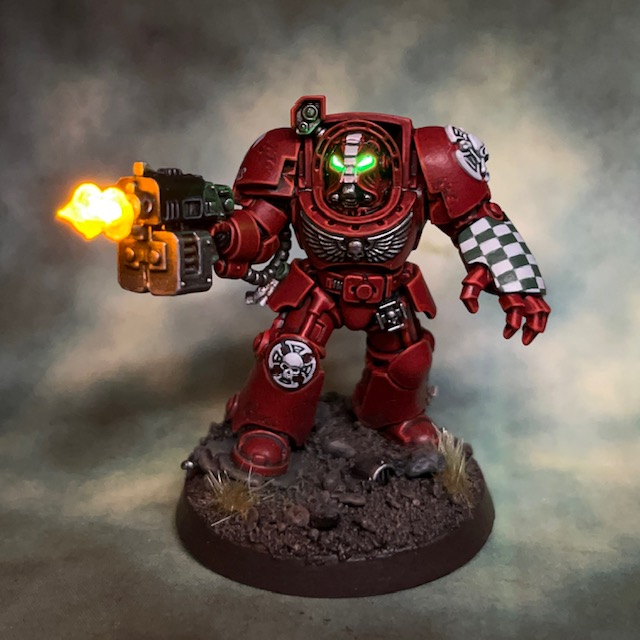
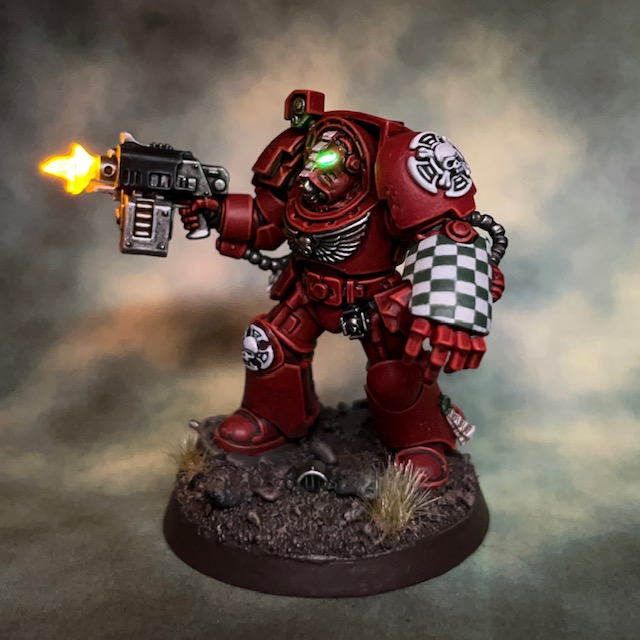
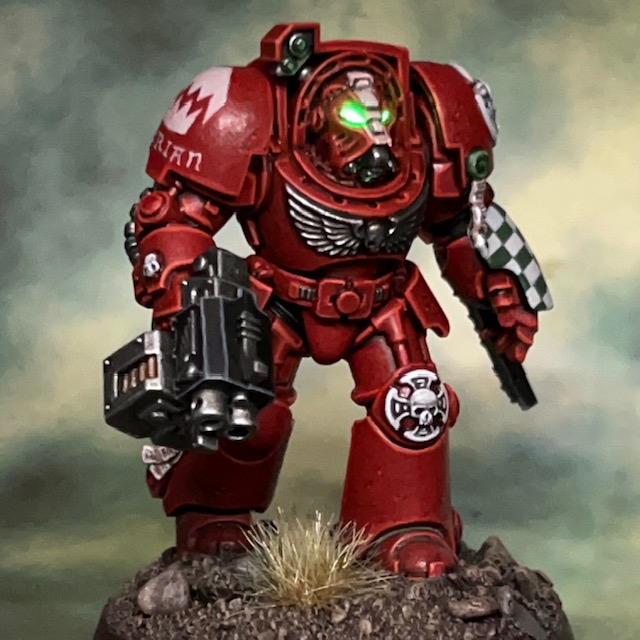
My work on the Warhammer 40,000 ‘Leviathan’ box continues this week with Brother Lazarus, a Flesh Eaters Terminator with storm bolter and power fist.

Modelling

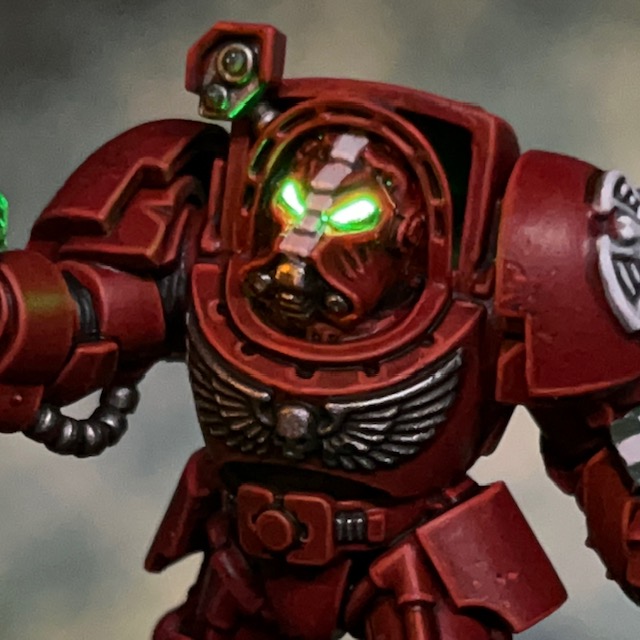
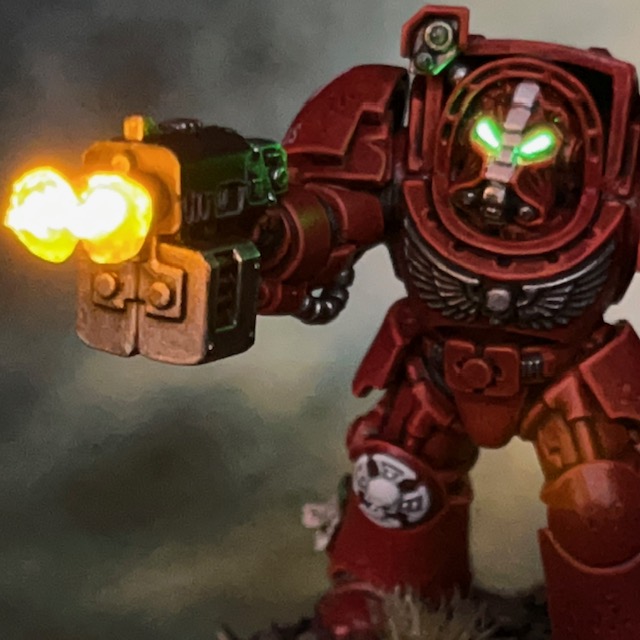
I decided to start with this particular Terminator as he was in a good firing pose, which made it easy to add some LED muzzle flares. I used the techniques detailed in my LED Muzzle Flare Tutorial, the only difference being that there are two muzzles on a storm bolter! This meant two Yellow/Amber 0805 Chip LED (3V) connected in parallel. For the helmet eye lenses I used a TruOpto OSPG7331A-KL 1.8mm Green LED. Due to the position of the Terminator’s head in respect to its body, I found it easier to insert the helmet LED from the rear of the helmet, rather than underneath as I normally do.

Thankfully there was little else to do in terms of conversion work on this model. Regular readers will know that my Flesh Eaters army is based on the War of the False Primarch setting, which takes place in M33. This means that the Primaris models I’ve used in MkX power armour have been converted to give them a more MkVI appearance. However this wasn’t necessary with the Leviathan Terminators, as Indomitus pattern Terminator armour is perfectly in keeping with the time period and ‘Rogue Trader’ aesthetic that I’m aiming for with this army.

Painting

I spent a lot of time thinking about how to paint this model. Although the colour scheme is well established for this army, there are two things I’ve not had to paint elsewhere in the Flesh Eaters – a Crux Terminatus and winged skull on a chest plate. I was certain that I didn’t want to introduce any additional colours into my army’s colour palette if I could avoid it, so I initially decided to paint all of them Corax White. However that much white turned out to be a little visually overpowering, so I changed the winged skull to Leadbelcher instead. This meant that it no longer drew the eye away from more visually interesting areas.

I’ve listed my Crux Terminatus recipe below, primarily as a reminder to myself for when I come to paint the rest of the squad.

Crux Terminatus

  • Administratum Grey basecoat
  • Contrast Apothecary White shade
  • Nuln Oil shade in deepest recesses
  • Corax White layer
  • Skull White highlight

The other aspect of the paint scheme that caused me a lot of thought was how to pattern the power fist. Other power fists in this army have so far only been carried by sergeants, and I’ve opted for rank insignia as decoration. But Brother Lazarus is not a sergeant, and I wanted to include some traditional Terminator power fist markings. At first, I thought I might paint the classic black and yellow stripes, but I was reluctant to introduce the additional yellow into my army palette as it is not used elsewhere. I also worried that it might make the model read visually as a Blood Angel. I did also consider black and white stripes but wasn’t sure it would have the same visual ‘pop’ – plus it might look like zebra skin!

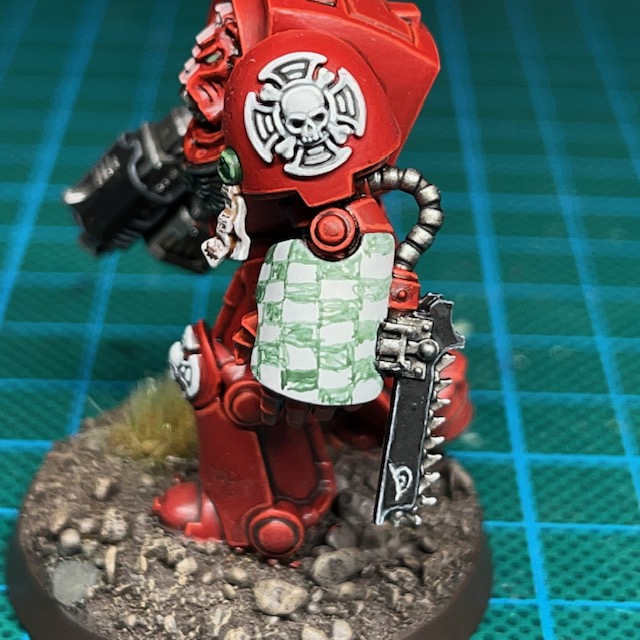
In the end I settled for green and white checks. This checkerboard pattern is a traditional Terminator decoration, and I’ve used green elsewhere in the army as a spot colour for items like targeting lenses and purity seals. I’m pleased with the results and think I made the right call in the end. I also continued the custom of including the marine’s name under the chapter symbol on their pauldron. I grabbed my old Space Hulk Campaigns book off the shelf and had a skim through for a suitable and storied name for a Terminator, eventually settling on Brother Lazarus.
That’s it for today, but hopefully I’ll be back again soon with more Terminators! As ever, thanks very much for reading, and please don’t forget you can also follow my work on social media at TwitterMastodonThreads and Instagram.